
Laser Eyes Meme Generator
Add glowing laser eyes to any photo. Faces are found for you, in five colors.
Loading editor...
Free Red Eyes & Laser Eyes Meme Maker
Create the perfect laser eyes meme in seconds with our free online red eyes meme generator. Simply upload any photo and our AI-powered face detection will automatically find every face and add glowing red eyes or laser beams perfectly positioned on each person. Whether you want the classic red glowing eyes look or dramatic laser beams shooting from the eyes, this tool has you covered. Works great with selfies, group photos, pet photos, and anything with a face.
How to Add Laser Eyes to a Photo
- Upload your photo by dragging and dropping, clicking to browse, pasting with Ctrl/Cmd+V, or use the demo image
- Laser eyes appear on every face the tool finds. Use Place Manually for anything it missed
- Choose Red Eyes for the glow or Laser Beams for beams, and pick a color
- Drag, scale or rotate any effect to line it up
- Click Download for a full-resolution PNG, or Copy to paste it straight into a chat
Laser Eyes PNG With a Transparent Background
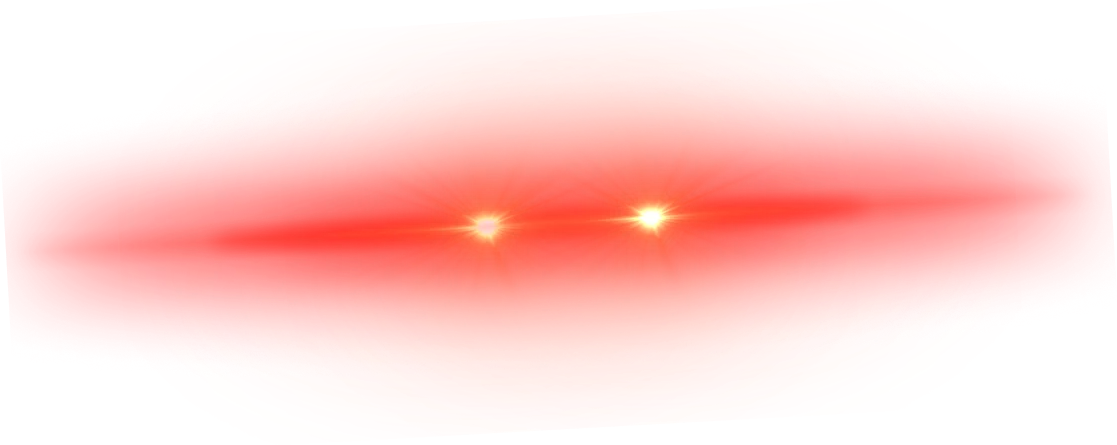
If you edit in another app, take the glow on its own. This is the red laser eyes overlay the generator uses, with a transparent background. The other colors download from the "Transparent PNG" button under the upload box.
Key Features
- AI Face Detection: Finds every face as soon as the photo loads and places effects on the eyes
- Two Effect Styles: Realistic glowing red eyes or drawn laser beams
- Five Colors: Red, blue, green, gold or purple laser eyes
- Multi-Face Support: Works with group photos, so everyone gets laser eyes
- Full Control: Drag, scale, and rotate each effect individually
- Manual Placement: Click anywhere to add extra effects by hand
- High-Res Download: Export at full original resolution as PNG, or copy it to the clipboard
- 100% Private: All processing in your browser, no uploads to any server
- Free, No Signup: No account required, no watermarks, no limits
Perfect For
- Meme Creators: Make viral laser eyes and red eyes memes
- Social Media: Create eye-catching posts for Twitter, Instagram, TikTok
- Crypto & Web3: The classic laser eyes profile picture trend
- Group Photos: Give the whole squad glowing red eyes
- Fun & Humor: Add laser eyes to pets, celebrities, or friends
- Content Creators: Create thumbnails and reaction images
How do I add laser eyes or red eyes to my photo?
Upload your photo (or paste one with Ctrl/Cmd+V, or use the demo image). Laser eyes go on every face the tool finds, straight away. "Place Manually" adds more by hand, anywhere on the image.
Does the tool automatically detect faces?
Yes. Face detection runs as soon as the photo loads and lines the effect up with each person's eyes, in portraits and group photos alike. It runs in your browser, so the photo is never uploaded.
Can I add red eyes to multiple people in one photo?
Absolutely! The auto-detect feature finds all visible faces in the image and adds effects to every person. You can also manually add more effects anywhere you want.
What types of laser eye effects are available?
There are two styles: "Red Eyes" places a realistic glowing red eyes effect over the eyes, and "Laser Beams" draws glowing red and orange laser beams shooting outward from the eyes. You can switch between styles per effect or globally.
Can I make blue, green or gold laser eyes?
Yes. Pick red, blue, green, gold or purple above the photo and every effect changes color, both the glowing eyes and the beams.
Where can I get a laser eyes PNG with a transparent background?
Click "Transparent PNG" under the upload box, in the color you picked, or save the red version from the section on this page. Both have a transparent background, so you can drop them onto a photo in any editor.
Can I paste the result straight into a chat?
"Copy" puts the finished image on your clipboard, ready to paste into Discord, X, Telegram or a document. "Download" saves it as a full-resolution PNG.
Can I adjust the size, position, and rotation of the laser eyes?
Yes! Click on any placed effect to select it. You'll see handles that let you scale and rotate the effect freely. You can also drag it to reposition. This gives you full control over each individual effect.
Is this red eyes meme generator free?
Yes, completely free with no signup, no watermarks, and no usage limits. Use it as many times as you want.
Is my image data secure?
Yes, all processing happens locally in your browser using JavaScript. No images are uploaded to any server. Your photos never leave your device.
What image formats are supported?
You can upload PNG, JPG (JPEG), and WebP images up to 10MB. The result is downloaded as a high-resolution PNG file.
Why are the laser eyes not perfectly on the eyes?
Face detection works best with front-facing, well-lit photos. If the eyes are partially hidden, the person is at an angle, or the image is low resolution, the placement may be slightly off. You can always drag and adjust each effect manually after auto-detection.
Can I use this on mobile?
Yes. The editor fits the phone screen, and you can drag, resize and rotate the effects by touch.