Onboarding & Training

Get New Hires Productive in Days, Not Weeks

Stop repeating the same training. Create visual onboarding guides once, use them forever. New employees learn faster, and you get hours back every week.

80%
Faster Onboarding
15 hrs
Saved Per New Hire
90%
Higher Retention

The Problem: Onboarding Is Eating Your Time

Every new hire needs the same training. You or your team repeats the same explanations for every single person. It's time-consuming, inconsistent, and doesn't scale.

⏱️ Time Drain

Training one employee takes 15-20 hours of your time. With multiple hires, that's weeks of productivity lost to repetitive explanations.

📋 Inconsistent Training

Different trainers explain things differently. New hires get incomplete information or miss critical steps depending on who trains them.

😰 Overwhelmed New Hires

Information overload in live training means employees forget 70% of what they learned. They're afraid to ask questions and slow to become productive.
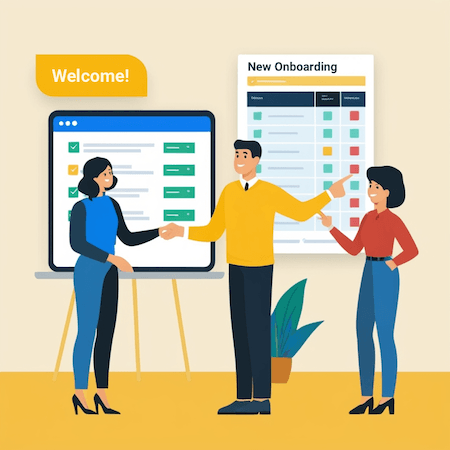
Employee onboarding
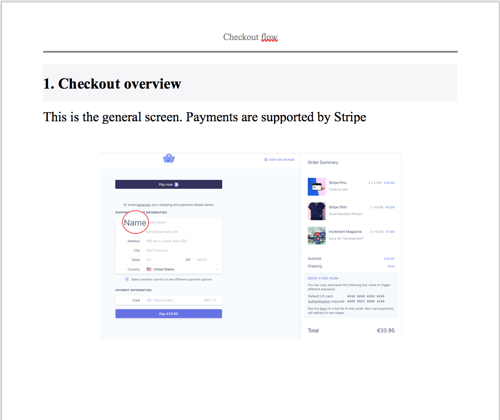
Onboarding guide

The Solution: Self-Paced Visual Training

Create a library of onboarding guides covering every tool, process, and workflow. New hires learn at their own pace and can revisit guides anytime they need a refresher.

📚 Complete guide library 🔄 Learn at own pace ✅ Track progress 🎯 Consistent training
  • Tool-specific training
    Create guides for every software tool your team uses. Step-by-step instructions with screenshots.
  • Process documentation
    Document workflows, procedures, and best practices. New hires see exactly how things are done.
  • Reference materials
    Employees revisit guides whenever they forget a step. No need to interrupt colleagues with questions.
  • Easy updates
    Process changed? Update the guide in 10 minutes. Everyone gets the latest information automatically.

What to Include in Your Onboarding Library

Cover everything new employees need to know

💼 Company Tools

  • How to use company email and calendar
  • Project management tool setup
  • Communication platforms (Slack, Teams)
  • Time tracking and HR systems

⚙️ Role-Specific Training

  • Department-specific software
  • Industry tools and platforms
  • Technical setup and access
  • Specialized workflows

📋 Processes & Procedures

  • How to submit expense reports
  • Request time off procedure
  • Project workflow steps
  • Quality assurance processes

🎯 Best Practices

  • Company communication standards
  • Code review guidelines (for dev teams)
  • Customer interaction protocols
  • Security and compliance requirements

The Business Impact

80% Faster

New hires reach productivity in days instead of weeks

💰

15 Hours Saved

Per new hire. Managers and trainers get their time back.

📈

Higher Retention

Good onboarding increases retention by 90%

Consistent Quality

Every employee gets the same excellent training

Build Your Onboarding Library in Hours

Once created, use it for every new hire forever

1

List Topics

What does every new hire need to know? List all tools and processes.

2

Record Guides

Capture each process once. 10-15 minutes per guide.

3

Organize Library

Group guides by category. Create a clear learning path.

4

Share With New Hires

Send the library on day one. They work through it at their pace.

Stop Repeating Training. Build It Once, Use It Forever.

Create visual onboarding guides that get new hires productive faster and give you hours back every week.

System Requirements: Windows 7 ( partial support), 8, 8.1, 10, 11 (64-bit only). OSX > 10.10. Available in 🇬🇧, 🇫🇷, 🇩🇪, 🇪🇸 , 🇮🇹, 🇳🇱, 🇵🇹/🇧🇷 and 🇯🇵 languages.

$89 one-time payment • Build unlimited training guides • Update anytime • Share everywhere

More use cases

IT Support

Create quick tutorials outlining technical solutions to common problems.

Customer Success

Give your customer service team a break by creating interactive guides to respond to their queries.

Onboarding and Employee Training

Get your team ready for action ASAP by giving them a new kind of training material.

Education

Help educators spend more time on what really matters by giving them walkthroughs for their IT software.

Business and Technical Documentation

No more need for long instructions or documents — just create simple guides instead.

Drawing Moonlanding

Start creating your documentation right now!

Folge is a desktop application. Download and use it for free forever or upgrade for lifetime features and support.

Looks like you are on mobile phone. Click here to send yourself download links for later
System Requirements: Windows 7 ( partial support), 8, 8.1, 10, 11 (64-bit only). OSX > 10.10. Available in 🇬🇧, 🇫🇷, 🇩🇪, 🇪🇸 , 🇮🇹, 🇳🇱, 🇵🇹/🇧🇷 and 🇯🇵 languages.
The Gold Standard Of Guide Creation
Jonathan, Product Director

