# Custom Watermark
Paid Feature
Custom watermarks are available for Personal and Business license holders.
Folge allows you to add a custom watermark image to every step image during export. This is useful for branding your guides with a company logo, a "Confidential" stamp, or any other image you want to overlay on your screenshots.
# Supported export formats
Custom watermarks work with all export formats:
- Word (DOC)
- PowerPoint (PPT)
- Simple HTML
- Rich HTML
- Image export
- Markdown
- JSON
- GIF (applied to image frames only - not to the title card or text-only step frames)
# How to set up a custom watermark
- Open the Export screen and select your format
- In the Step Image tab, scroll down to find the Custom Watermark section
- Toggle the watermark on
- Click the + button to select your watermark image (PNG with transparency works best)
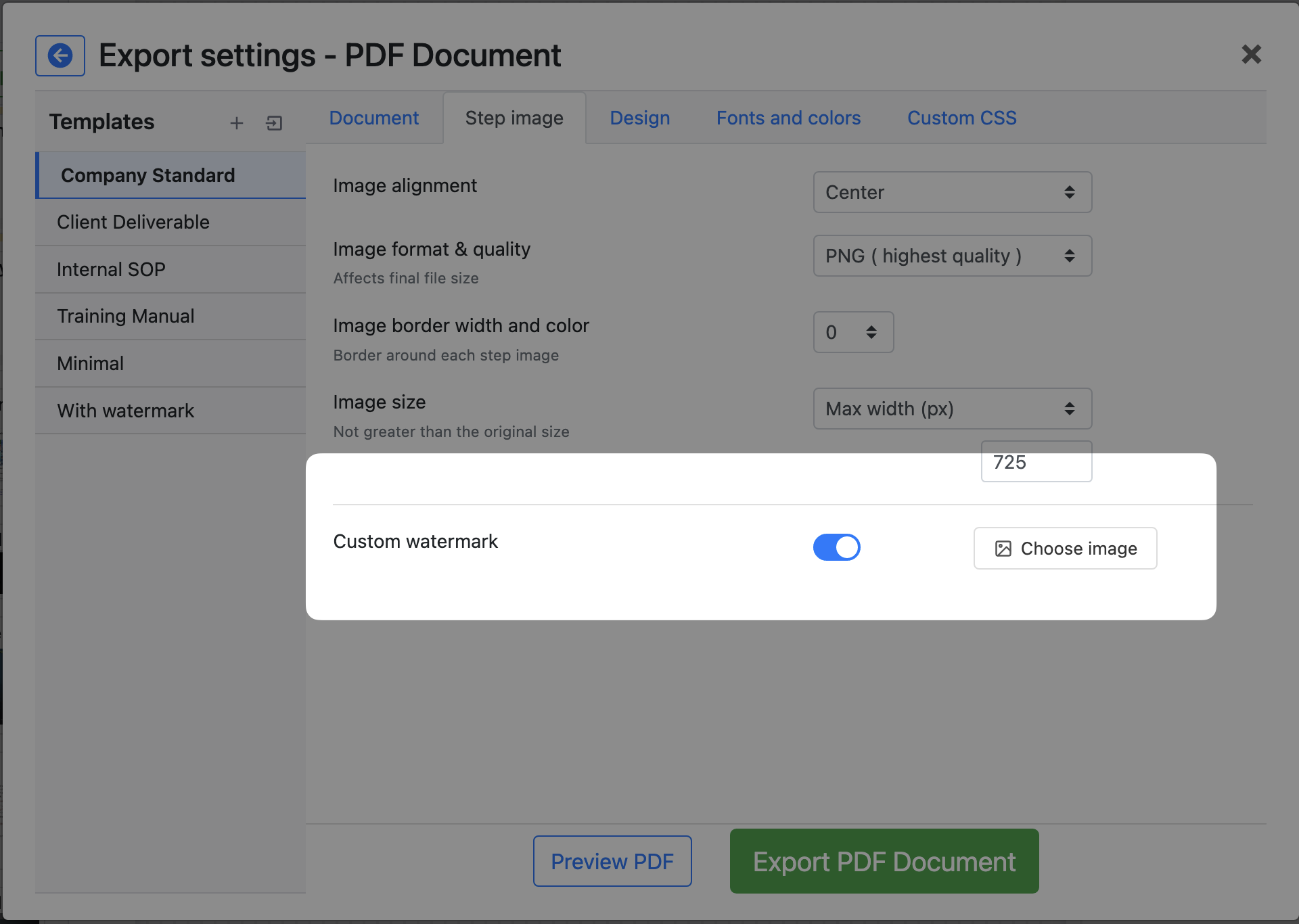
Once an image is selected, you'll see a compact preview thumbnail next to the toggle. Hover over the icons to preview, change, or remove the watermark image.
# Configuring the watermark
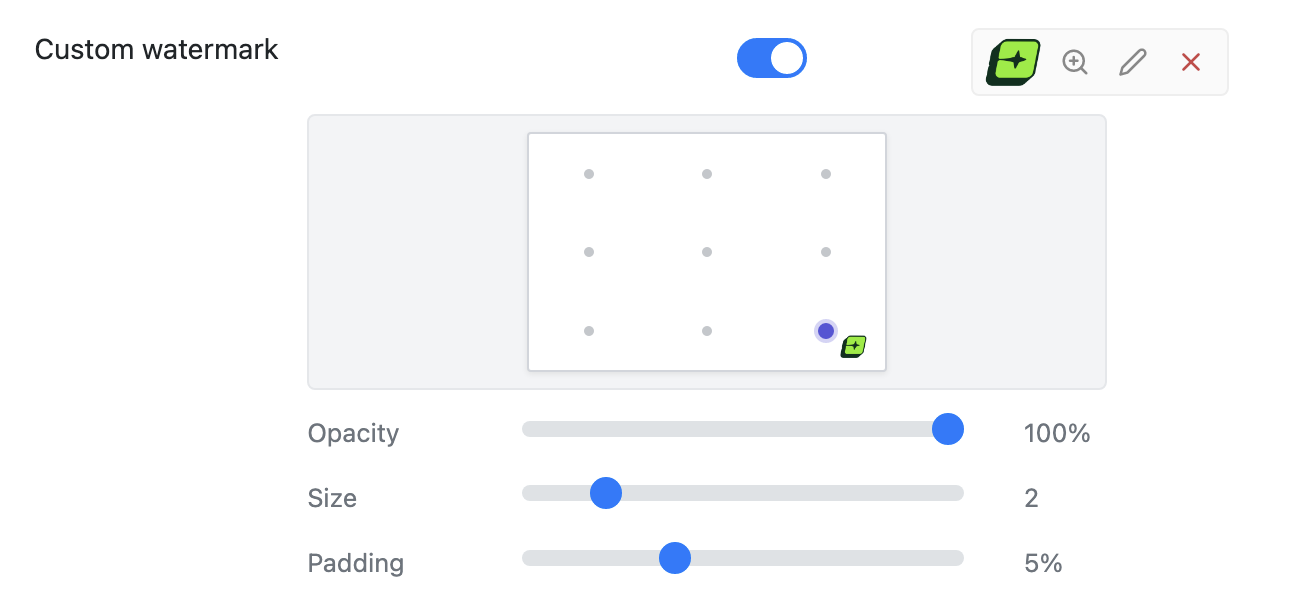
Once enabled and an image is uploaded, you will see a position picker and three sliders to fine-tune the watermark appearance:
# Position
Click one of the 9 positions on the position picker to place your watermark:
| Left | Center | Right | |
|---|---|---|---|
| Top | Top-left | Top-center | Top-right |
| Middle | Middle-left | Center | Middle-right |
| Bottom | Bottom-left | Bottom-center | Bottom-right |
The default position is bottom-right.
# Opacity
Controls how transparent the watermark appears. Range from 10% to 100%. Lower values make the watermark more subtle, so it doesn't distract from the step content.
# Scale
Controls the size of the watermark relative to the step image. Adjust this to make the watermark larger or smaller.
# Padding
Controls how far the watermark is positioned from the edge of the image. Increase padding to move the watermark further inward from the corners/edges.
# Example
Here is an example of a step image with a custom watermark ( a lovely follow me car ) applied in the bottom-right corner: