# AI Voice Input
TIP
AI Helper is available from version 1.25.0
Folge can use OpenAI Whisper API to record and transcribe your voice in over 60 languages. This can be used to dictate and fill in step or guide descriptions.
# Getting Started
# Locating the AI in UI
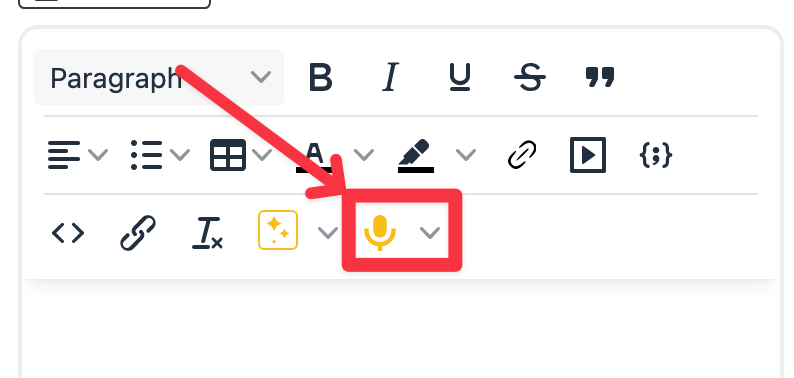
Open any guide and locate the AI Voice Input 🎙 icon in the Step Description editor. Click it.
# Screen Overview
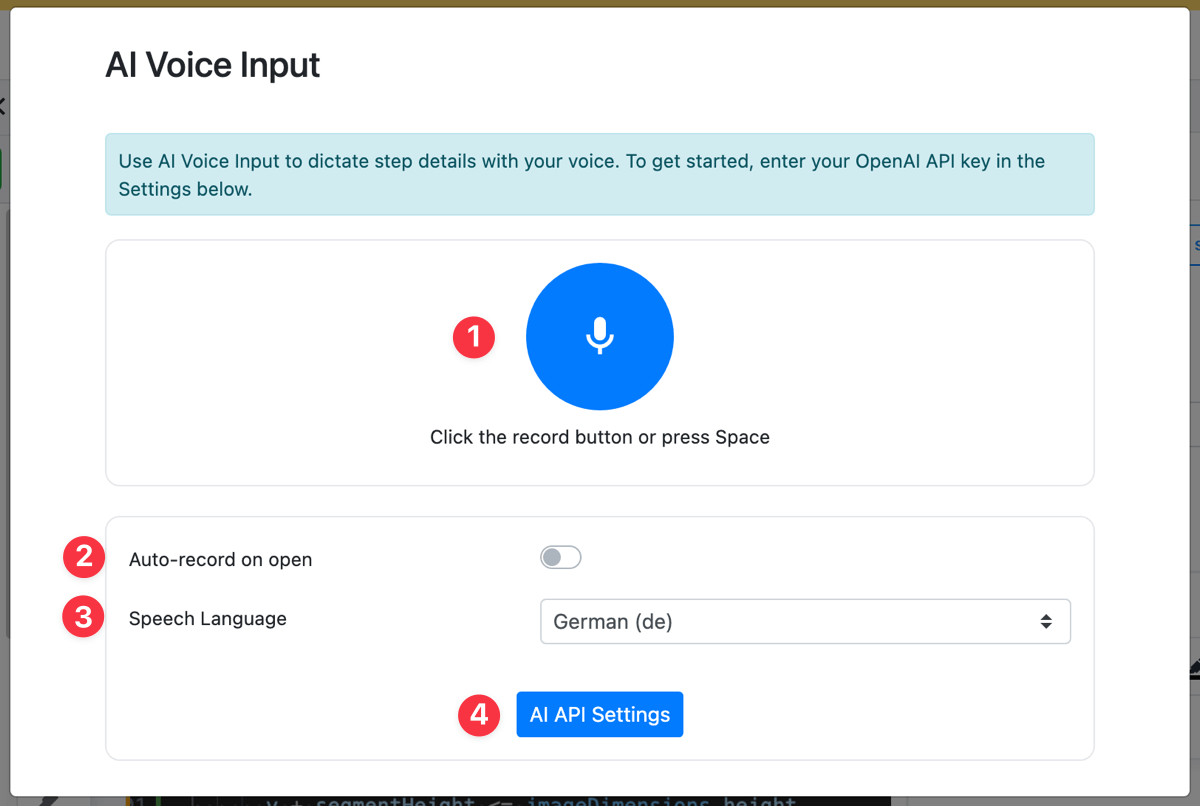
Before you start using the AI Voice Input assistant, click the AI API Settings (4) button to add your API Key.
Once the API key has been added, you can either click the Record Button (1) or press the "Spacebar" on your keyboard to start dictating your text. When you're done, press the button or spacebar again to finalize the recording and start transcription. After the provider returns the results, they will be automatically added to the Step Description input and the modal will be closed.
# Settings
AI Voice Input assistant supports 2 settings:
- Auto-record on open (2): If toggled on, the next time you click the AI Voice Input icon, it will start recording immediately.
- Speech Language (3): Select your speech language to improve transcription results and help the AI robot.
# Whisper Provider
Folge supports two Whisper providers:
- OpenAI Whisper - uses the official OpenAI transcription API. Requires an OpenAI API key.
- Custom Whisper API Compatible - connect any OpenAI Whisper-compatible API by specifying a custom host and path. Useful for self-hosted solutions (e.g. faster-whisper, Whisper.cpp servers). The API key is optional for local servers.
To use a custom provider, select Custom Whisper API Compatible from the Whisper Provider dropdown and fill in:
- Api Host - the base URL, e.g.
http://localhost:8080 - Api Path - the endpoint path, e.g.
/v1/audio/transcriptions
# Transcription Hints
You can provide a short prompt to guide the transcription. This is passed directly to the Whisper API as a vocabulary hint. Use it to improve recognition of domain-specific terms, product names, abbreviations, or preferred spellings that the model might otherwise get wrong.
Example: Folge, SOP, BPMN, onboarding
# Custom Prompt
You can replace Folge's built-in post-processing prompt with your own. When set, the custom prompt is sent to the AI after transcription to refine or reformat the dictated text. This is useful if you want the output in a specific format or style - for example, always producing bullet points or applying a consistent tone.