← All tutorials
Back Up Your Guides
Backups save each guide as a .flgg file. Restore them later, or on a different computer.
Back Up Your Guides Now
- In the guides list, click Backup.
- Choose Backup from the menu.A window opens with a list of your guides.
- Click Select all, or tick only the guides you want.
- Click Backup guide(s).Folge asks for a folder.
- Pick a synced folder or an external drive.Folge writes one .flgg file for each guide.
Each .flgg file holds one guide with its steps, screenshots and annotations. Folge stores your guides on your computer, not online: it is an offline documentation tool.
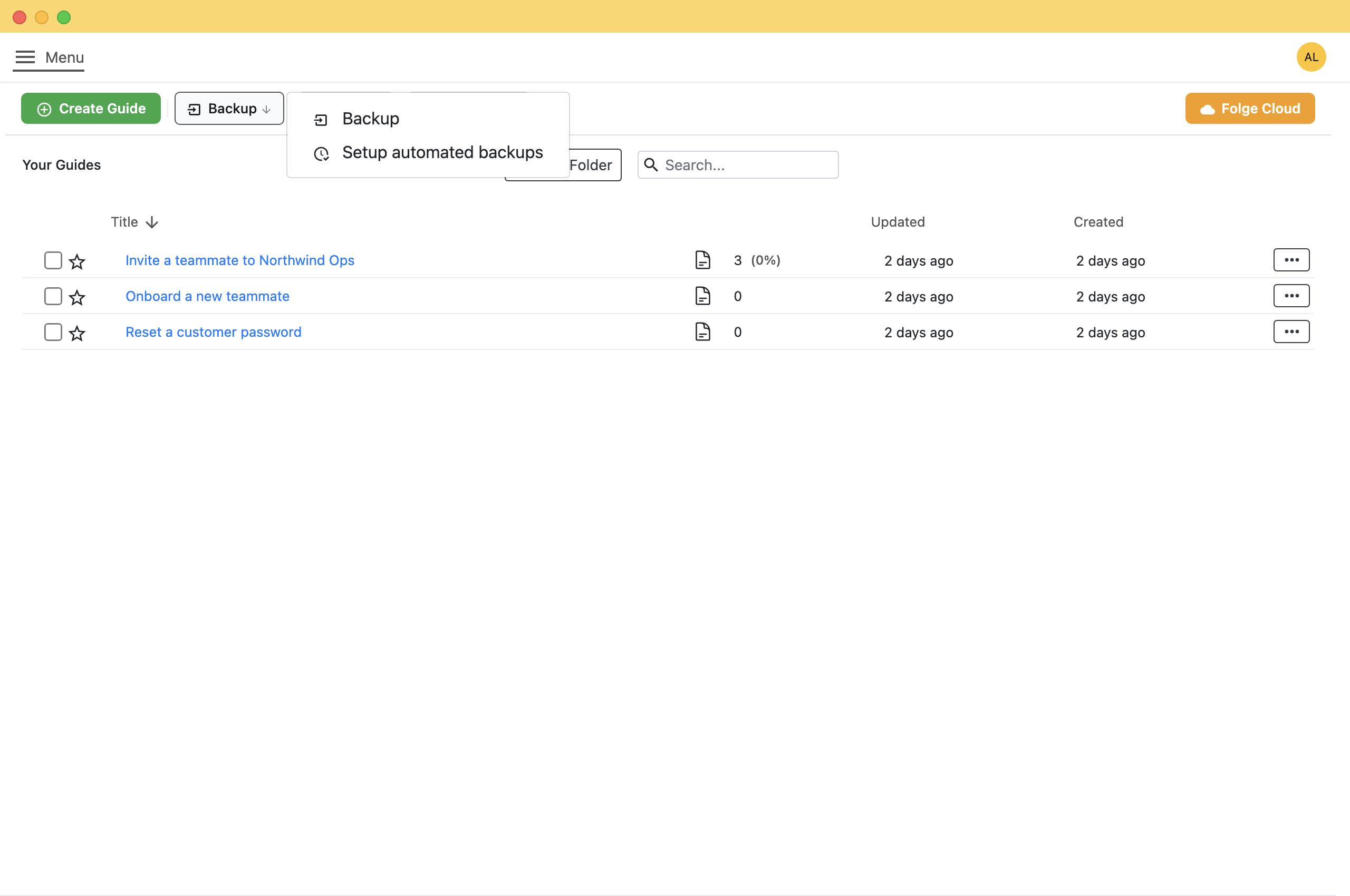
- 1 Backup Saves your guides now, once.
- 2 Setup automated backups Backs up your guides on a schedule.
Let Folge Do It for You
Folge can run backups on a schedule.
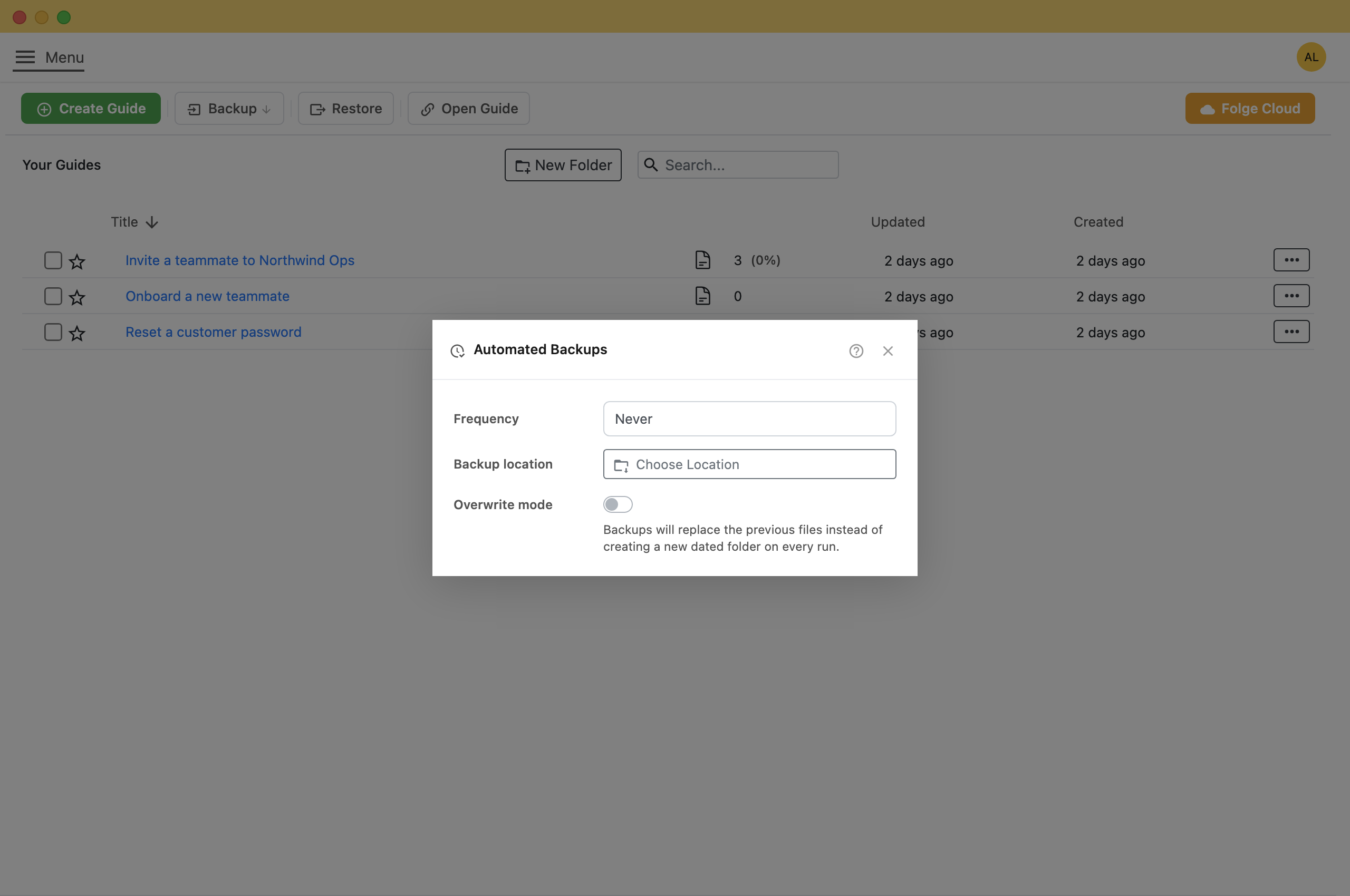
- Click Backup, then Setup automated backups.
- Under Frequency, choose how often to back up.
- Under Backup location, click Choose Location and pick a folder.
Tip: Point it at a synced folderPick your Dropbox or OneDrive folder, and each backup is also copied to that service.
Note: By default each run writes a new dated folder, so backups take more space over time. Turn on Overwrite mode to replace the previous files instead.
Getting Your Guides Back
- In the guides list, click Restore.
- Select the .flgg files you want to bring back.
- Confirm whether to add them as new guides or replace what is there.The guides reappear in your list with their steps and screenshots intact.
This is also how you move your guides to a new computer.
What this is good for
- Move your work to a new laptop without redoing it.
- Keep a copy somewhere safe before a big edit.
- Hand a finished guide to a colleague who also uses Folge.

Make guides like this one
Folge takes a screenshot on every click, so you make a guide by doing the task once.
System Requirements: Windows 7 (partial support), 8, 8.1, 10, 11 (64-bit only). OSX > 10.10. Available in 🇬🇧, 🇫🇷, 🇩🇪, 🇪🇸, 🇮🇹, 🇳🇱, 🇵🇹/🇧🇷 and 🇯🇵 languages.

