Capture Screenshots Automatically
Folge takes a screenshot of every click while you work and adds each one to your guide as a step. You do the task once and the guide shows every action, in order.
Start a Capture
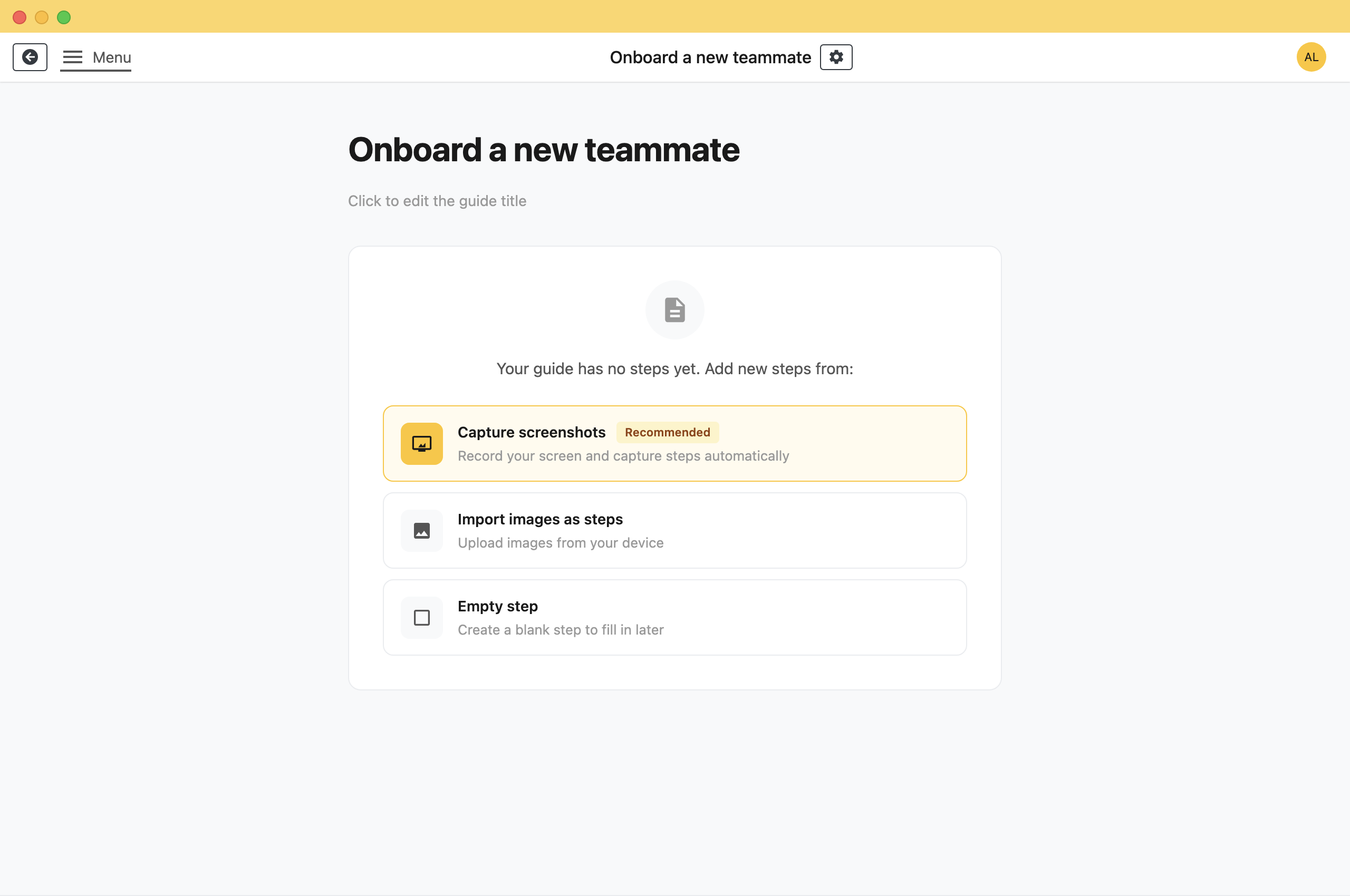
Open the guide you want to record into. On an empty guide, click Capture screenshots. If the guide already has steps, click Capture new steps at the bottom of the list.
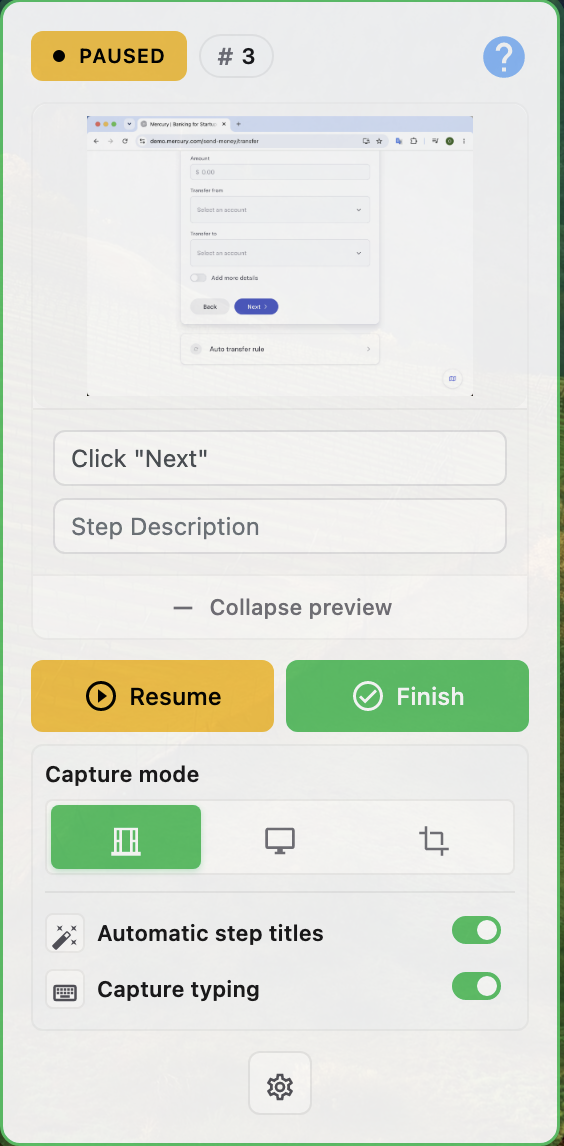
Folge hides its main window and shows a small capture window on top of your other windows until you finish.
The Capture Window
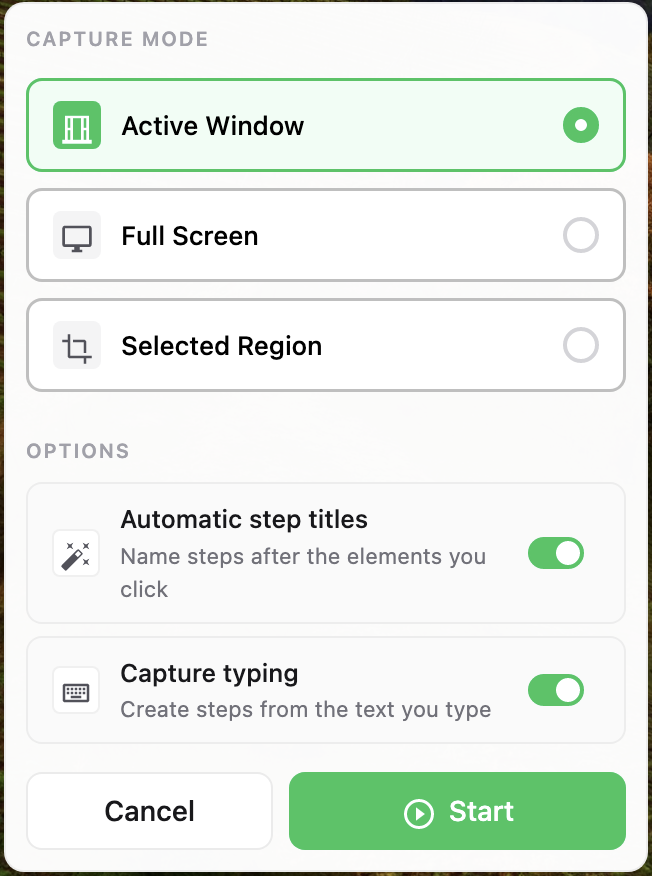
Four things to know before you press Start.
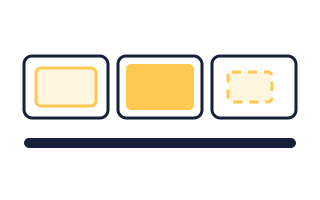
- Capture mode: What Folge watches: the active window, the whole screen, or a region you draw. Active Window is the right answer most of the time. See choose a capture mode.
- Automatic step titles: Names each step after the thing you clicked, so you get "Click Save" instead of "Step 7". Leave it on and correct the odd one later.
- Capture typing: Turns what you type into steps of its own. Useful for forms. It adds extra steps when you only click.
- The hint line: Tells you what will actually trigger a capture: every click, or only clicks while you hold a key. Change it in Settings > Capturing > Capture Behavior > Mode.
Do the Job
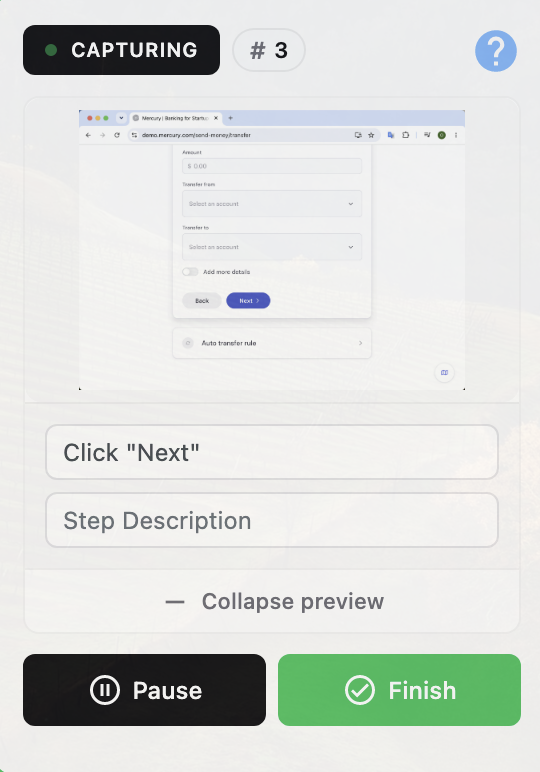
Click Start, then work through the process the way you normally would. Folge takes a screenshot and adds a step on every click.
The capture window shows how many steps you have and the latest one.
Pause When You Need To
Click Pause to stop capturing without ending the session. Click Resume to carry on in the same guide.
You can also delete the step you just took, or fix its title and description, from the capture window itself.
Finish
- Click Finish.The editor comes back with every capture in place, in the order you made them.
- Delete the steps you did not want.
- Fix the step titles.
- Add anything the picture cannot say to the descriptions.
The First Capture on a Mac
This part is Mac only. Windows has nothing to grant.
macOS asks for screen recording and accessibility permission the first time you capture, and it will not apply them until Folge restarts. Grant both, quit Folge, open it again, and start the capture. It only happens once.
What this is good for
- Stop alt-tabbing between the work and a screenshot tool.
- Document a process at the speed you normally do it.
- Get every click, including the ones you would have forgotten to capture.
Make guides like this one
Folge takes a screenshot on every click, so you make a guide by doing the task once.

