Add Warnings and Notes to a Step
Put a warning, a tip or a note inside a step, and it appears in every export.
Add a Block
- Select the step.
- Under Description, click Text blocks.The Step blocks dialog opens, with anything the step already has.
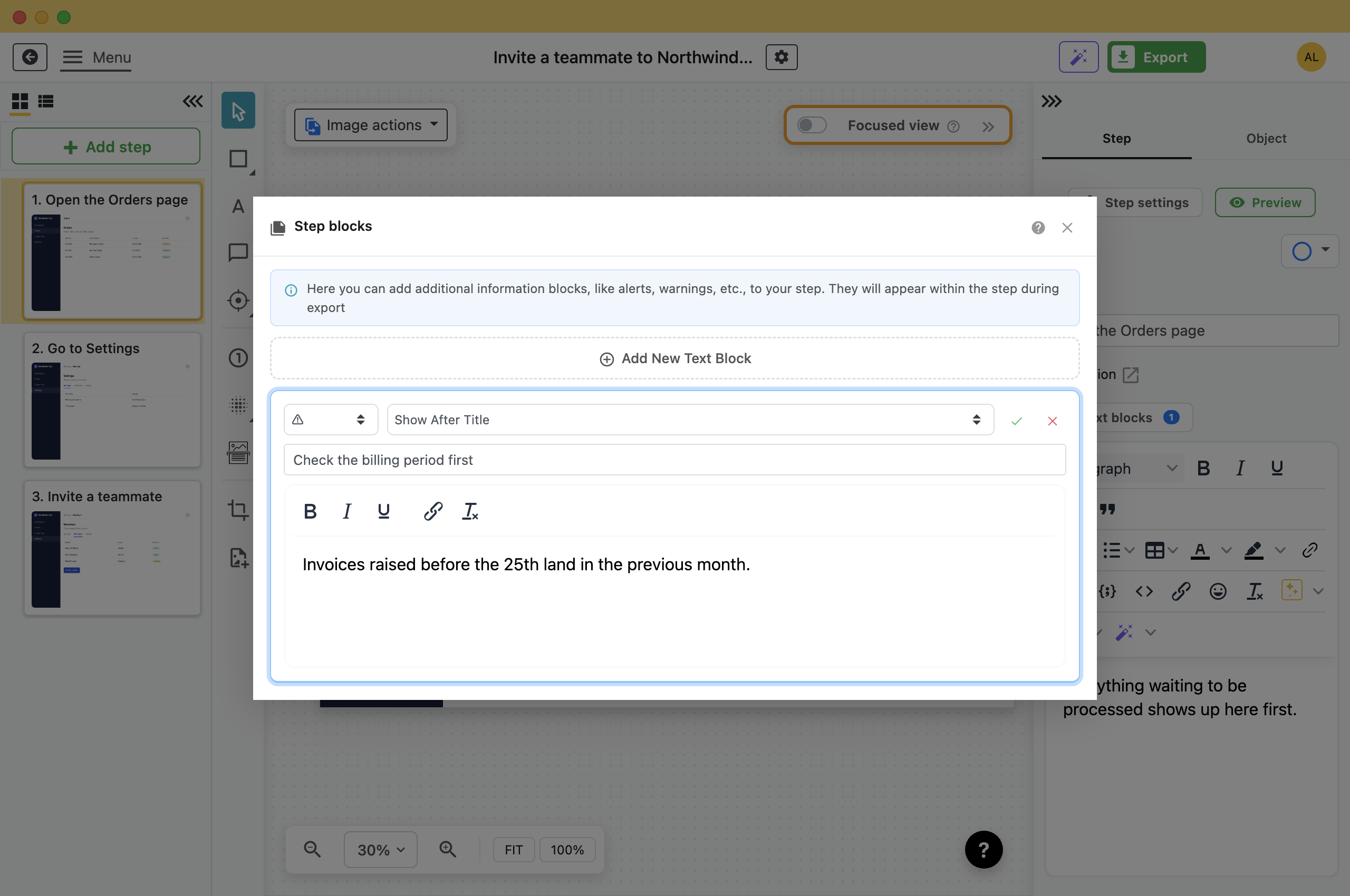
- Click Add New Text Block.
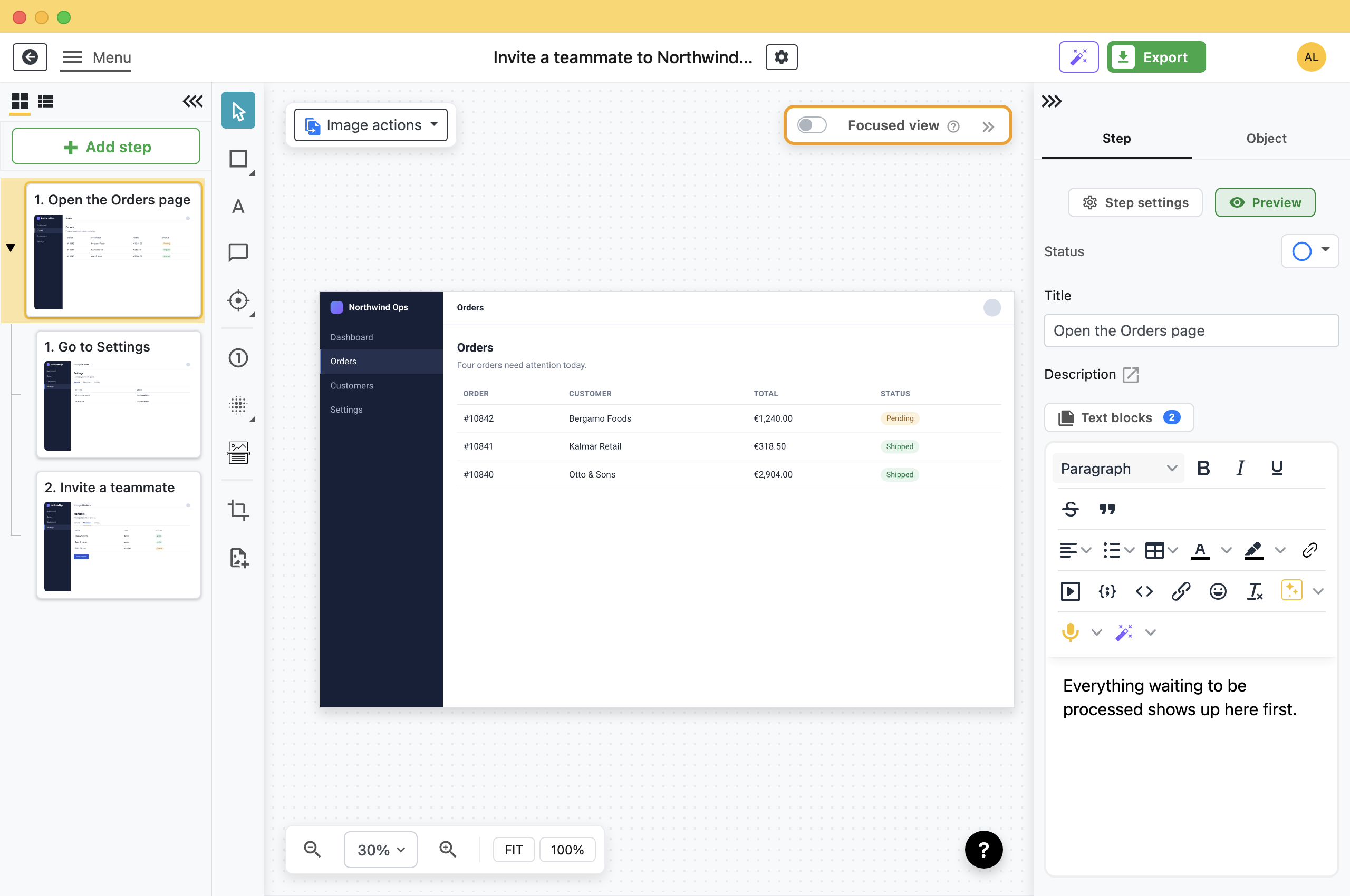
The number on the button is how many blocks the step has, so you can see from the sidebar which steps carry one.
Pick a Type and a Place
A block has a type, which decides its colour and icon, and a position, which decides where in the step it appears.
- Info: Blue. Context and background.
- Warning: Yellow. Something to check before acting.
- Error: Red. Something that will go wrong if ignored.
- Success: Green. A tip, or how to tell it worked.
- Dark: Grey, and the only one with no icon. Use it for a plain aside.
The position list is relative to the step's own parts: Show Before Title, Show After Title, Show Before Description, Show After Description, Show Before Image and Show After Image. A warning belongs after the title, where it is read before the instruction. A note about what you are looking at belongs after the image.
Fill in the title and the text, then click the tick to save. The cross discards it.
What the Reader Sees
Click Preview in the step sidebar to see the step rendered the way it will export, block and all.
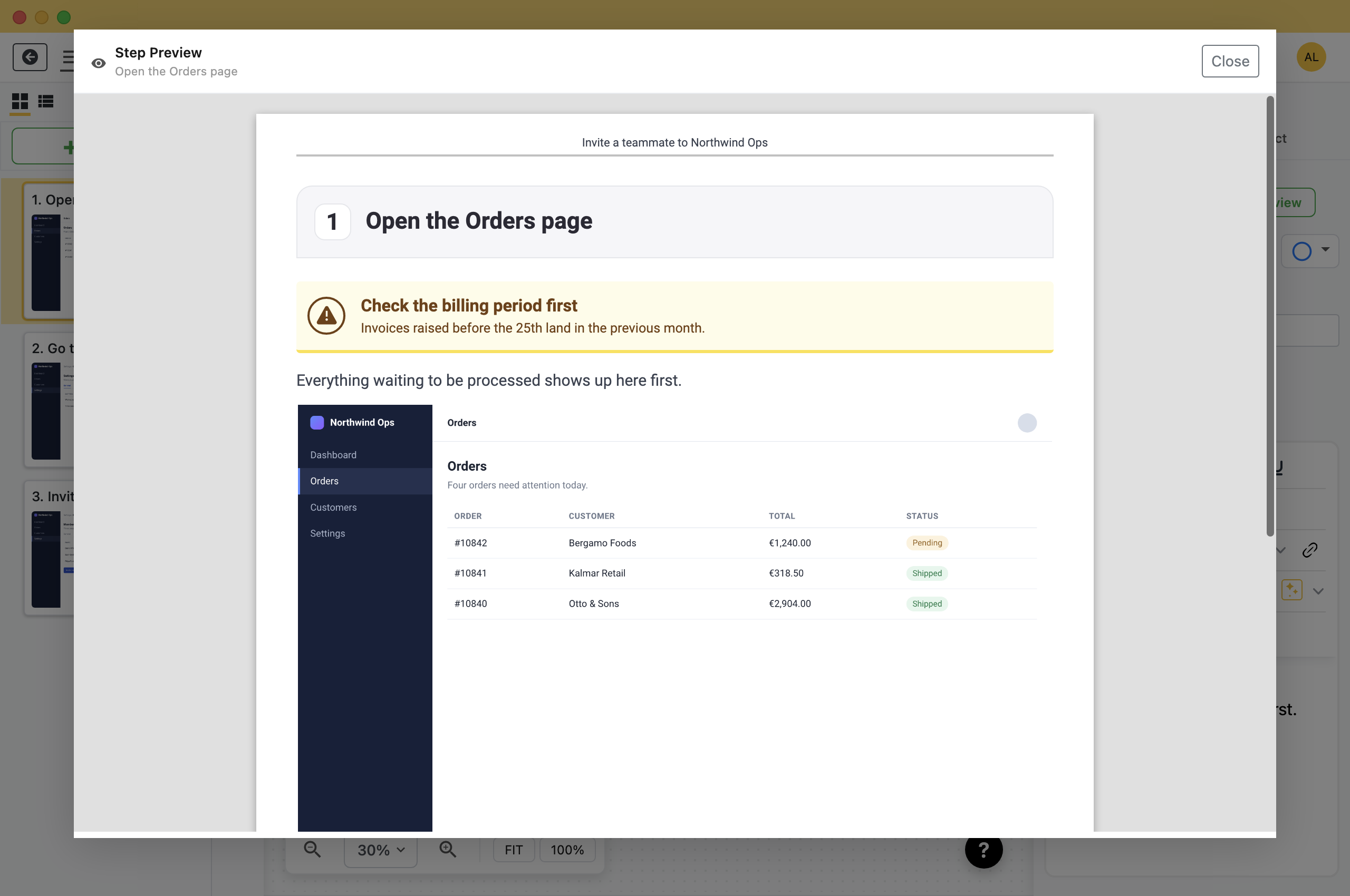
Blocks appear in every export format: PDF, Word, PowerPoint, HTML, Markdown and the rest. Exporting to Confluence turns them into Confluence info, note, warning and tip macros.
More Than One Block
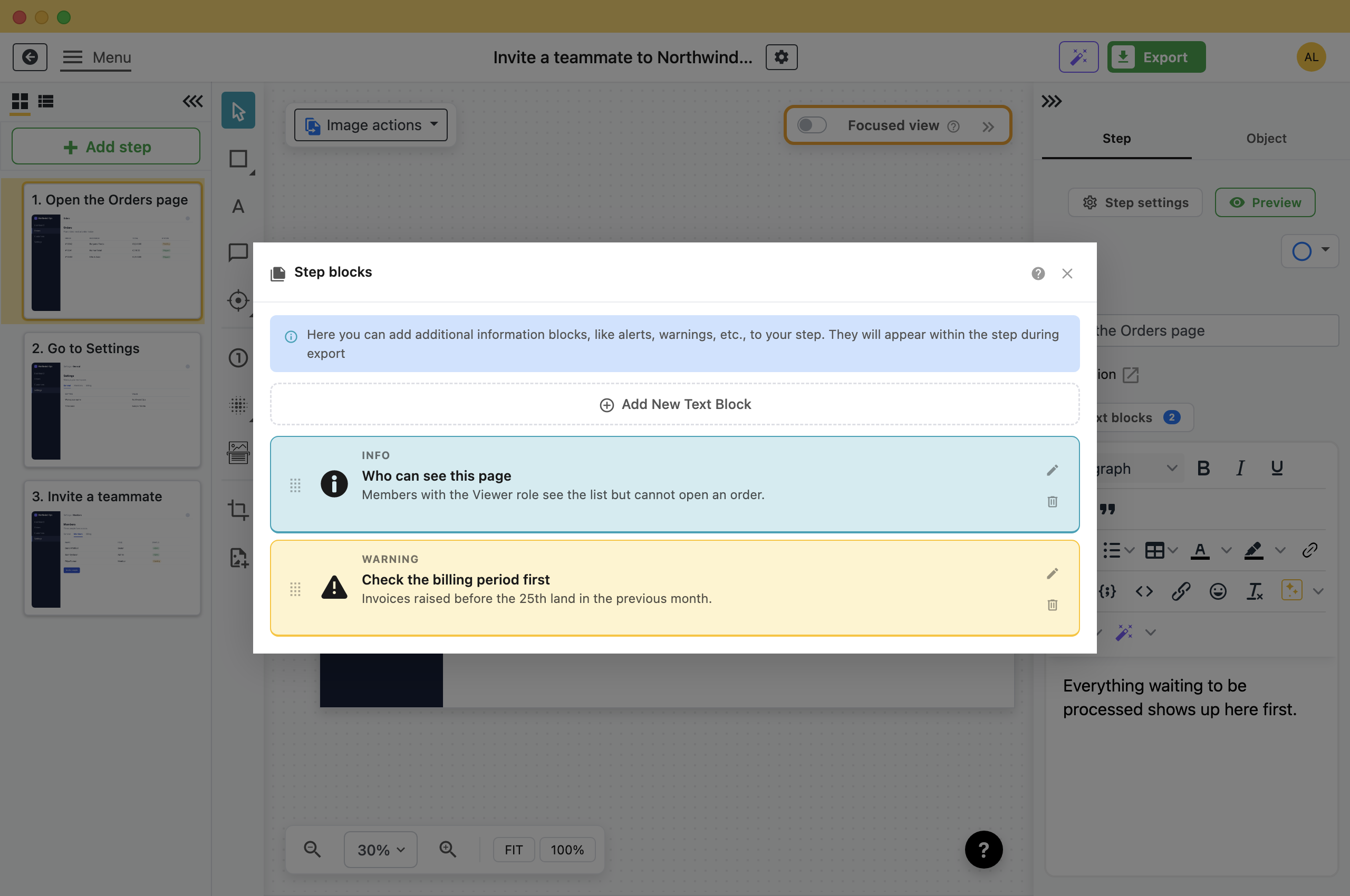
- Reorder: Drag by the handle on the left. New blocks go to the top of the list.
- Edit: The pencil reopens a block's form.
- Delete: The bin removes it. There is no undo for this one.
Using Them Well
- One per step at most: Several blocks on one step make the step harder to follow.
- Put the warning before the action: Use Show After Title, not Show After Image, so the reader sees it before the instruction.
- Keep the instruction in the description: The block is for what is unusual about this step. The step itself still has to make sense without it.
What this is good for
- Warn someone before the step people get wrong.
- Add the context that does not belong in the instruction itself.
- Mark the one step where your process differs from the vendor documentation.
Make guides like this one
Folge takes a screenshot on every click, so you make a guide by doing the task once.

