Let AI Write Your Step Descriptions
Folge can read each screenshot and write the step description for you, one step or a whole guide at a time.

Before You Start
This needs an AI provider connected, and it needs a model that can read images. If the model cannot read images, Folge stops and shows an error. gpt-5.5 and claude-sonnet-5 both work. See Set Up AI in Folge.
One Step at a Time
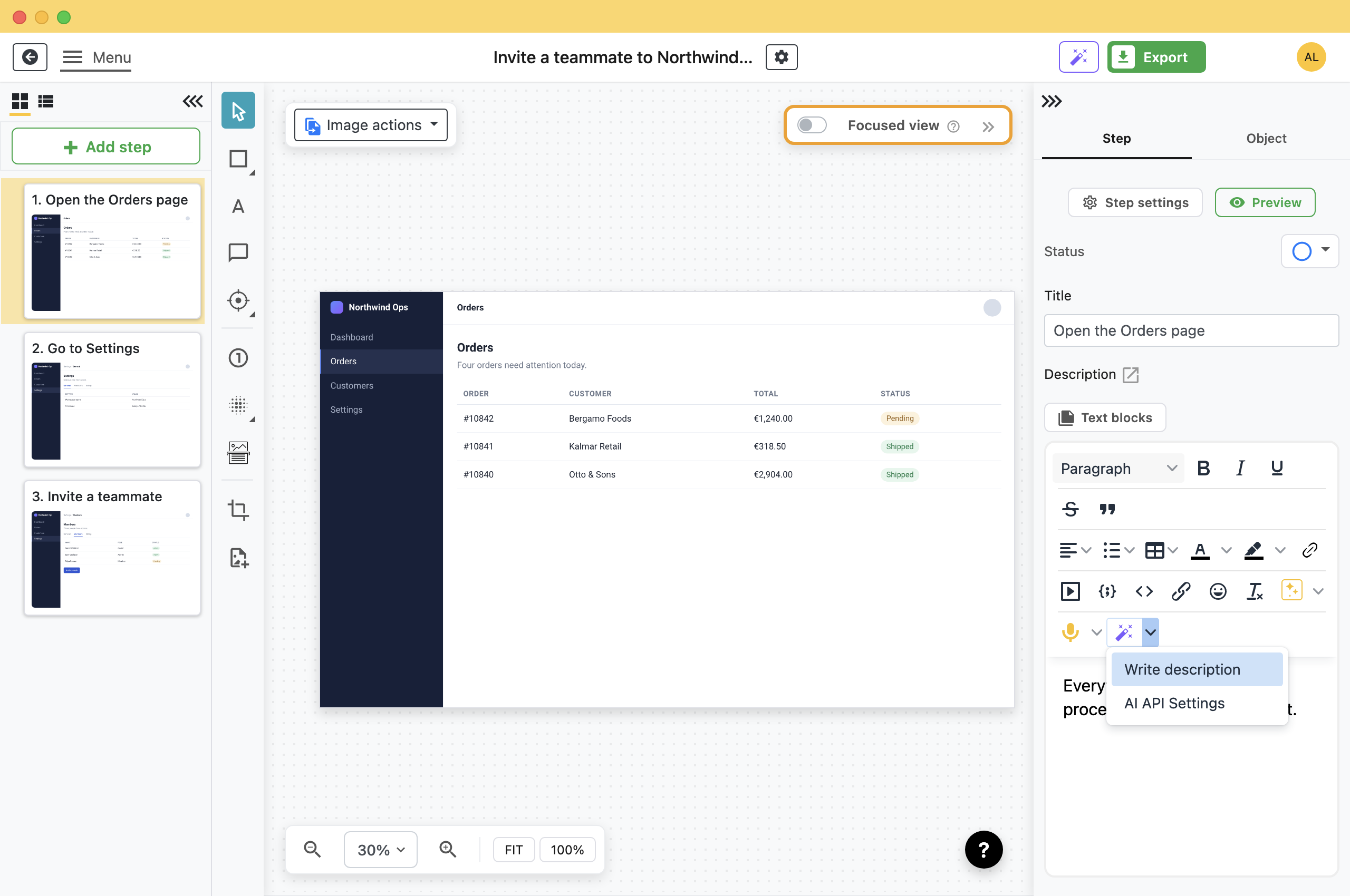
- Select the step.
- Click the wand button in the description toolbar.Folge sends that step image, its title and the titles around it, then writes the result into the description.
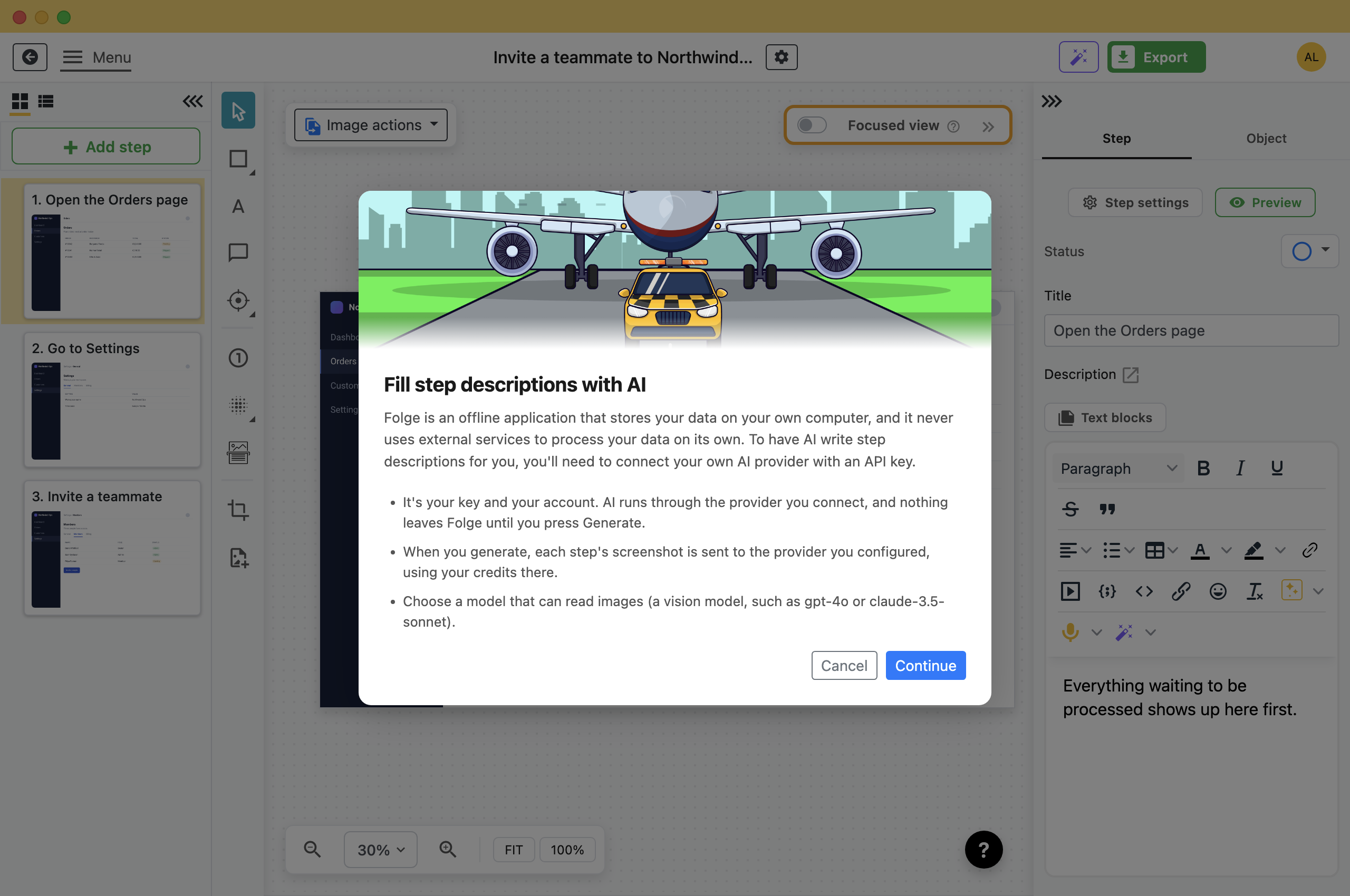
The first time you use AI descriptions, Folge shows a short intro: the screenshot is sent to your provider. You see it only once.
The Whole Guide at Once
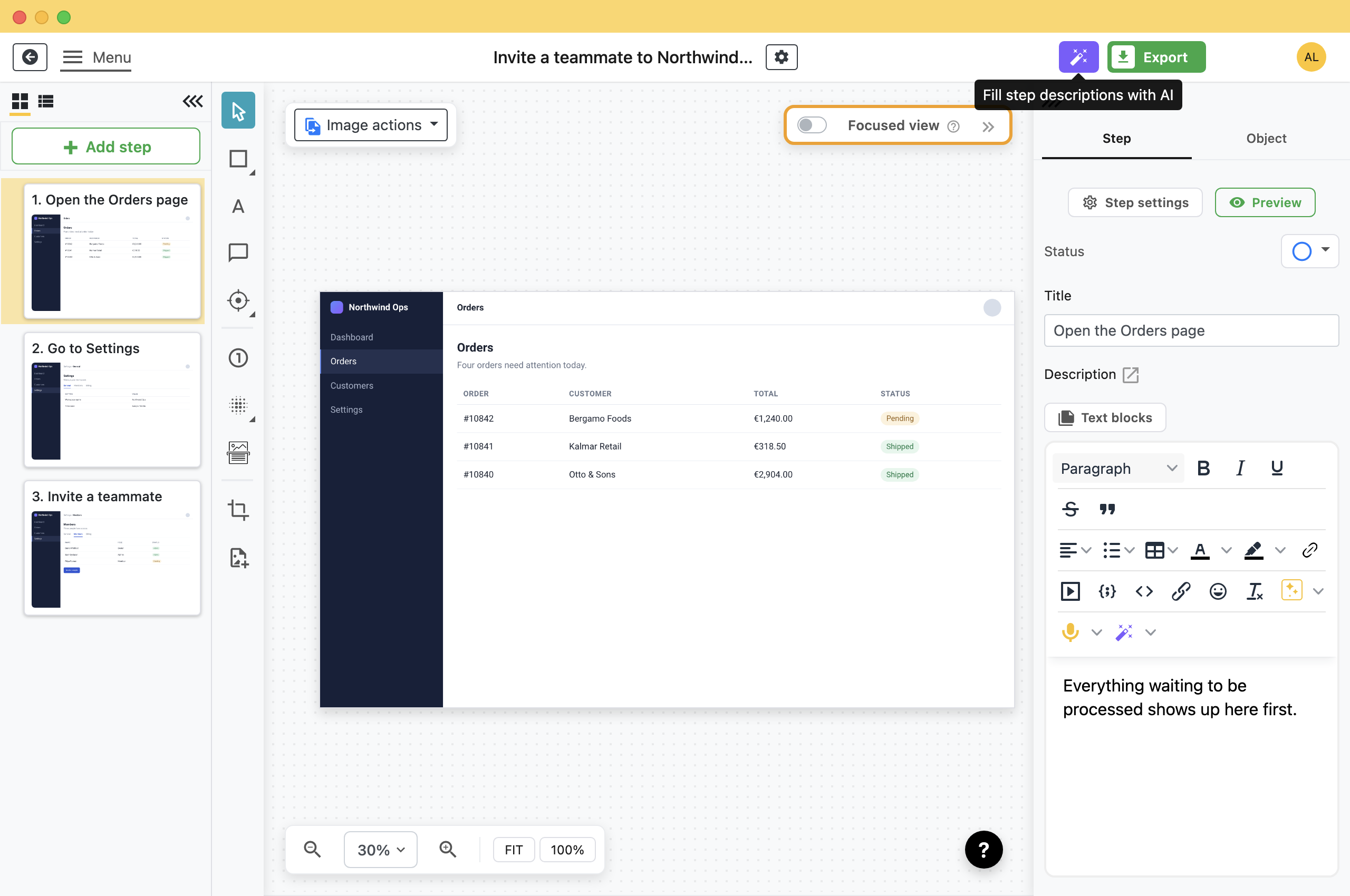
The wand in the editor header does every step in the guide.
If you have not used AI descriptions before, the dialog first explains what it sends to your provider.
After that, the dialog opens on the choice of which steps to fill.
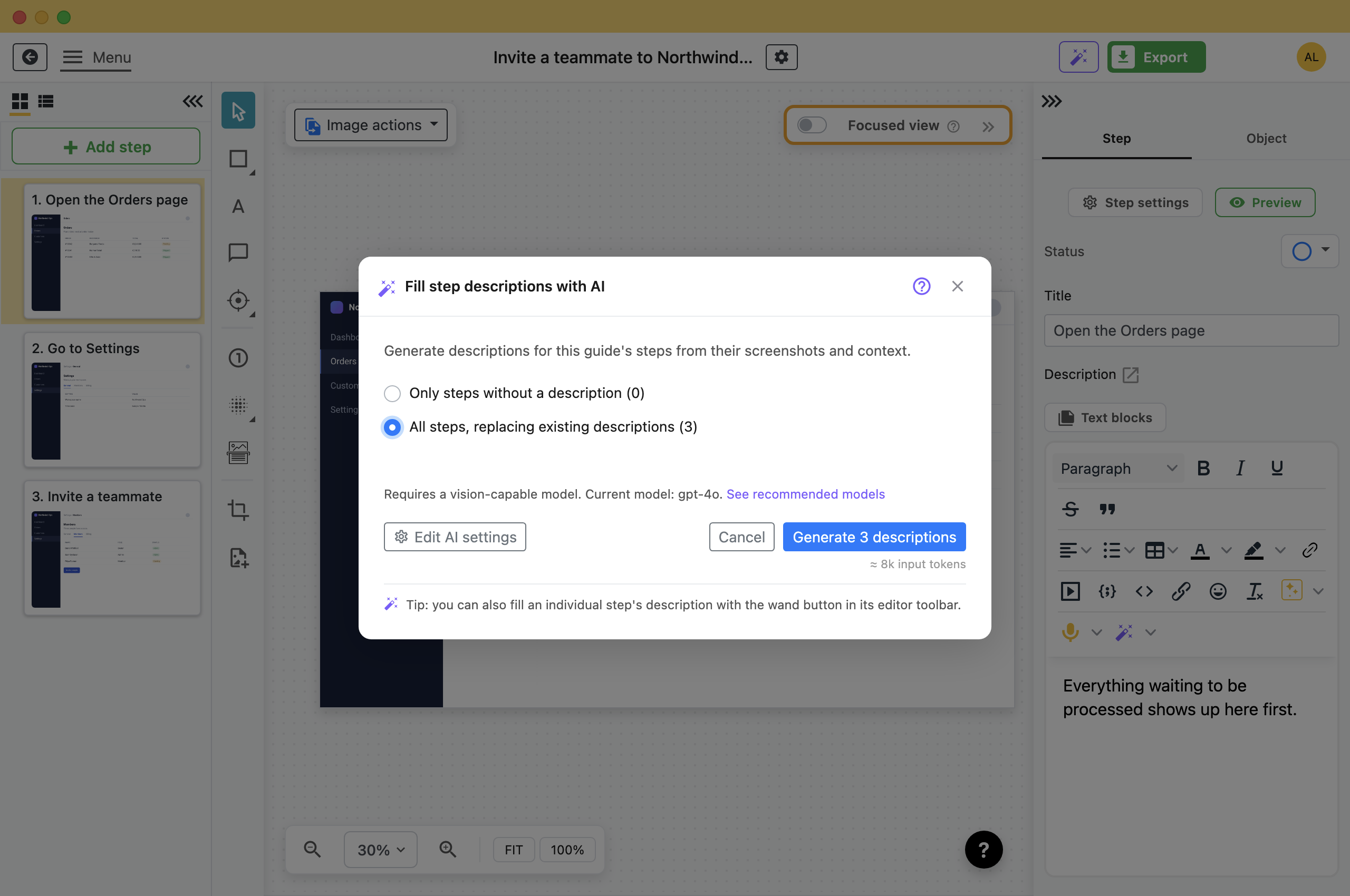
- Only steps without a description: Fills empty descriptions and leaves the ones you have written. Use it again after you add steps to a guide you already described.
- All steps, replacing existing descriptions: Rewrites everything, including your own text.
Both counts only include steps that have a screenshot. Steps without one are skipped, and the dialog says how many. Under the buttons is an estimate of what the run will cost: a price on OpenRouter, a token count elsewhere. Click Generate. To end the run early, click Stop.
Getting Better Descriptions
The AI sees the step image, the step title, the guide's own title and description, and the titles of the steps before and after. The tips below improve that input.
- Give the guide a real title and description: Folge sends them to the AI. "Invite a teammate to AcmeCorps" gives it far more to work with than "Untitled guide".
- Capture with Automated Annotations on: Folge then names the element you clicked in the step title, for example Save, and the AI receives that title. See Capture a guide automatically.
- Fix the titles first: The title goes to the AI with the picture. Correct a wrong one before you generate, or the AI writes the description from the wrong title.
- Say how you want it written: Whatever you put in Custom instructions in AI settings is added to every request. See the next section.
Write Them in Another Language, or in Your Own Style
Folge sends its own prompt with every request. Whatever you type into Custom instructions, in AI settings, is added to that prompt for every description in a run.
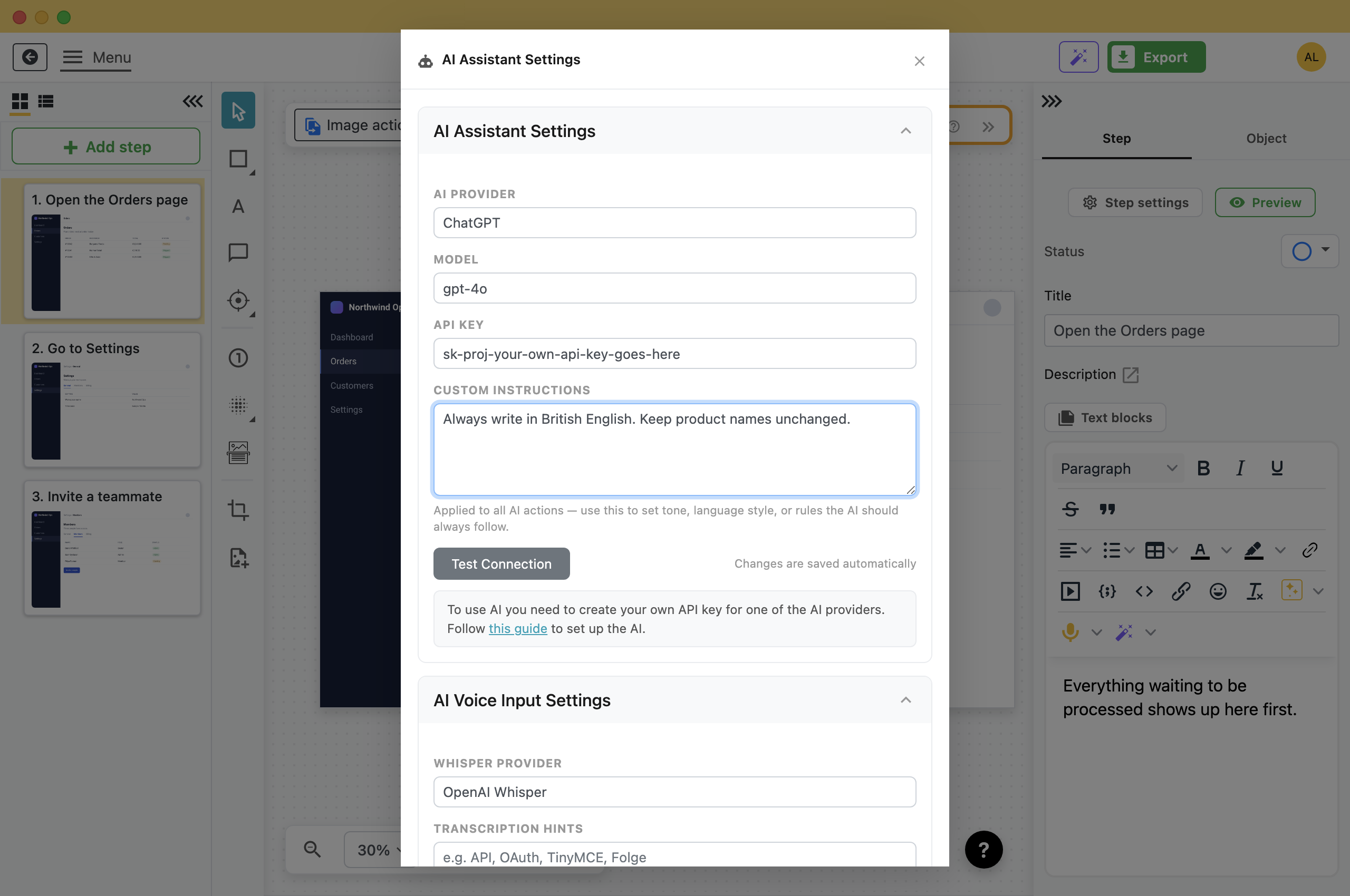
- Another language: Always use Ukrainian language, and the descriptions come back in Ukrainian whatever language the screenshots are in.
- A house style: Write in the imperative. One sentence per step. No exclamation marks.
- Your own vocabulary: Call it the navigation panel, never the sidebar.
- A length: Keep every description under 25 words.
It is stored with your AI settings, not with the guide, so it applies to every guide until you change it. Set it before you press Generate: changing it afterwards does not rewrite what has already been written.
What Gets Sent
Folge sends the step image as it looks in the editor. Annotations you drew are on it, and so is anything you hid: a blurred or redacted area reaches the provider blurred, because it is the same picture.
Nothing is sent until you press the button, and the request goes from your computer to the provider you connected, billed to your account. If the screenshots must not be sent to an outside provider, connect a local model instead: Set Up AI in Folge covers it.
Read It Before You Send It
The AI describes what it can see. It cannot know that the second field is optional, that the approval takes two days, or that your team calls it something else. Add those details by hand after the draft is written.
Read every generated description before the guide goes out.
What this is good for
- Describe every step of a long guide without typing each description.
- Get a first draft of each description that you can edit.
- Fill in the descriptions on a guide that has step titles but no text.


Make guides like this one
Folge takes a screenshot on every click, so you make a guide by doing the task once.

