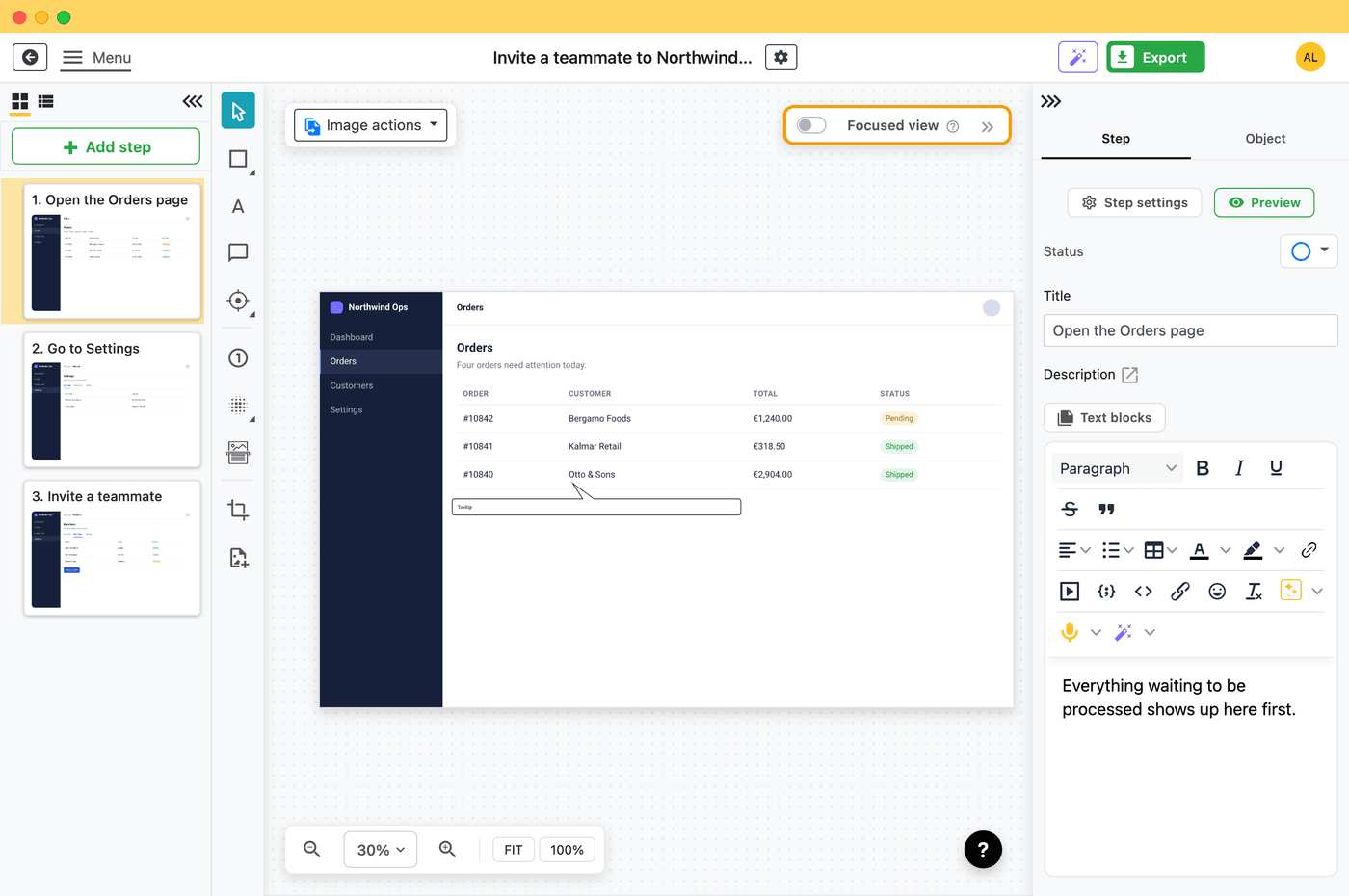
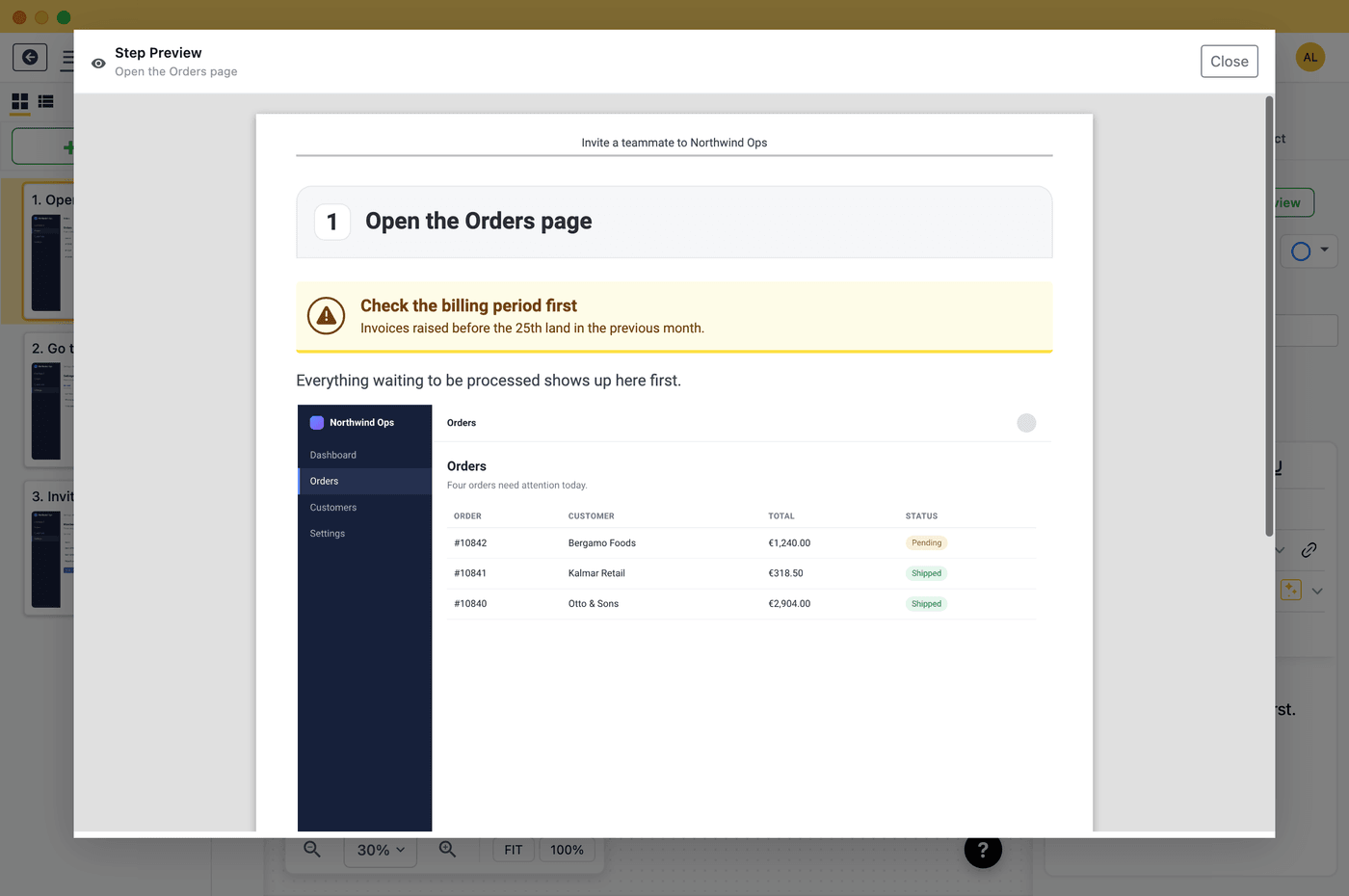
.zip, upload it, done • Completion & time tracking includedThis is an actual SCORM 1.2 package exported from Folge, running in your browser - the exact step-by-step player your learners get inside their LMS: one step per screen, Back/Next, a progress bar, and a contents menu. Click through it below.
👆 A real SCORM 1.2 export from Folge · download the package (.zip) to upload to your own LMS
.zip and upload it to your LMS - Cornerstone, Docebo, Moodle, TalentLMS, SAP SuccessFactors, and virtually every other. The package is fully self-contained and offline: no accounts, API keys, servers, or Learning Record Store to set up. Verified end-to-end in SCORM Cloud.Most SCORM authoring tools - iSpring, Articulate, Adobe Captivate - are heavy, subscription-priced e-learning suites built for full-time instructional designers. If all you need is to turn a documented process into a trackable LMS course, that's a lot of tool for the job.
Folge is a SCORM authoring tool built around screenshots and steps. You capture a workflow the way you'd document any SOP, then export it as a SCORM 1.2 package that plays as a clean step-by-step course and reports completion and time back to your LMS. IT teams, HR, support, and educators use it to ship onboarding and training without learning a course builder.
It's a privacy-first desktop app: capture, edit, and export all happen locally, so sensitive internal processes never touch a cloud.
From finished guide to LMS course in five steps.
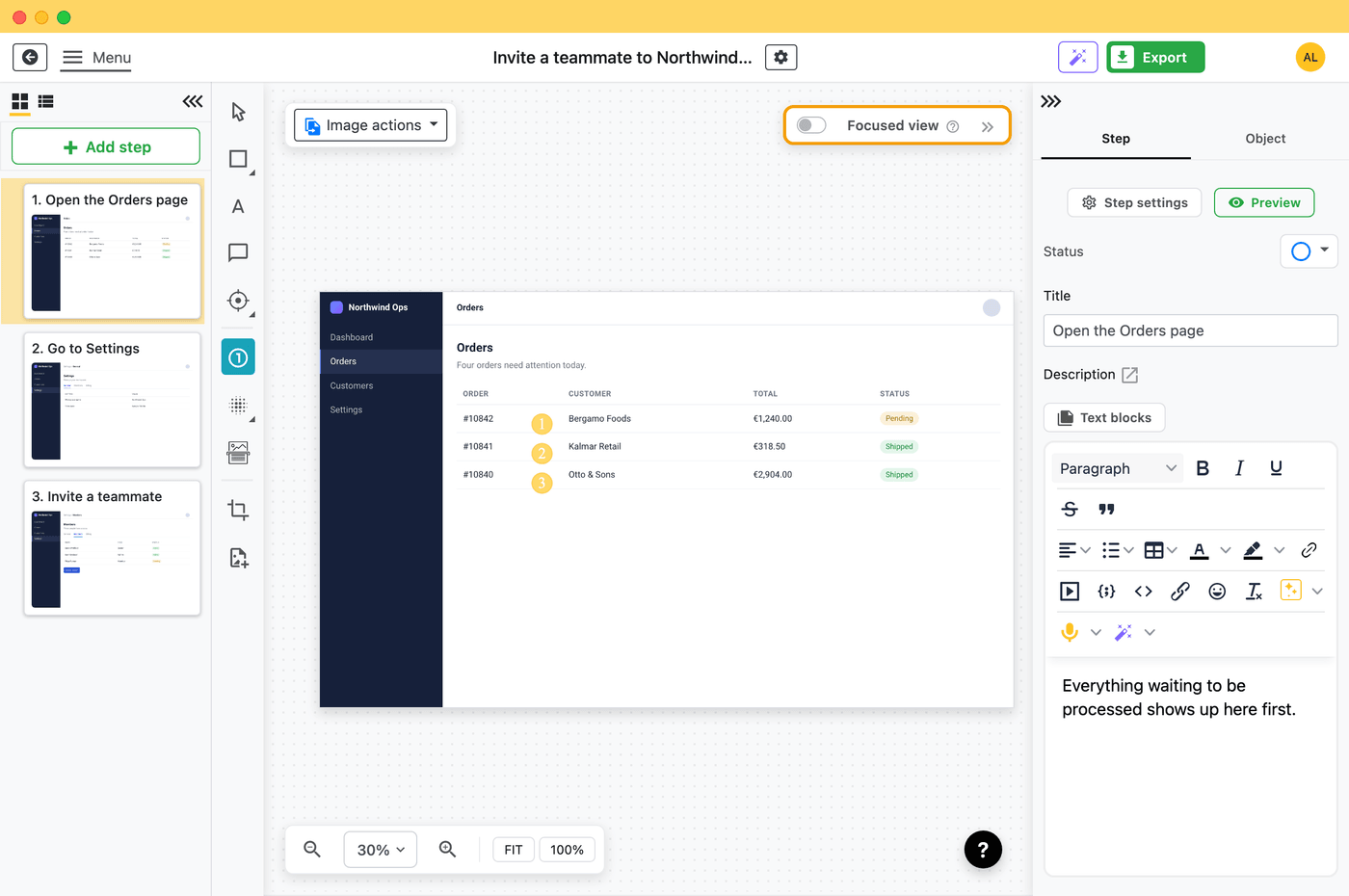
Start from any Folge guide - captured screenshots, annotations, multi-image steps, and substeps all carry over.
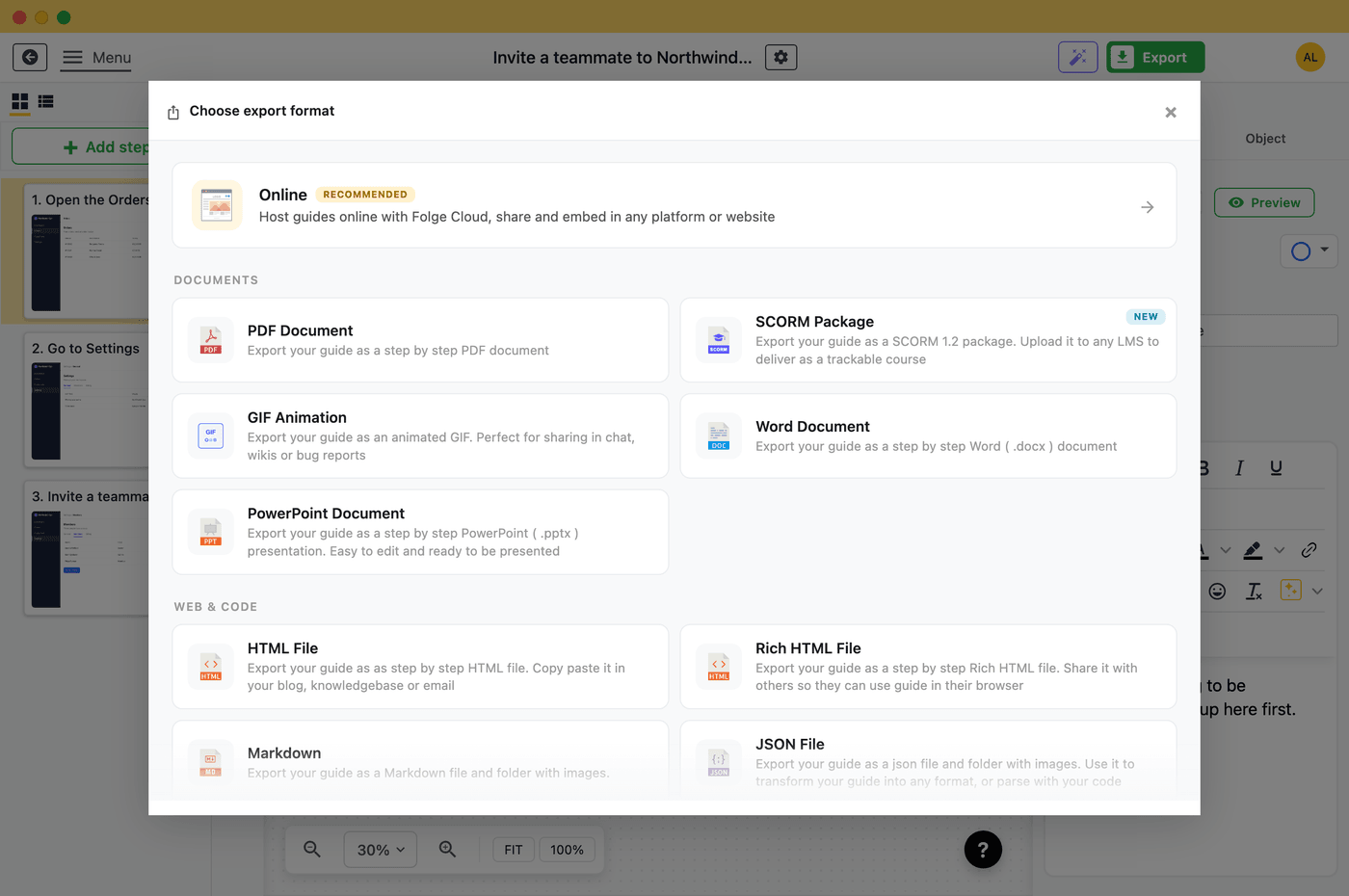
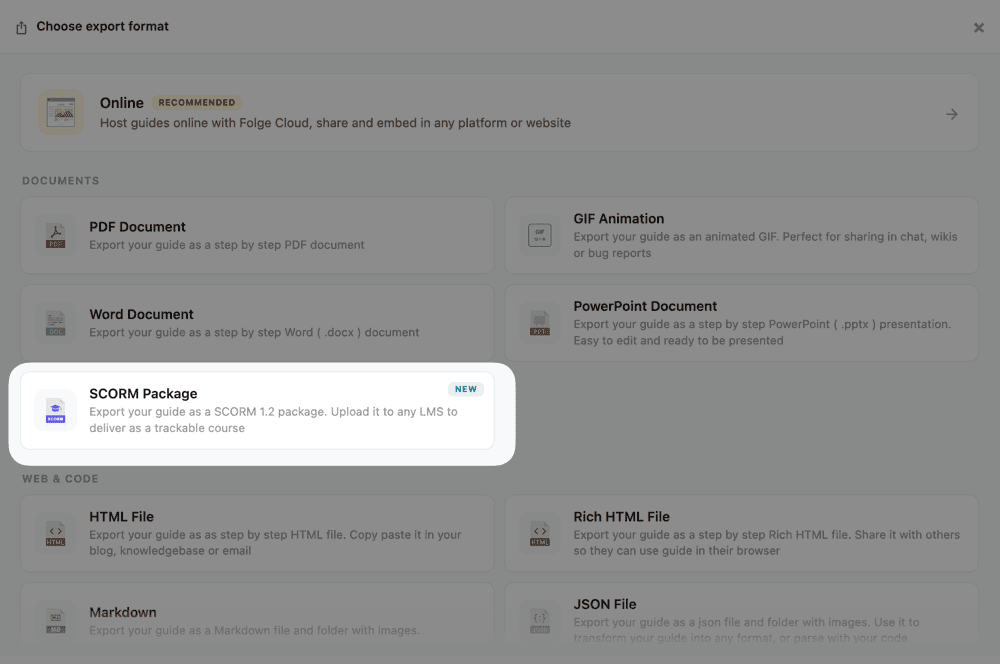
It lives in the Documents group of the export screen, alongside PDF and the other formats.
Table of contents, step numbering, description position, logo, fonts, colors, and custom CSS - reusing Folge's Rich HTML settings.
.zipFolge builds a single self-contained SCORM 1.2 package and saves it wherever you choose.
Add it as a SCORM 1.2 course. That's it - no servers, keys, or configuration.
The SCORM package plays your guide one step at a time - the same experience whether it runs inside an LMS or as a plain web page.
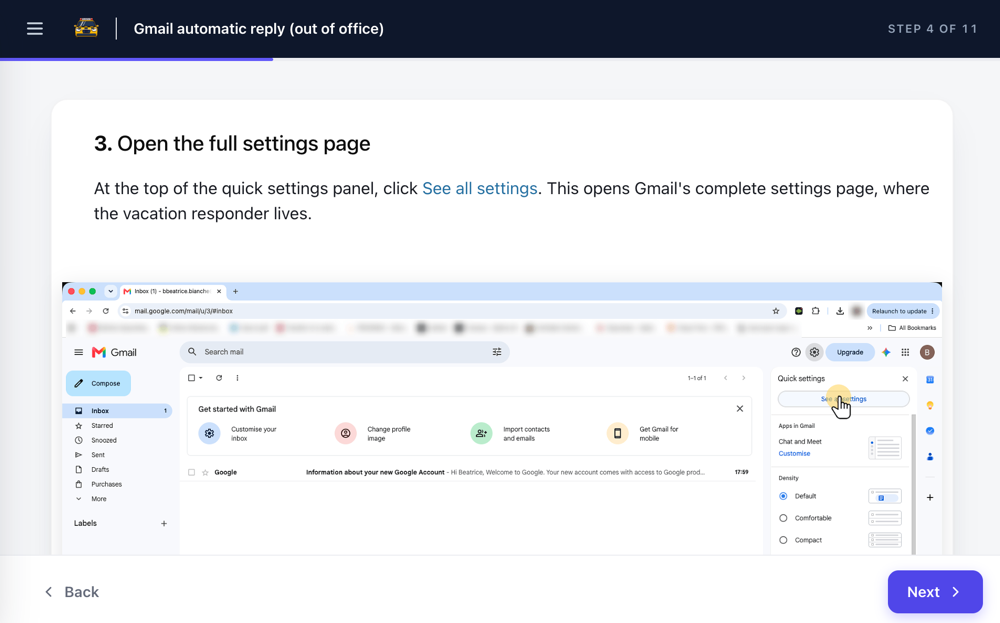
Opened outside an LMS, it still plays as a normal web page - it just won't report tracking. Use the in-app Preview button to click through the real player before you export.
When a learner reaches the final Course complete screen, Folge reports:
Honest note: a guide is instructional content, not a quiz, so Folge does not report a score or pass/fail - those columns show unknown in your LMS, which is expected and correct. If you need scored assessments, Folge isn't the tool for that part.
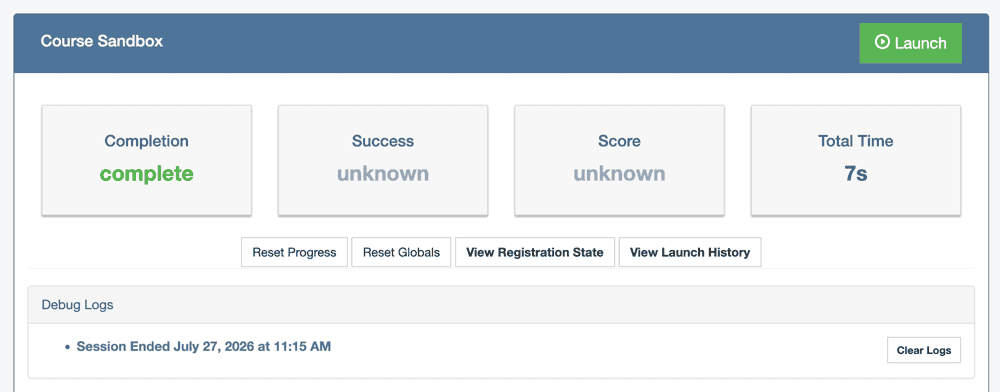
SCORM 1.2 is the most widely supported e-learning standard - if your LMS takes SCORM, it takes Folge.
xAPI and cmi5 aren't supported yet. Need them? Tell us at hello@folge.me.
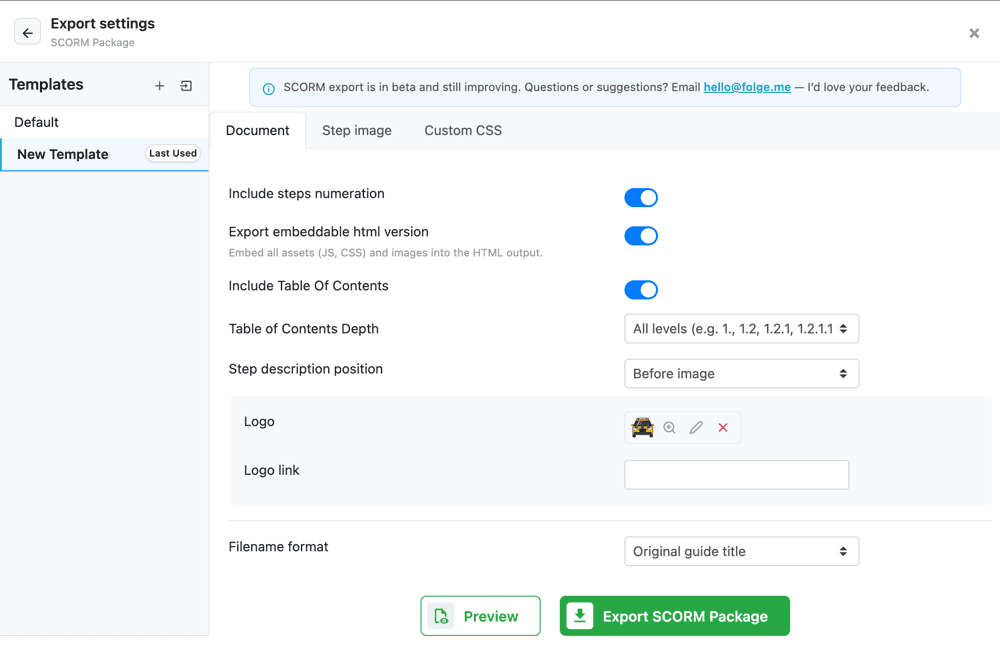
SCORM reuses Folge's Rich HTML settings, so you control:
Branding and custom CSS are unlocked on paid plans. Because a SCORM package often runs inside a locked-down or offline LMS, stick to system or embedded fonts rather than remote web fonts.
Capture on every click and export. No timelines, slides, or scripting like Articulate or Captivate.
Pay once, own forever, all updates included. No per-author subscription like iSpring Suite or Rise.
Capture, edit, and export locally. Sensitive internal processes never leave your computer.
SCORM export is on the free plan (watermarked). Perfect for educators and one-off courses.

Folge is a desktop application. Download and use it for free forever or upgrade for lifetime features and support.
The Gold Standard Of Guide Creation
Yes. Folge is a desktop SCORM authoring tool: you capture a process as step-by-step screenshots, annotate it, and export a SCORM 1.2 package (.zip) that you upload to any LMS. Learners get a step-by-step player, and the LMS records completion and time. It's built for turning real workflows into training, rather than for building slide-based e-learning.
Folge exports SCORM 1.2, the most widely supported e-learning standard - accepted by essentially every LMS including Cornerstone, Docebo, Moodle, TalentLMS, and SAP SuccessFactors. The package is fully self-contained, so there's no external server or Learning Record Store to configure. xAPI and cmi5 are not currently supported.
Yes. SCORM export is available on Folge's free plan, which makes it a genuinely free SCORM authoring tool for educators and anyone who wants to try it. On the free plan, exported screenshots carry a small Folge watermark. A one-time paid license removes the watermark and unlocks branding - your logo, custom colors, and custom CSS.
Open your guide, click Export, and choose “SCORM Package” from the Documents group. Adjust settings if you like (table of contents, numbering, logo, colors, custom CSS), export the .zip, and upload it to your LMS as a SCORM 1.2 course. No accounts, keys, or servers are needed, and the whole process works offline.
Folge reports completion (marked completed when the learner reaches the final “Course complete” screen) and total session time. It does not report a score or pass/fail status, because a guide is instructional content rather than a graded quiz - those columns will show “unknown” in your LMS, which is expected and correct.
Yes. Folge's in-app Preview button opens the exact learner player so you can click through the course before exporting. To validate real LMS tracking, upload the exported .zip to SCORM Cloud's free tier - it launches the package like a real LMS and shows the completion and time it receives. Folge's SCORM export has been verified end-to-end in SCORM Cloud.
Tools like iSpring and Articulate are full e-learning suites built around slides, timelines, and scored assessments, sold on annual subscriptions. Folge is a lightweight, one-time-purchase desktop app that turns screenshots and steps into a SCORM course in minutes, works entirely offline, and has a free tier. If you need scored quizzes and branching scenarios, a full suite fits better; if you need to ship trackable process training fast, Folge is simpler and far cheaper.
Yes, on paid plans. You can add your logo to the player header, set fonts and colors, and inject custom CSS that restyles both your step content and the player itself - the header, buttons, progress bar, contents drawer, and completion screen. Because SCORM packages often run inside offline or locked-down LMS environments, use system or embedded fonts rather than remote web fonts.
Folge is a desktop application for Windows and macOS that creates step-by-step guides, SOPs and process documentation by capturing a screenshot on every click.
All features · Pricing · Compare with Scribe, Tango and others · Download