Version 1.34.0 - May 2026 🆕

Folge — easily create step-by-step guides and process documentation.

Folge is a free desktop app for Windows and macOS that creates step-by-step guides, tutorials, and process documentation. It captures a screenshot on every mouse click, lets you annotate and reorder steps, and exports to PDF, Word, PowerPoint, HTML, Markdown, and 2 more formats — all 100% locally on your computer, with nothing sent to the cloud.

Download for free
Excellent reviews:
99 reviews, 4.8/5 ⭐⭐⭐⭐⭐
Hero Device
Join 1,000+ users and businesses who use Folge daily to capture and organize knowledge
How it works
Created with Sketch.Recording…Submit

Step 1

Capture workflow

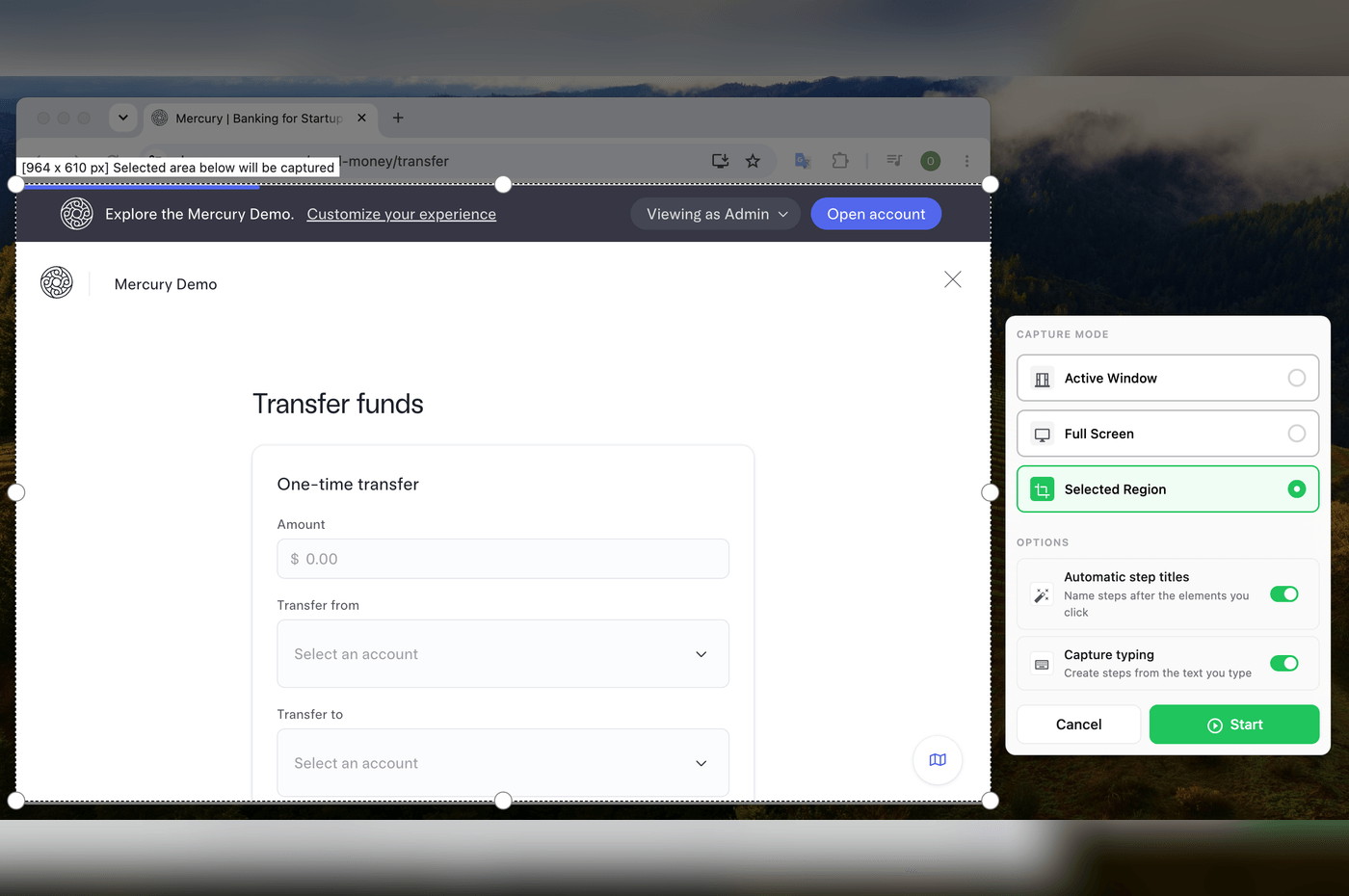
Work with your applications, websites or any other process. Folge automatically captures your work and takes screenshots on each mouse click.

  • Capture only app you are working.
  • Capture fullscreen or specific area.
  • Make screenshots with mouse clicks, hotkeys or combinations.
  • Pause to re-arrange your work and to add context
Created with Sketch.Step 2Step 3Step 1Step description:Submit12

Step 2

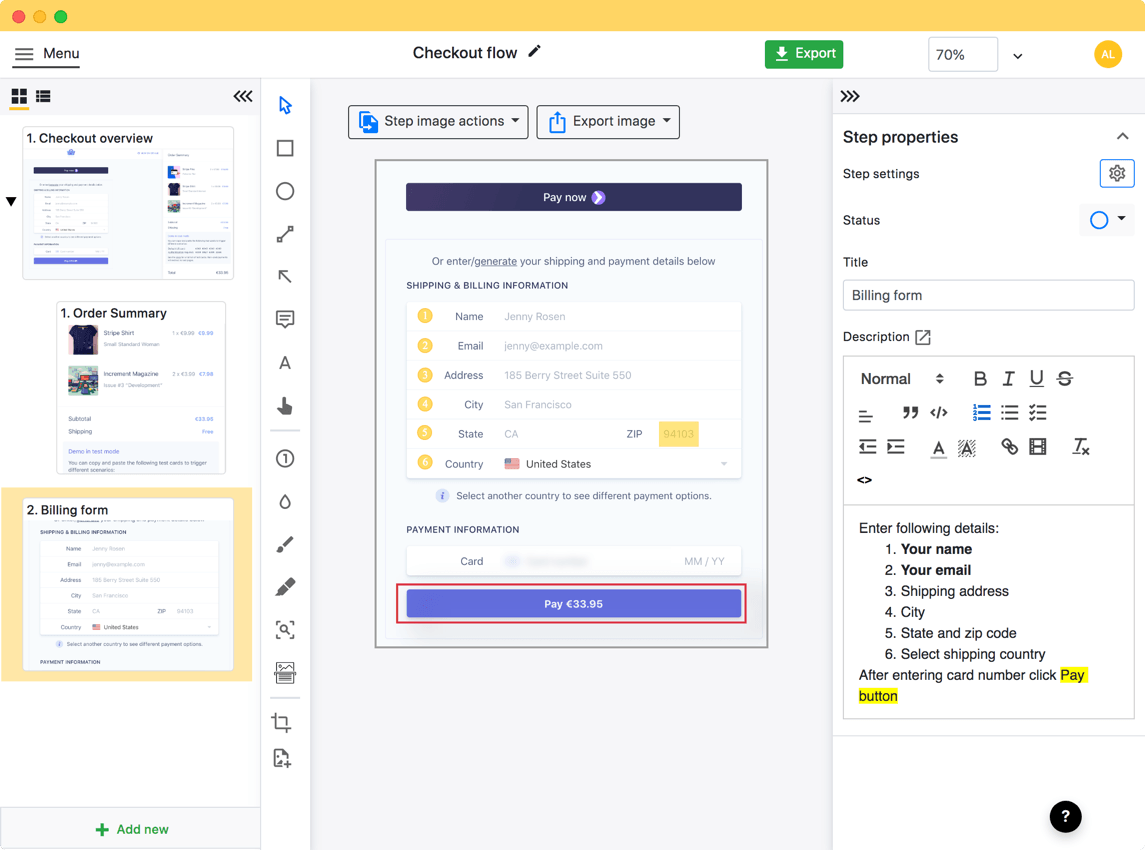
Edit and customize each step

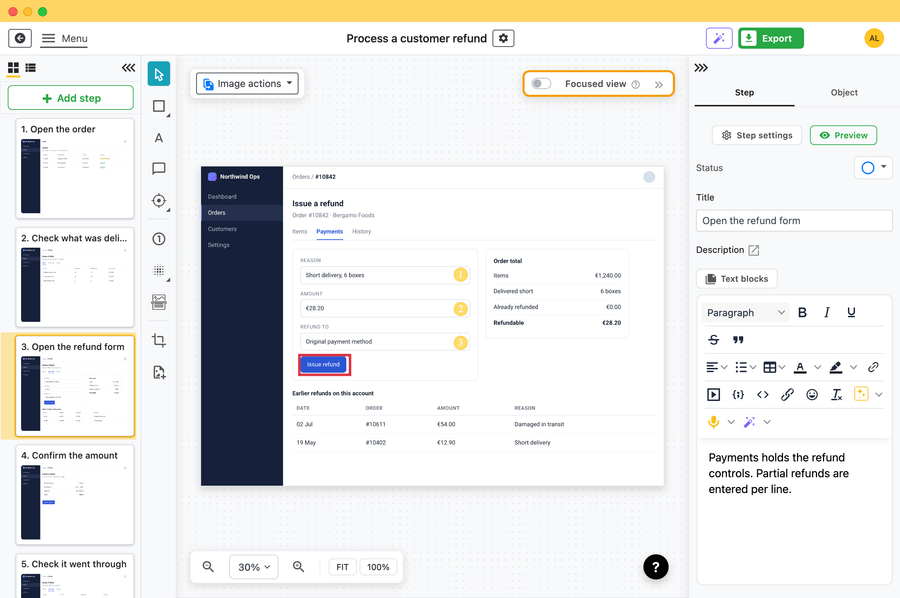
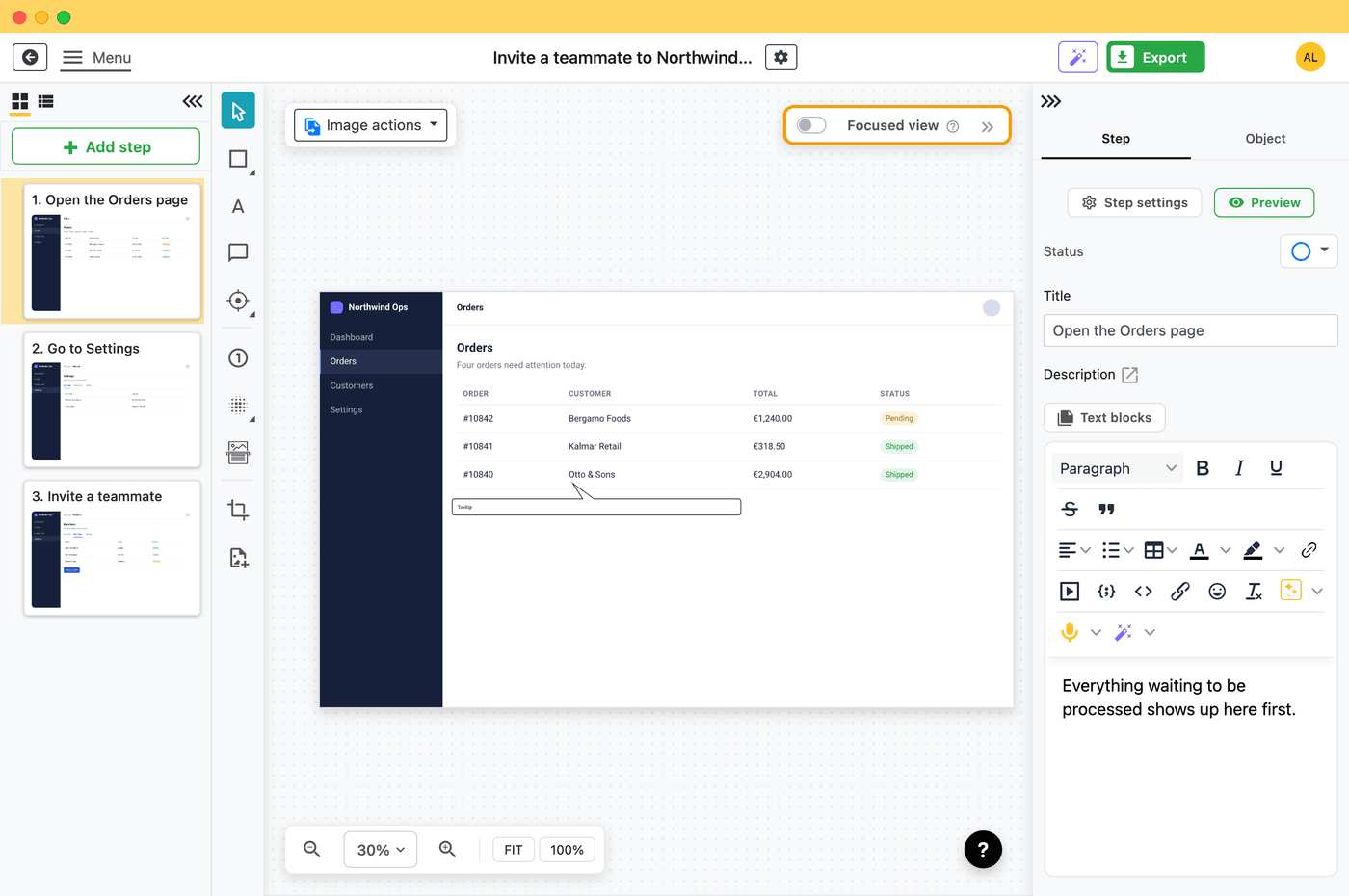
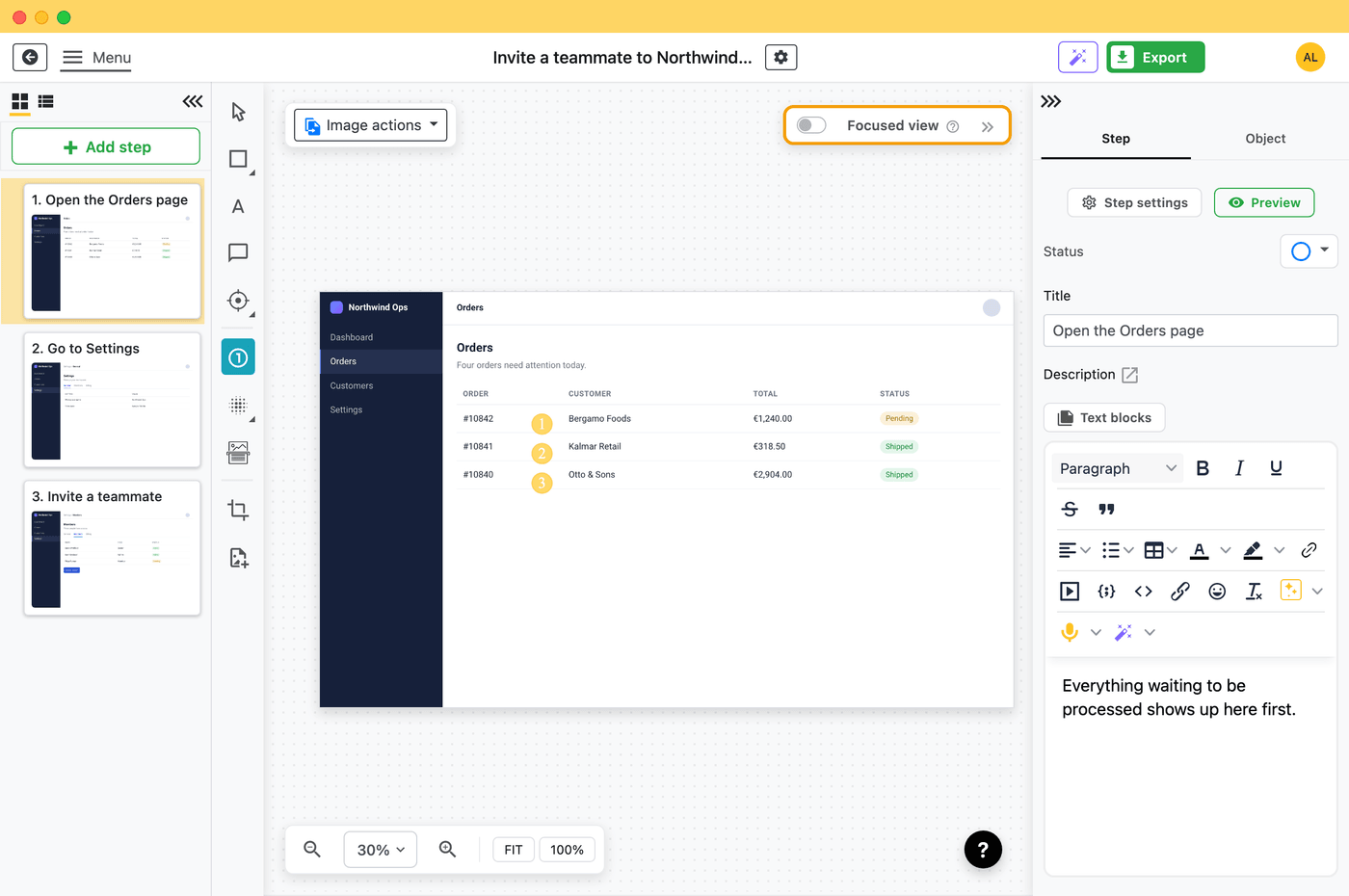
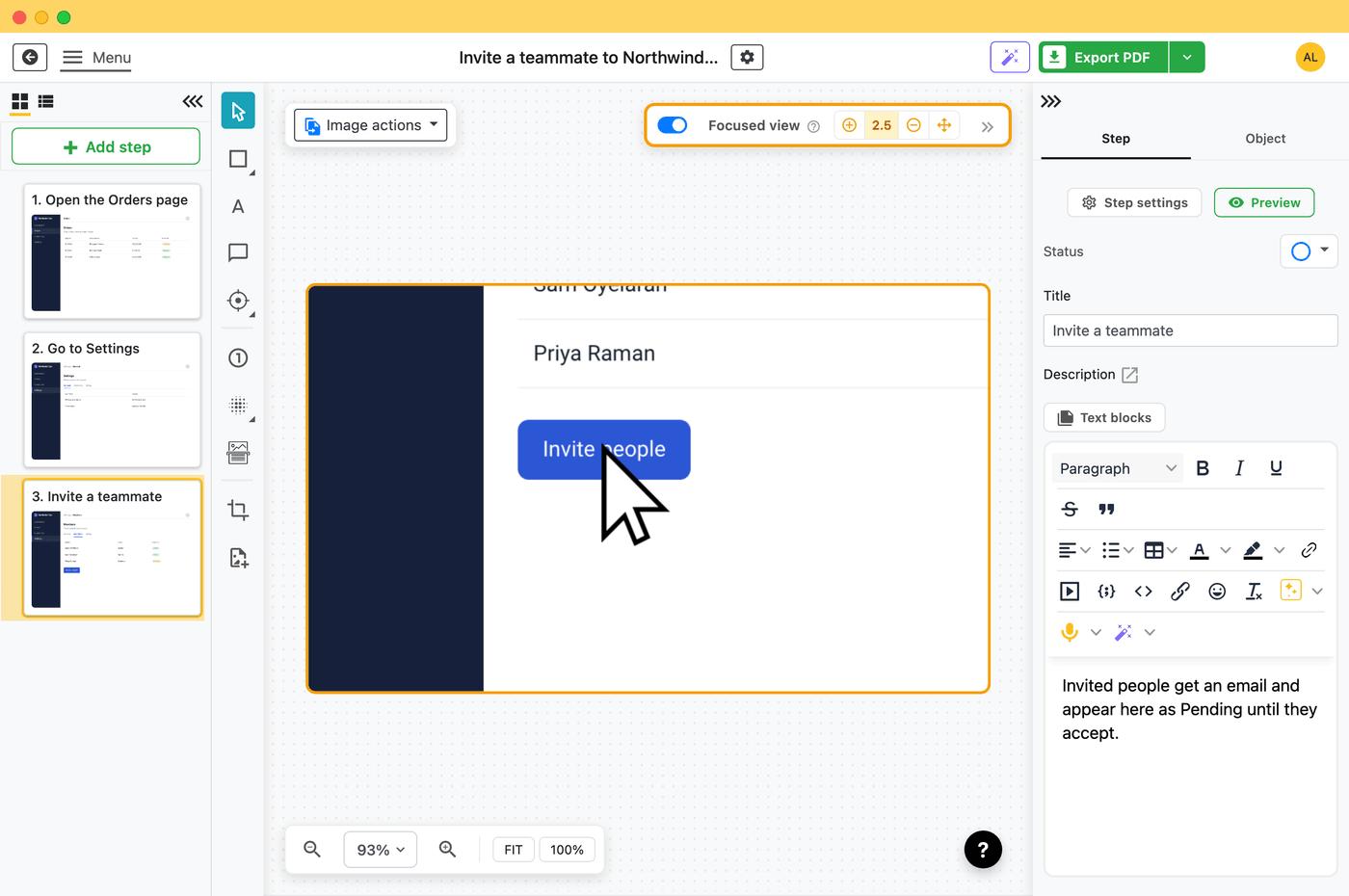
Rearrange your steps, remove and add new ones. Add title and description to each step and communicate on step image using one of 9 annotation tools.

  • Give each step a name and description.
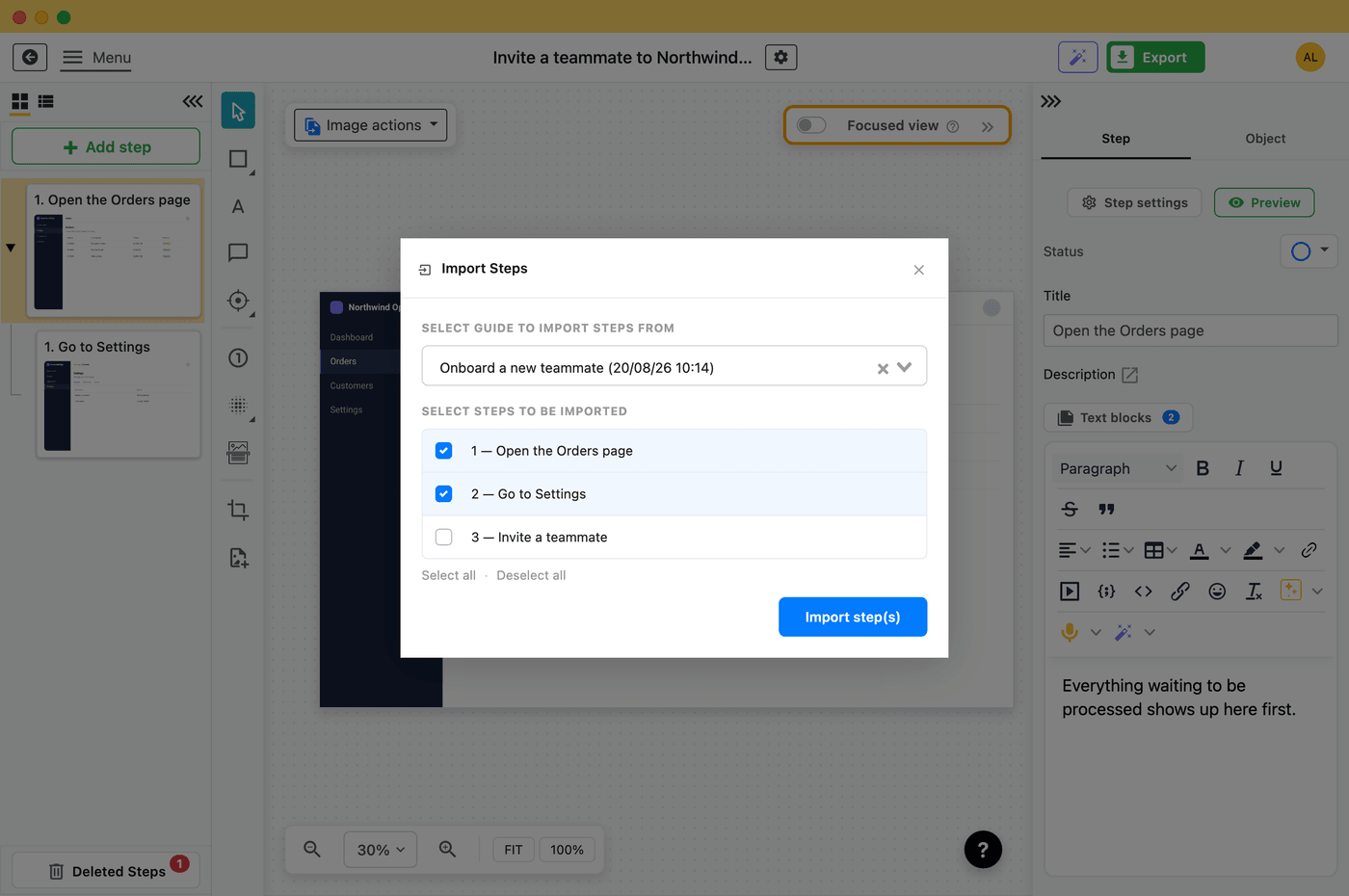
  • Reorder steps, hide, add sub steps to expand the context.
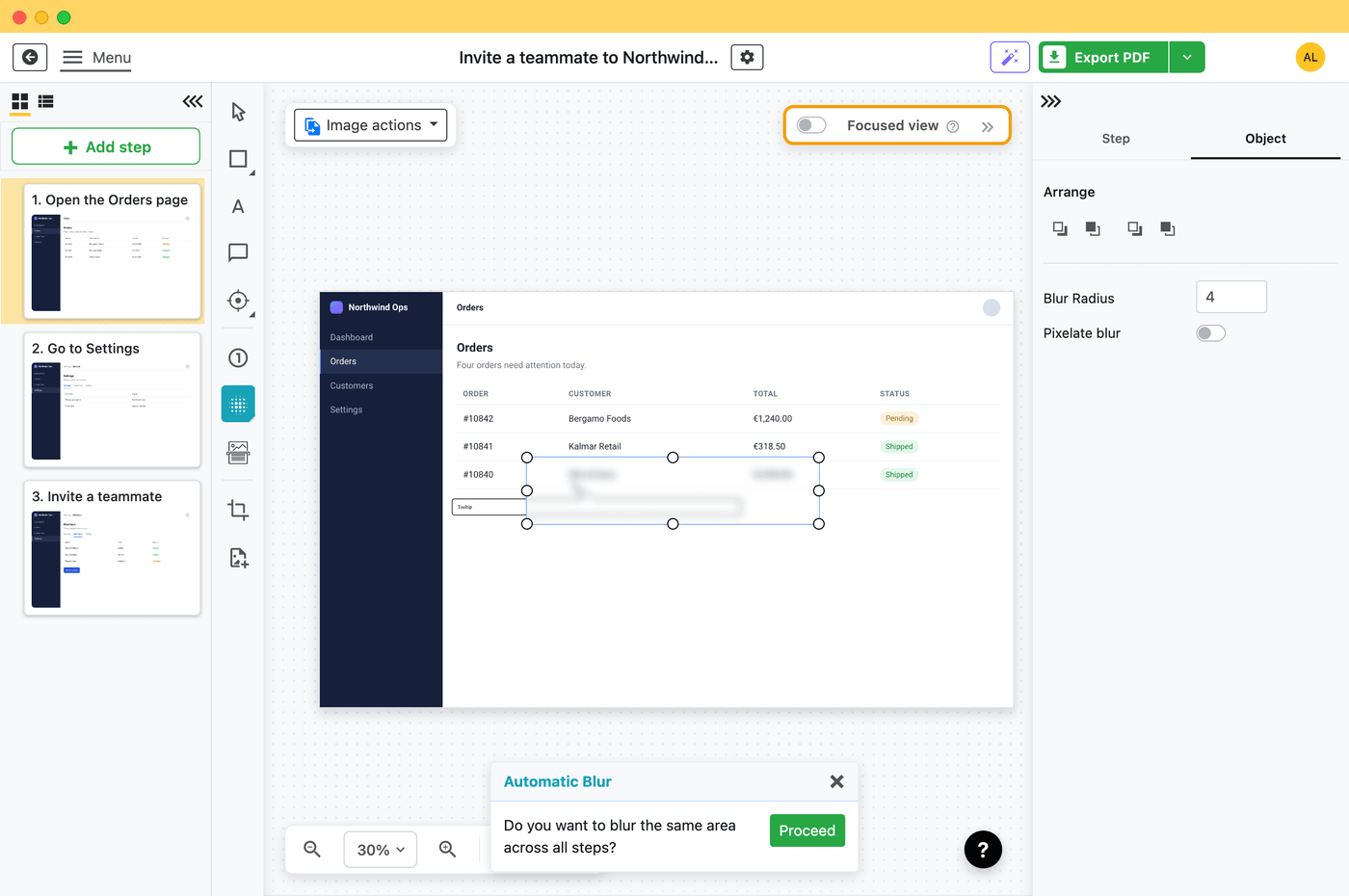
  • Redact, blur, add arrows, shapes, zoom in areas and many more.
Created with Sketch.How to use checkout form Created with Sketch.Step 1 - Open the form Created with Sketch.Step 2 - Fill in information12 Created with Sketch.Step 3 - Submit the form

Step 3

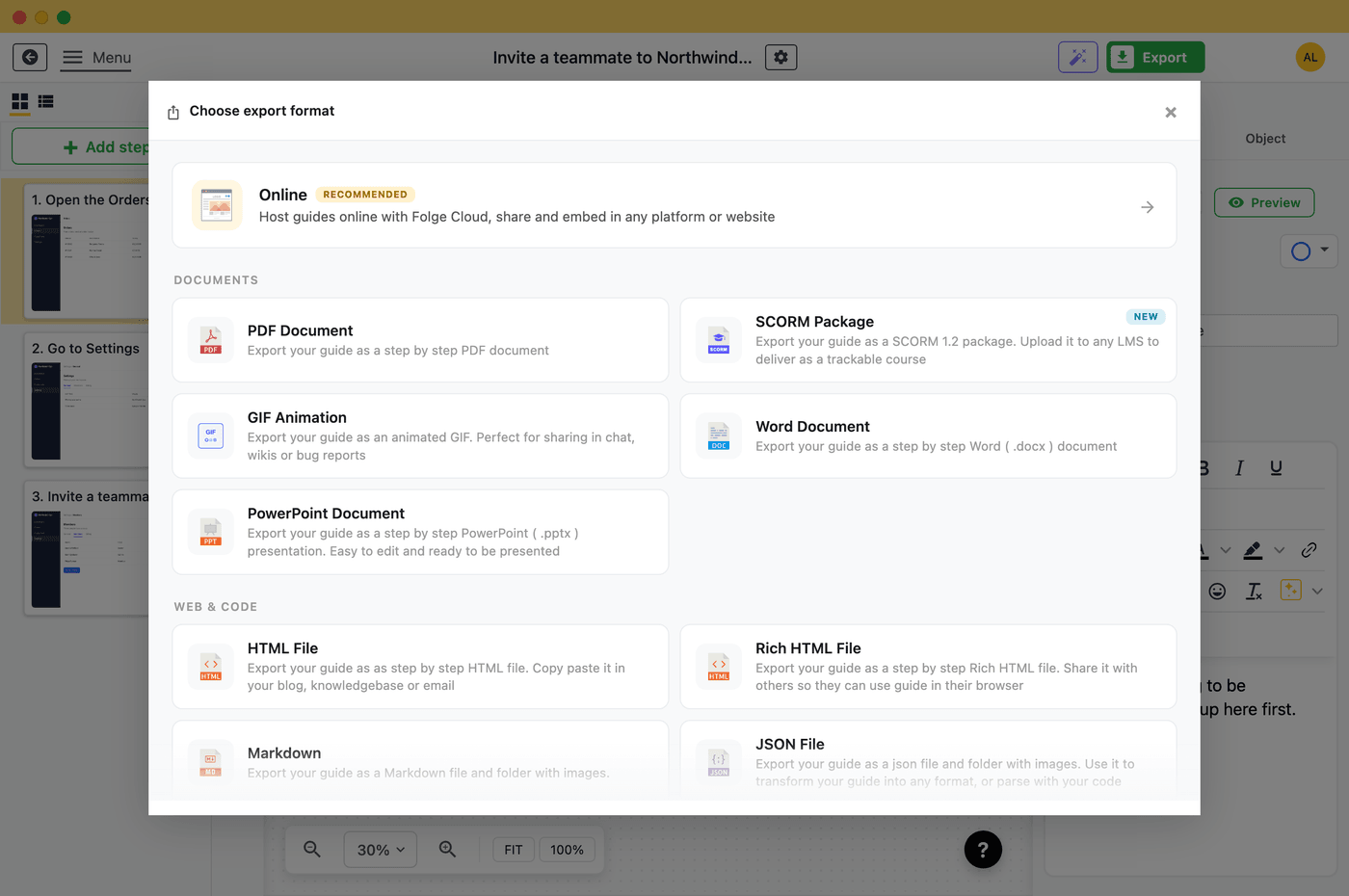
Export your guide to 7 formats and share

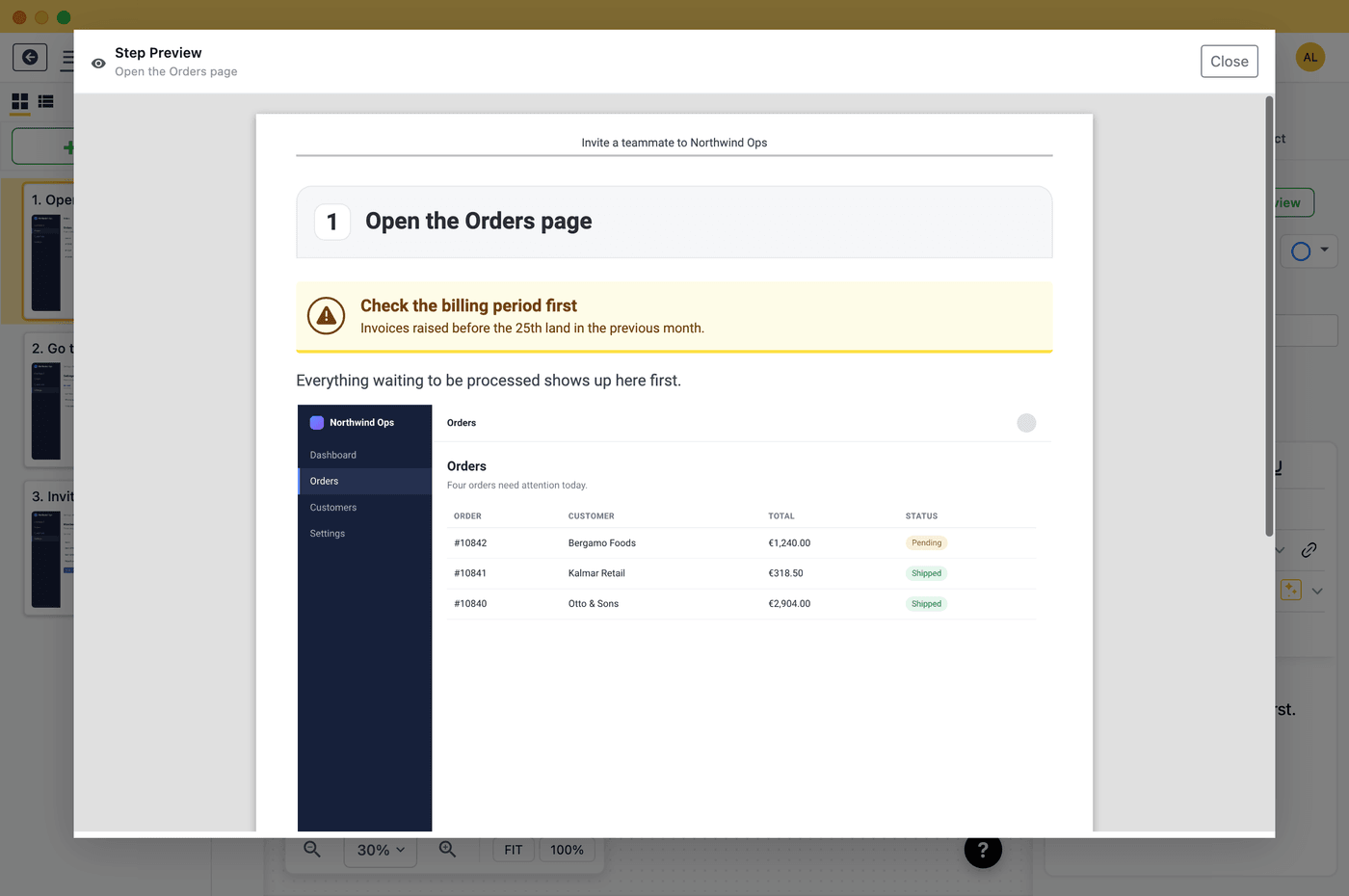
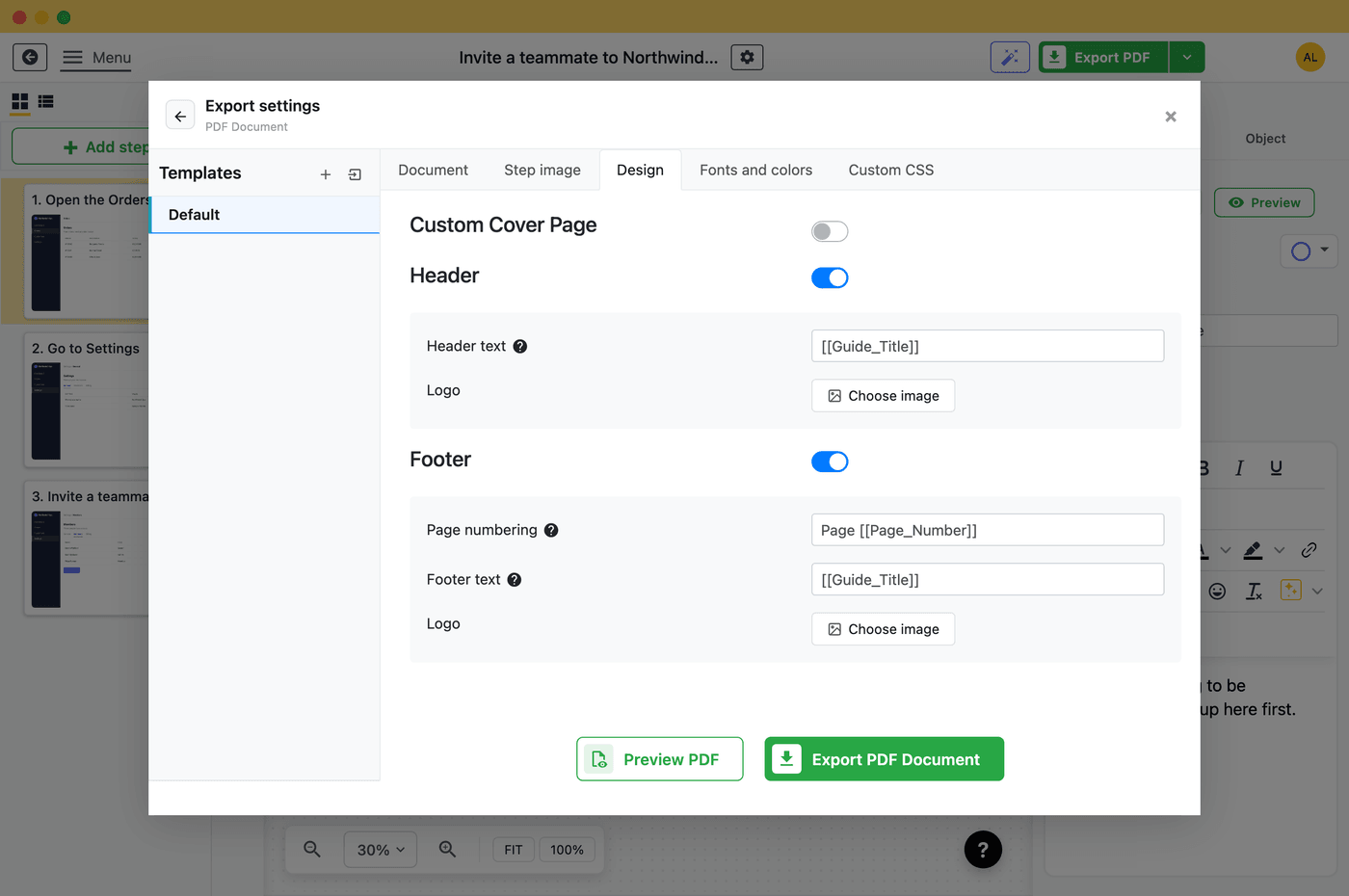
Once you are done with customization, export your guide in one of 7 formats and customize layout as you want. Use your fonts, custom colors or even CSS to change layout. Embed guide into Confluence, Sharepoint, or your existing knowledge base.

  • Export to one of 7 formats: PDF, HTML, Powerpoint, Word and more.
  • Use your fonts, colors, logos, custom CSS.
  • Customize layout and sizes as much as you need.
Drawing Try

Start using Folge for free now

Download
Highlights
Fast and simple

Simple, time- and cost-saving solution

It takes one single app and less than 10 min to create a tutorial or guide. Folge is a fast, intuitive solution for taking 1-click screenshots and accompanying them with the text.

Simple, time- and cost-saving solution.
No more repetitive and routine actions.
Kill manual work

No more repetitive and routine actions

Showing the same thing over and over, walking your peers through some standard issues every single day, handling manual support frequently... forget about it.

Share your work

Exports that work everywhere and for everyone

Export your step-by-step guide in 7 formats, customize and control every small element of the output, share guides with your users, colleagues or clients. Use guides for literally every possible case and system.

Embed guide into Confluence, Sharepoint, Help Scout, Zendesk and any other knowledge base tool.

Exports that work everywhere and for everyone
No more repetitive and routine actions.
Secure and Private

Your information and guides are safe

Stop worrying about sensitive information in your guides. Unlike other cloud based tools, Folge doesn't share or send any information to the server or cloud, leaving all your data on your computer. Folge is the perfect tool for anyone who wants to take control of their data and collaborate with others securely.

No more manual work with Microsoft Word and screenshot tools

Customizable capturing

Capture on mouse clicks, keypress, keycombination

Automated annotations

Prefill step titles with data from clicks

Free forever version

Use free version with limited features

No BS pricing

Full app for one-time price with all future updates and features

Nested steps

Nest steps to create multi-steps instructions

WYSIWYG

Word-like editor for step description

Tools

Add circles, rectangles, arrows, text, step numbers, and more

Special tools

Blur sensitive data, highlight important pieces, and magnify tool

Exports

Export into PDF, Word, Powerpoint, HTML, JSON, Markdown

Embeddable

HTML guides are compatible with Confluence, Zendesk, Sharepoint.

Customization

Customize feel and look of any export format

Multiplatform

Use Folge on Mac or Windows

Translated UI

Folge is available in English, French, German, Dutch, Spanish, Portuguese and Italian languages

Cover Page Editor

Customize the cover page with a drag and drop editor

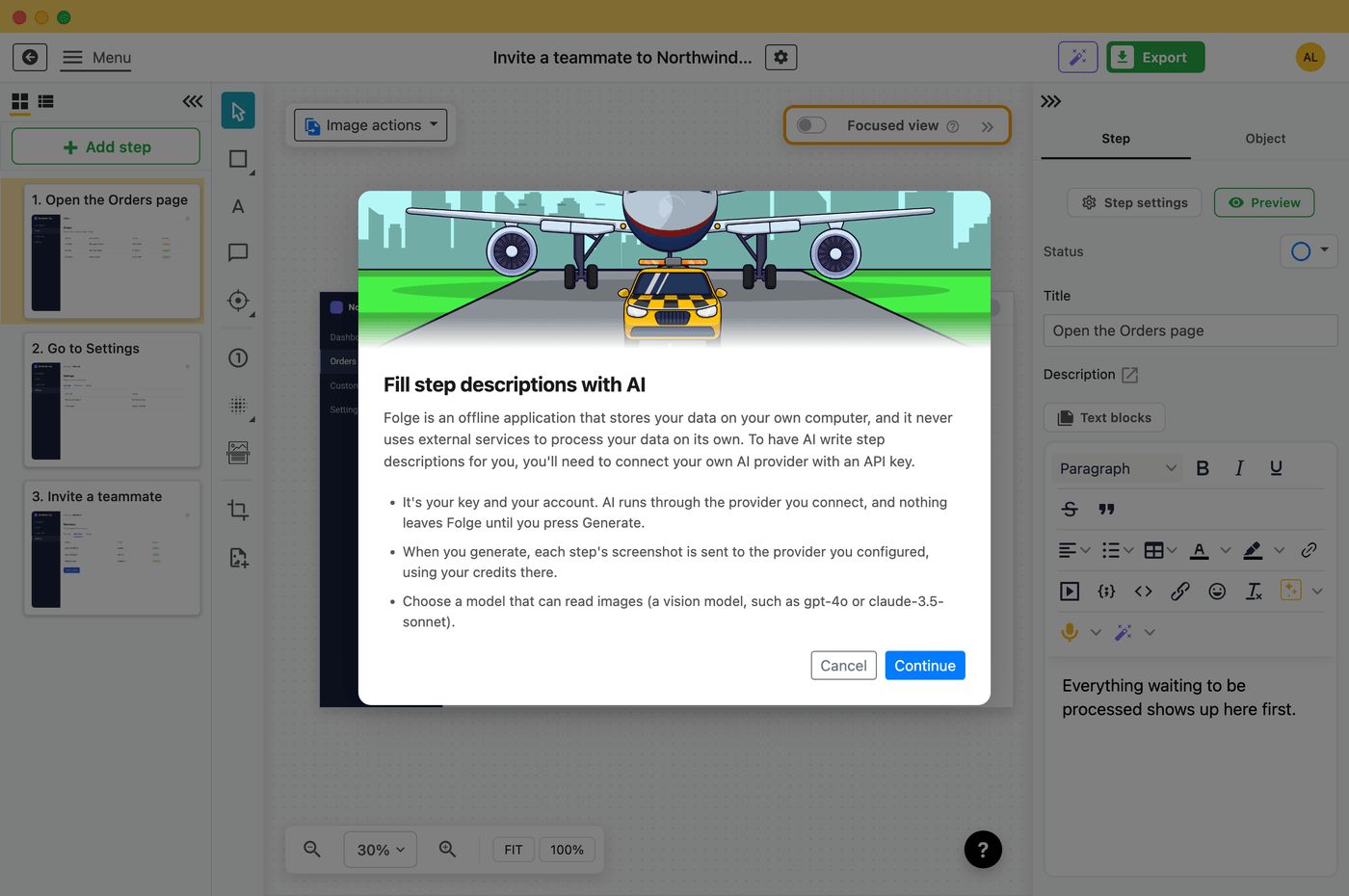
✨ AI Helper

BYOK AI Helper to write better SOPs

Confluence, WordPress and Notion integrations

Export safely and directly to your Confluence and WordPress

Over 1,000 customers trust Folge with their documentation. See what they say:

“Very easy to use, developer is very helpful and friendly. I bought this as a replacement for 'Clarify-it' which was discontinued. But Folge is much better, with more features and less bugs."
Jen D.
“I used to spend a lot of time taking screenshots and pasting them into Keynote, editing, etc. Now it's much easier, all in one and exporting to PDF."
Mykhailo L, CTO
Drawing Friends
“Easy to install, clean and good structured user interface. Folge works just beside, not disturbing the workflow of the actual work. Good set of export formats"
Gernot K., Architect
“There are many things that I love about Folge, however the main feature for me is being able to easily create step by step guides with ease."
Jonathan I., Product Director
Not convinced yet? Read all reviews

Folge by the numbers

Proprietary product data we publish and update with every Folge release. Last updated with version 1.34.0 (May 2026).

1,000+
Active users and teams using Folge daily
4.8/5
Average from 99 verified Capterra reviews
7
Export formats: PDF, Word, PowerPoint, HTML, Markdown, JSON, and image bundles
7
UI languages: English, French, German, Dutch, Spanish, Portuguese, Italian

Source: Folge product telemetry and public review platforms, current as of Folge 1.34.0. See the full Folge changelog for release-by-release benchmarks.

Frequently asked questions about Folge

What is Folge?

Folge is a free desktop app for Windows and macOS that helps you create step-by-step guides, tutorials, and process documentation. Folge takes a screenshot on each mouse click, lets you annotate and reorder the steps, and exports the finished guide to PDF, Word, PowerPoint, HTML, Markdown, JSON, or image bundles.

Is Folge free?

Yes. Folge has a free forever version with the core capture and editing features. A one-time paid license unlocks advanced exports, integrations, custom branding, and lifetime updates — there is no subscription.

Does Folge work offline and keep my data private?

Yes. Folge runs entirely on your computer. Captures, edits, and exports happen locally — nothing is uploaded to Folge servers or a cloud, which makes it suitable for sensitive workflows in IT, healthcare, finance, and regulated industries. See the Folge Security & Compliance page for details.

Which platforms does Folge support?

Folge is a native desktop application for Windows (10 and 11) and macOS (Intel and Apple Silicon). The same Folge license works on both platforms.

What can I export from Folge?

Folge exports your step-by-step guide to PDF, Microsoft Word, Microsoft PowerPoint, HTML, Markdown, JSON, and an image bundle. HTML exports are designed to embed cleanly into Confluence, SharePoint, Zendesk, Help Scout, and most other knowledge bases.

How is Folge different from Scribe, Tango, or Iorad?

Folge is a privacy-first desktop app sold for a one-time price, while Scribe, Tango, and Iorad are cloud-based subscription tools. Because Folge runs locally, your screenshots and process documentation never leave your computer. See the full comparison of Folge vs. Scribe, Tango, Iorad, Flowshare, ScreenSteps, and Stepshot.

Where can developers find Folge integration and customization docs?

Folge has a developer-friendly surface for technical teams: a public Folge knowledge base & documentation, native integrations with Confluence, WordPress, Notion, and Hudu, Markdown export for Git-based docs, CSS theming of HTML exports, and a public roadmap and feedback portal.

About Folge

Folge is an independent, privacy-first product team building desktop documentation software. Use the links below to learn more about the company, our trust posture, and our developer surface.

Drawing Moonlanding

Start creating your documentation right now!

Folge is a desktop application. Download and use it for free forever or upgrade for lifetime features and support.

Looks like you are on mobile phone. Click here to send yourself download links for later
System Requirements: Windows 7 ( partial support), 8, 8.1, 10, 11 (64-bit only). OSX > 10.10. Available in 🇬🇧, 🇫🇷, 🇩🇪, 🇪🇸 , 🇮🇹, 🇳🇱, 🇵🇹/🇧🇷 and 🇯🇵 languages.
The Gold Standard Of Guide Creation
Jonathan, Product Director