
Publish step-by-step guides directly to Hudu
The private MSP documentation tool that captures client procedures offline on your technician laptop, then publishes step-by-step guides directly to your Hudu instance. Your client screenshots never touch a third-party cloud.
Why MSPs Use Folge for Hudu Documentation
Local-first capture, private by default
Folge runs as a native desktop application on your Mac or Windows machine. Capture client environments - passwords screens, infrastructure dashboards, proprietary configs - and the screenshots stay on your computer until you publish. No SaaS middleman ever sees your client data.
Built for multi-account MSP workflows
Connect multiple Hudu accounts - one per client, MSP, or environment - and switch between them in a click. Folge remembers the last company and folder used for each account, so technicians can fly through documentation across dozens of clients without losing context.
Published straight to the right Company & Folder
Folge mirrors Hudu's Company → Folder → Article hierarchy. Pick the destination once, capture your workflow, and your finished guide lands in the correct location with screenshots already uploaded as Hudu attachments. Updating an existing article? Folge replaces it cleanly.
How to Publish a Folge Guide to Hudu
Set up takes about 2 minutes. After that, every guide is one click away from your Hudu KB.
Connect your Hudu account
In Folge's settings, paste your Hudu instance URL and API key. Add as many Hudu accounts as you need - one per client or environment. Credentials are stored locally on your computer and used only to talk to your own Hudu instance.
Capture the procedure
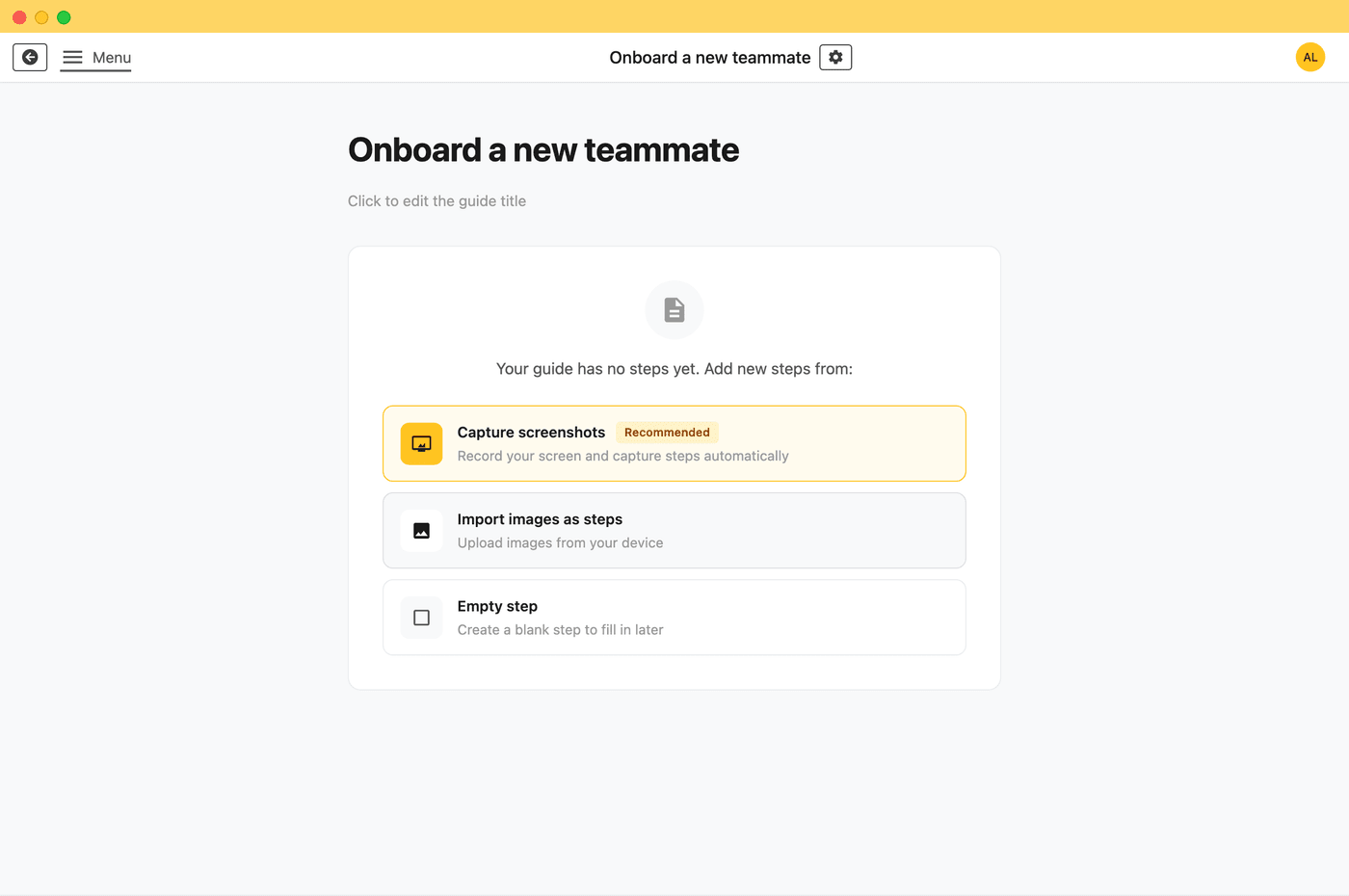
Click "Start Capture" and walk through the workflow you want to document - onboarding a user, configuring a firewall, restoring a backup. Folge takes a screenshot on every click. This step is fully offline, so it works on isolated client networks or in air-gapped environments.
Edit, blur, and annotate locally
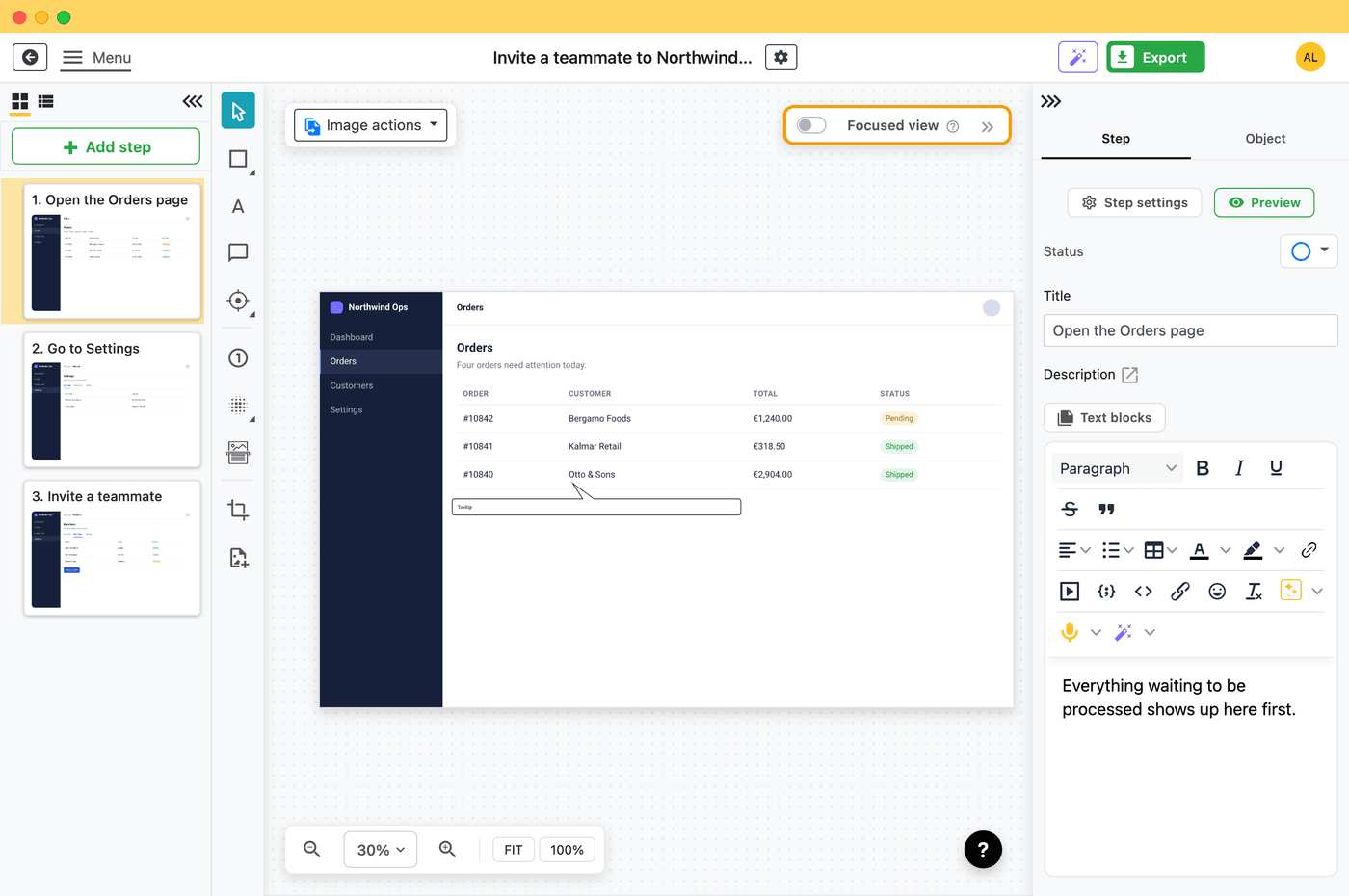
Add titles, callouts, arrows, and step descriptions. Use blur to redact sensitive client information - passwords, IPs, license keys - before anything is published. Everything happens in the desktop app; nothing leaves your computer yet.
Publish directly to Hudu
Pick the target account, company, and folder, then click Publish. Folge sends the guide straight from your computer to your Hudu instance - uploads images, builds the article, and links everything together. The new article appears in Hudu instantly.
Local-First Publishing to Hudu
Most documentation tools auto-upload your screenshots to their cloud the moment you click. Folge is different. Guides are captured and edited entirely on your computer - only the final published version travels to your Hudu instance, sent directly from your machine. No third-party cloud middleman, no vendor lock-in for your raw captures, and no compliance grey area.
Air-gapped capture
Capture and edit guides on a laptop with no internet at all. Publish to Hudu later, only when you're ready.
GDPR-compliant by design
Your screenshots and guide data never leave your computer until you choose to publish. Folge servers never see them.
Self-hosted friendly
Hudu often lives behind a corporate firewall or VPN. Because Folge runs locally on your laptop, it can reach your Hudu instance directly - including private and on-prem deployments cloud-only tools cannot touch.
Learn more about Folge's offline-first, local-only architecture →
What Folge's Hudu Integration Supports
- Multiple Hudu accounts - switch between client instances in one click
- Companies, Folders, Articles - full hierarchy navigation
- Global KB articles - publish at the top level when there's no company
- Update existing articles - overwrite cleanly without orphan images
- Automatic image upload - screenshots are uploaded as you publish
- Bulk redaction with blur - protect client credentials before publishing
- Search across folders & articles - find the right destination fast
- Remembers your last destination per account - no repetitive clicking
- Works on Mac and Windows - same desktop app, same workflow
From capture to Hudu
Start documenting your Hudu KB today
Try Folge free, then pay $89 once and own it forever - including every future Hudu integration improvement.
Free forever up to 5 guides • Pay once, own forever • Works completely offline
Frequently Asked Questions
Does my client's data ever leave my computer before going to Hudu?
No. Folge captures and processes everything locally on your Mac or Windows desktop. When you click Publish, the guide travels straight from your machine to your Hudu instance via Hudu's API. Folge never sees your screenshots, and there is no third-party cloud in the middle.
Can technicians capture client procedures while on-site without cloud access?
Yes. Capture and edit completely offline on the technician's laptop - even on isolated client networks or air-gapped systems. Sync to Hudu later when you're back on a trusted network. Learn more about Folge's offline-first architecture.
Can I connect more than one Hudu account?
Yes. Folge supports multiple Hudu accounts and lets you switch between them per guide. Useful for MSPs with separate Hudu instances per client, or one MSP-internal Hudu plus a customer-facing one. Folge remembers the last company and folder used for each account.
Can I update an existing Hudu article instead of creating a new one?
Yes. Folge remembers which Hudu article each guide was last published to. The next time you export, you'll get the option to either update that article in place (replacing content and images) or create a new one in a different location.
Does Folge work with self-hosted or private Hudu instances?
Yes. Because Folge runs as a desktop application on your computer, it can reach Hudu instances on internal networks, behind VPNs, or anywhere your laptop can reach. Cloud-based screenshot tools that auto-upload to a SaaS often can't do this.
What if I don't want to publish directly - can I export to a file instead?
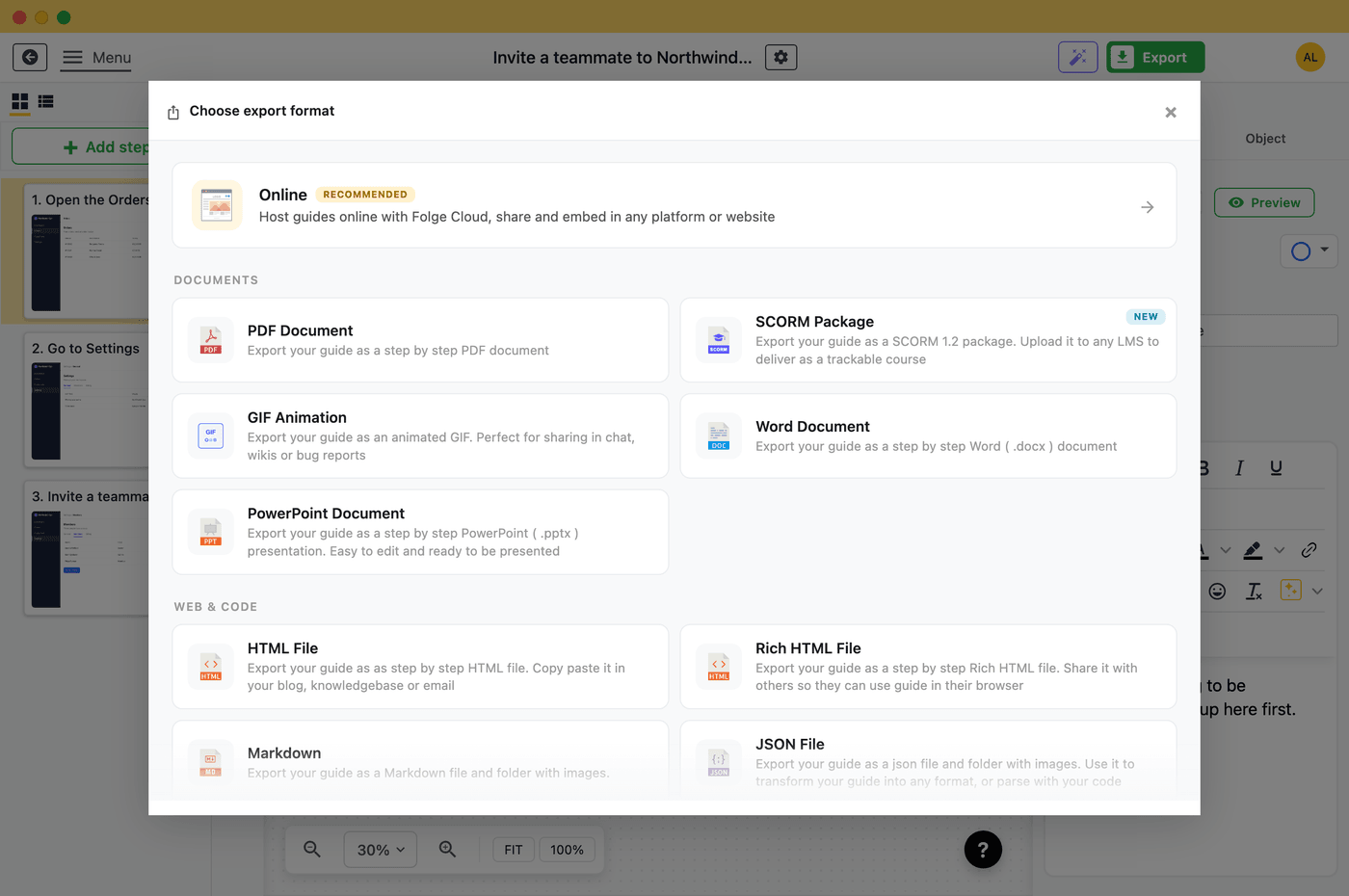
Absolutely. The Hudu integration is one of many options. Folge also exports to 9 file formats - PDF, Word, PowerPoint, HTML, Markdown, JSON, and more - all generated locally on your computer.
More Folge Integrations




Start creating your documentation right now!
Folge is a desktop application. Download and use it for free forever or upgrade for lifetime features and support.
Looks like you are on mobile phone. Click here to send yourself download links for later
The Gold Standard Of Guide Creation

