
Publish step-by-step guides directly to Notion
The desktop tool for Notion documentation that captures your workflow offline on your Mac or Windows desktop and publishes finished guides to your Notion workspace as native blocks. Connected via OAuth - no passwords stored, no screenshots stored on third-party servers.
Why Teams Use Folge for Notion Documentation
Native Notion blocks, not embedded HTML
Most "screenshot to Notion" tools dump HTML or paste images into a single block. Folge generates real Notion blocks - headings, paragraphs, callouts, images, and bulleted lists - exactly the structure Notion uses natively. Your guide is fully editable inside Notion afterward.
Local-first capture, OAuth publishing
Folge runs as a desktop application. Screenshots are captured and edited entirely on your computer; only the finished guide travels to Notion. Authentication is OAuth - no password sharing, no API key juggling, just one click to authorize Folge in your Notion workspace.
Full-resolution images, hosted by Notion
Folge uploads each screenshot at full resolution - not blurry external links that break later. Your images become real, hosted Notion images that load instantly and survive page moves and exports.
How to Publish a Folge Guide to Notion
Set up takes about a minute. After that, every guide is one click away from your Notion workspace.
Connect your Notion workspace via OAuth
In Folge's settings, click "Connect to Notion." Your browser opens, you authorize Folge in your Notion workspace, and the integration token is stored locally on your computer. No passwords, no manual API key - just OAuth.
Capture the workflow you want to document
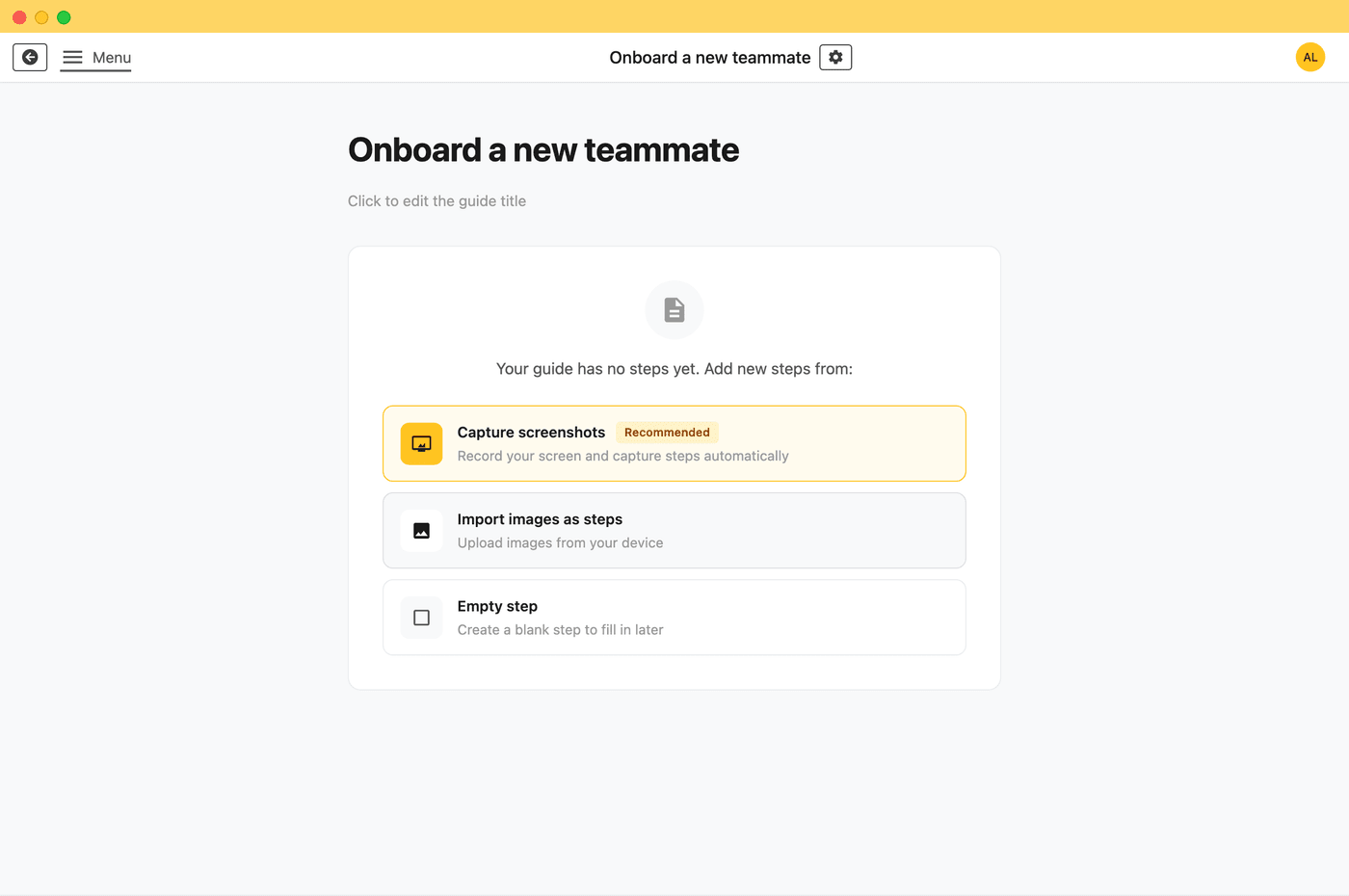
Click "Start Capture" and walk through the process - onboarding, configuration, a release procedure. Folge takes a screenshot on every click. This step is fully offline; nothing leaves your machine.
Edit, blur, and annotate locally
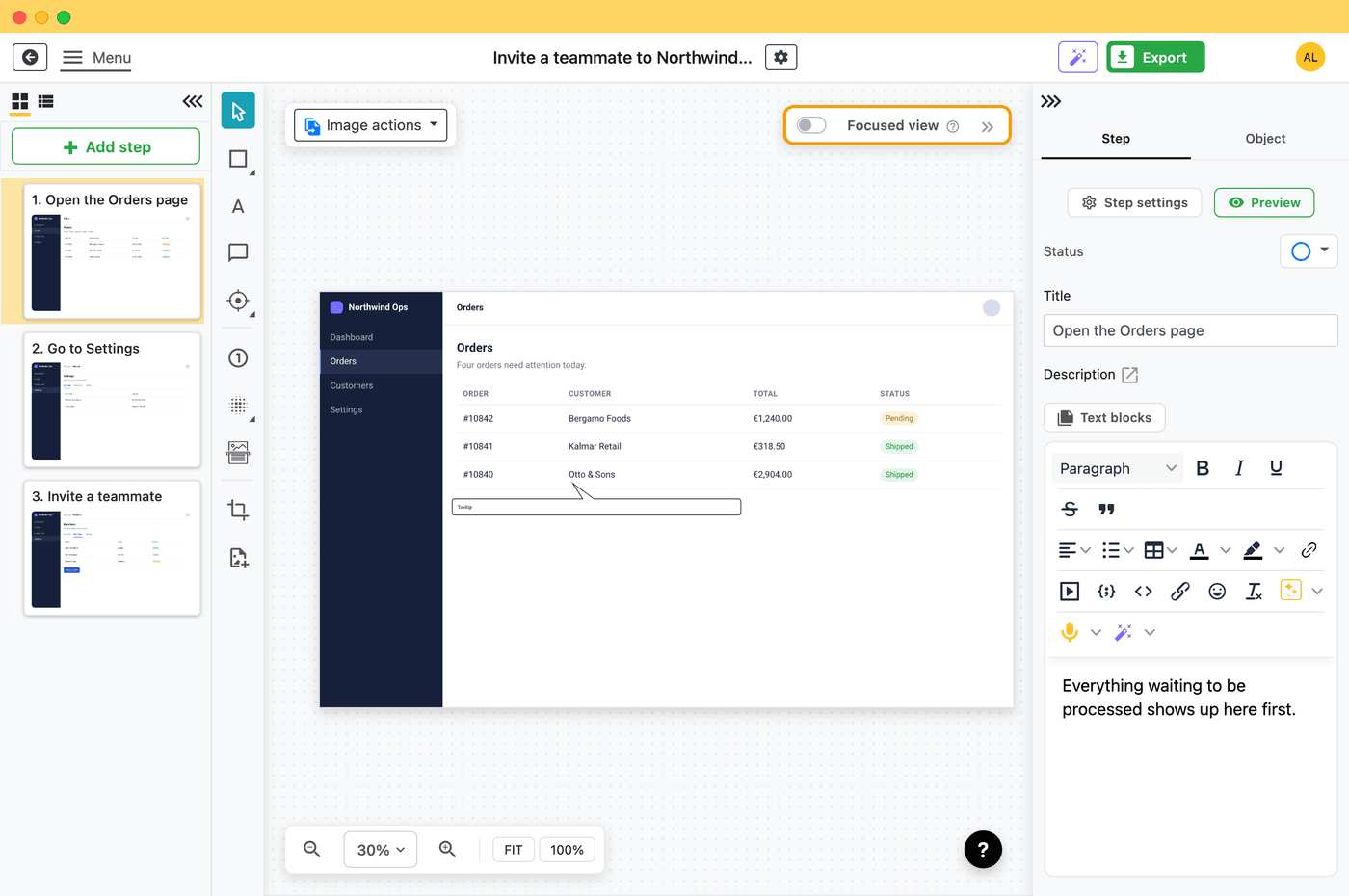
Add titles, callouts, arrows, and step descriptions. Use blur to redact sensitive information before anything is published. All processing happens on your desktop.
Publish directly to Notion
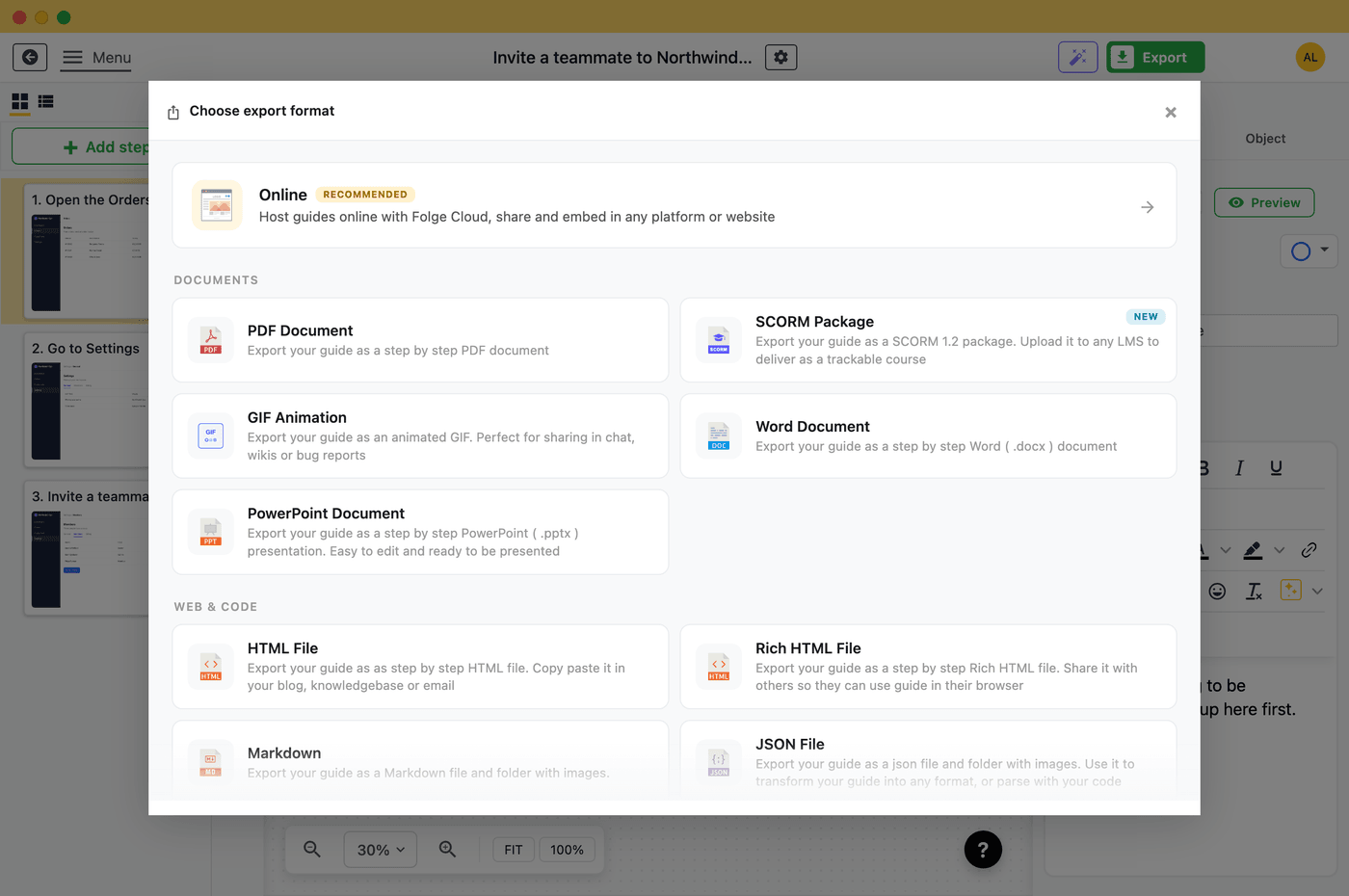
Pick a parent page in your workspace, then click Publish. Folge sends the guide straight from your computer to Notion - uploads your screenshots at full resolution, builds the page out of native Notion blocks, and creates the new sub-page under your chosen parent.
Local-First Publishing to Notion
Most documentation tools auto-upload your screenshots to their cloud the moment you click. Folge is different. Guides are captured and edited entirely on your computer - only the final published version travels to your Notion instance, sent directly from your machine. No third-party cloud middleman, no vendor lock-in for your raw captures, and no compliance grey area.
Air-gapped capture
Capture and edit guides on a laptop with no internet at all. Publish to Notion later, only when you're ready.
GDPR-compliant by design
Your screenshots and guide data never leave your computer until you choose to publish. Folge servers never see them.
Self-hosted friendly
Notion is cloud-only, but Folge isn't. Capture client procedures, internal SOPs, or sensitive workflows on your laptop with no internet at all, then publish to Notion later - only the final, redacted guide ever travels.
Learn more about Folge's offline-first, local-only architecture →
What Folge's Notion Integration Supports
- OAuth authentication - no password sharing, one-click authorize
- Native Notion blocks - heading, paragraph, callout, image, bulleted list
- Full-resolution images hosted by Notion (not external links)
- Pick any parent page in any workspace you've authorized
- Update existing pages or create new sub-pages
- Rich text annotations - bold, italic, links, inline code
- Search and tree navigation across your Notion workspace
- Bulk redaction with blur before publishing
- Token stored locally on your computer, not in the cloud
- Works on Mac and Windows - same desktop app, same workflow
From capture to Notion
Start publishing to Notion today
Try Folge free, then pay $89 once and own it forever - including every future Notion integration improvement.
Free forever up to 5 guides • Pay once, own forever • Works completely offline
Frequently Asked Questions
Are my screenshots stored on Folge's servers before going to Notion?
No. Folge captures and processes screenshots entirely on your computer. They go straight from your machine to Notion. Folge never sees your screenshots - there is no third-party cloud middleman. More on Folge's offline-first architecture →
Does Folge create real Notion blocks or just paste HTML?
Real Notion blocks. Folge constructs each step as native Notion content - heading, paragraph, callout, image, bulleted list - using Notion's official block API. Your published guide is fully editable inside Notion afterward, exactly like a guide you wrote there by hand.
How does authentication work?
OAuth. Click "Connect to Notion," authorize Folge in your Notion workspace, and that's it. Folge never asks for your password. The integration token is stored locally on your computer and used only to talk to your own Notion workspace.
Can I capture content offline and publish to Notion later?
Yes. Folge's capture and editing steps work entirely offline, including in air-gapped environments. You can record a workflow on a restricted machine, edit and redact it locally, then publish to Notion later when you're back on a connected network.
Can I update an existing Notion page instead of creating a new one?
Yes. Folge remembers which Notion page each guide was last published to. The next time you export, you can update that page in place or create a fresh sub-page somewhere else.
Are images full-resolution or external links?
Full-resolution. Folge uploads them so they become real, Notion-hosted images. They load instantly, survive page moves, and don't break when external image services go down.
What if I don't want to publish directly - can I export to a file instead?
Yes. Folge also exports to 9 file formats - including Markdown, which Notion imports cleanly - all generated locally on your computer.
More Folge Integrations




Start creating your documentation right now!
Folge is a desktop application. Download and use it for free forever or upgrade for lifetime features and support.
Looks like you are on mobile phone. Click here to send yourself download links for later
The Gold Standard Of Guide Creation

