Create a SCORM Package for Your LMS
Getting a software how-to into an LMS usually means rebuilding it in a course authoring tool. Folge exports the guide you already have as a SCORM 1.2 package that your LMS tracks as a course.
Export the Package
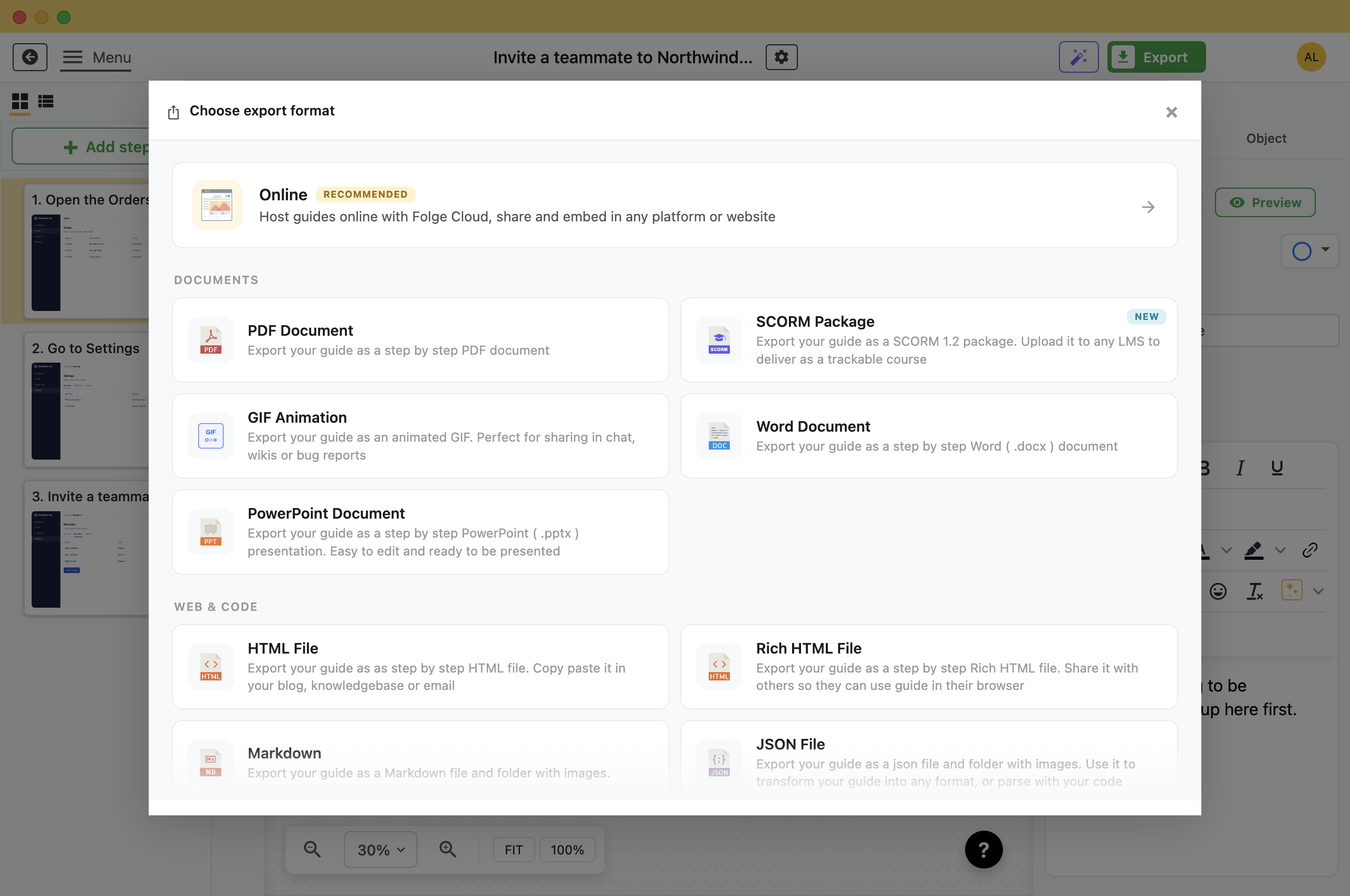
- Open the guide and click Export in the header.
- Pick SCORM Package.
- Click Export SCORM Package and choose where to save.Folge writes one .zip file. That file is the whole course.
The package works offline and needs no account or server.
Set Up the Contents Menu
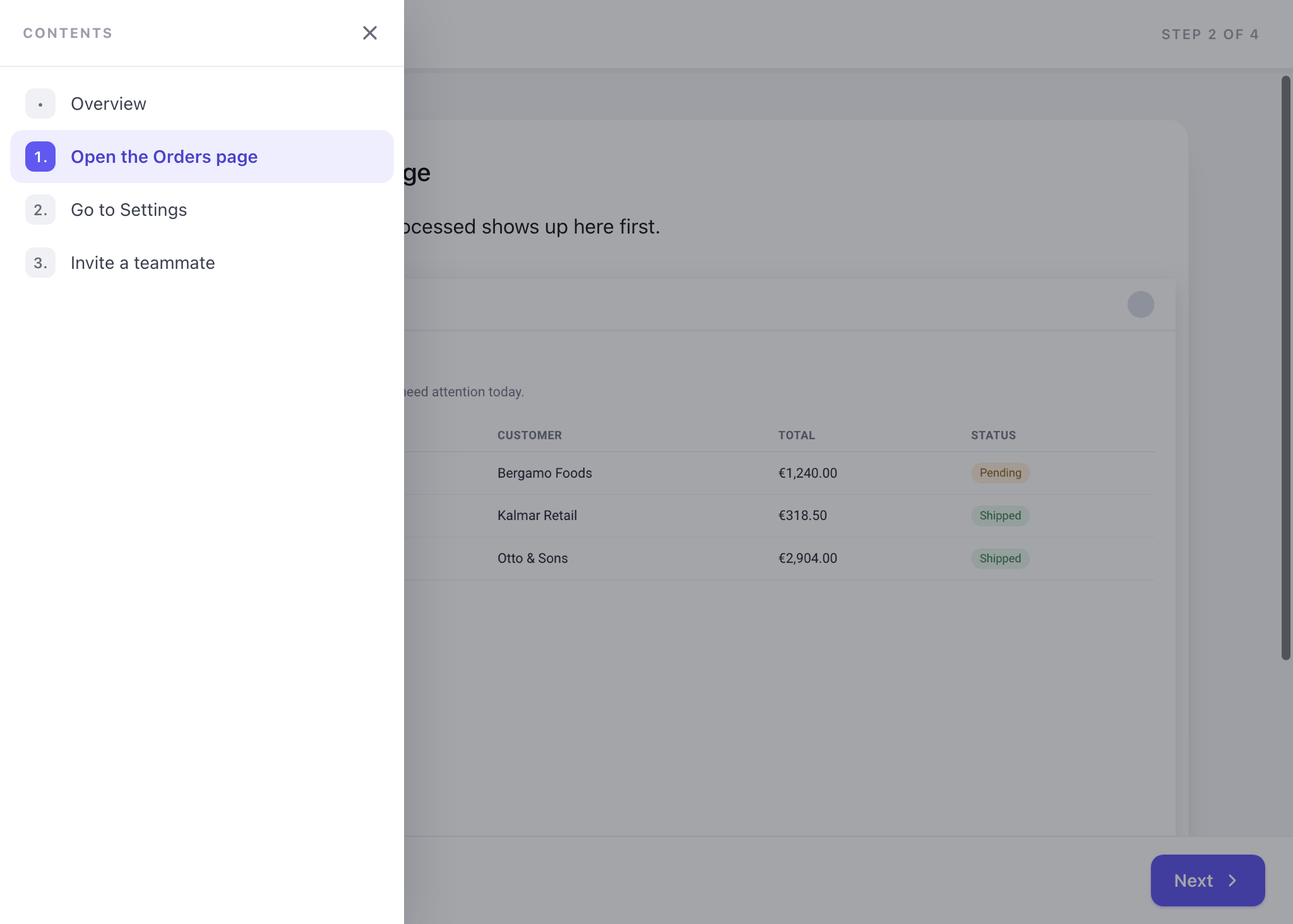
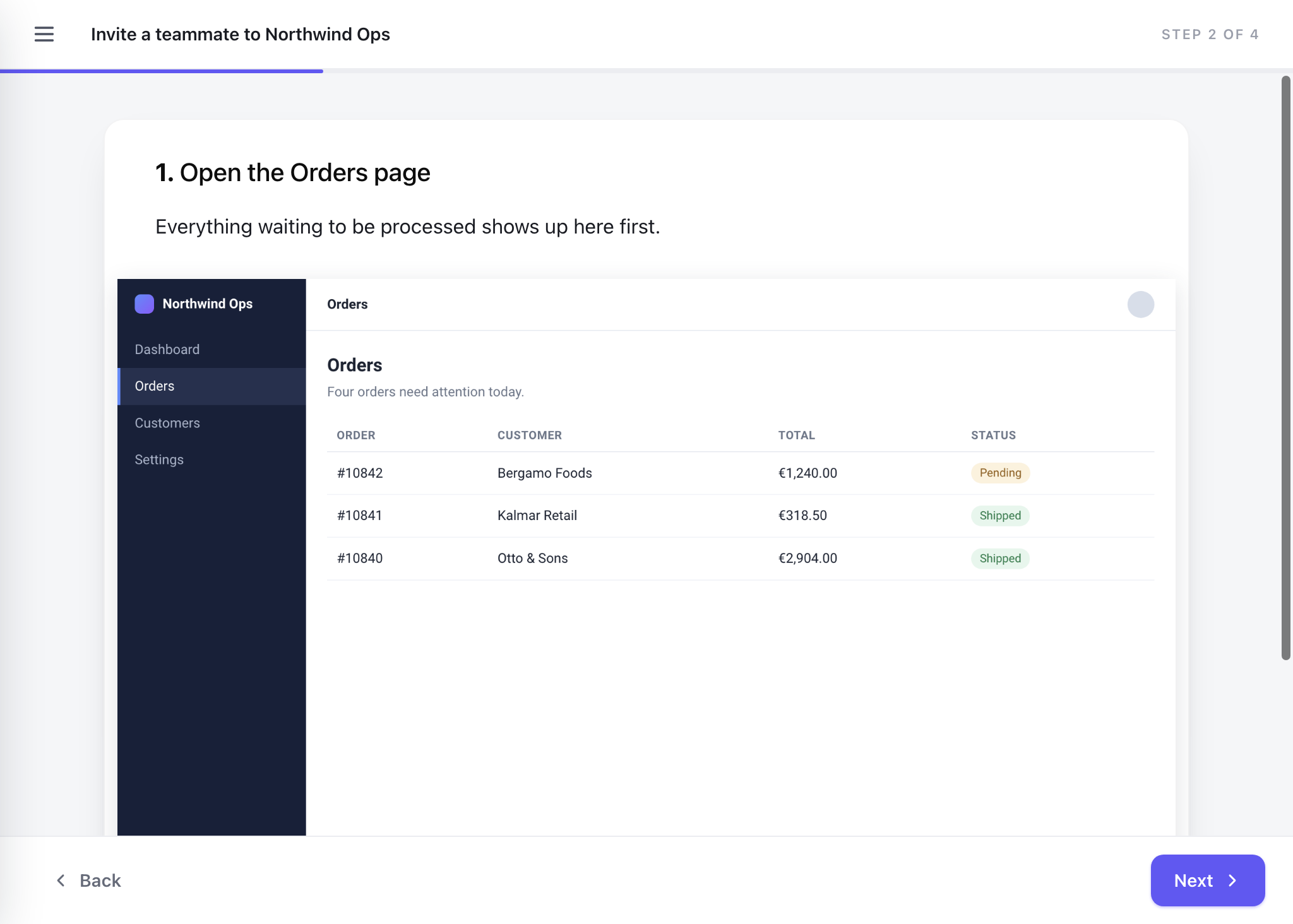
The course plays one step per screen, with Back and Next and a progress bar. A Contents menu lets learners jump to any step. It is on by default.
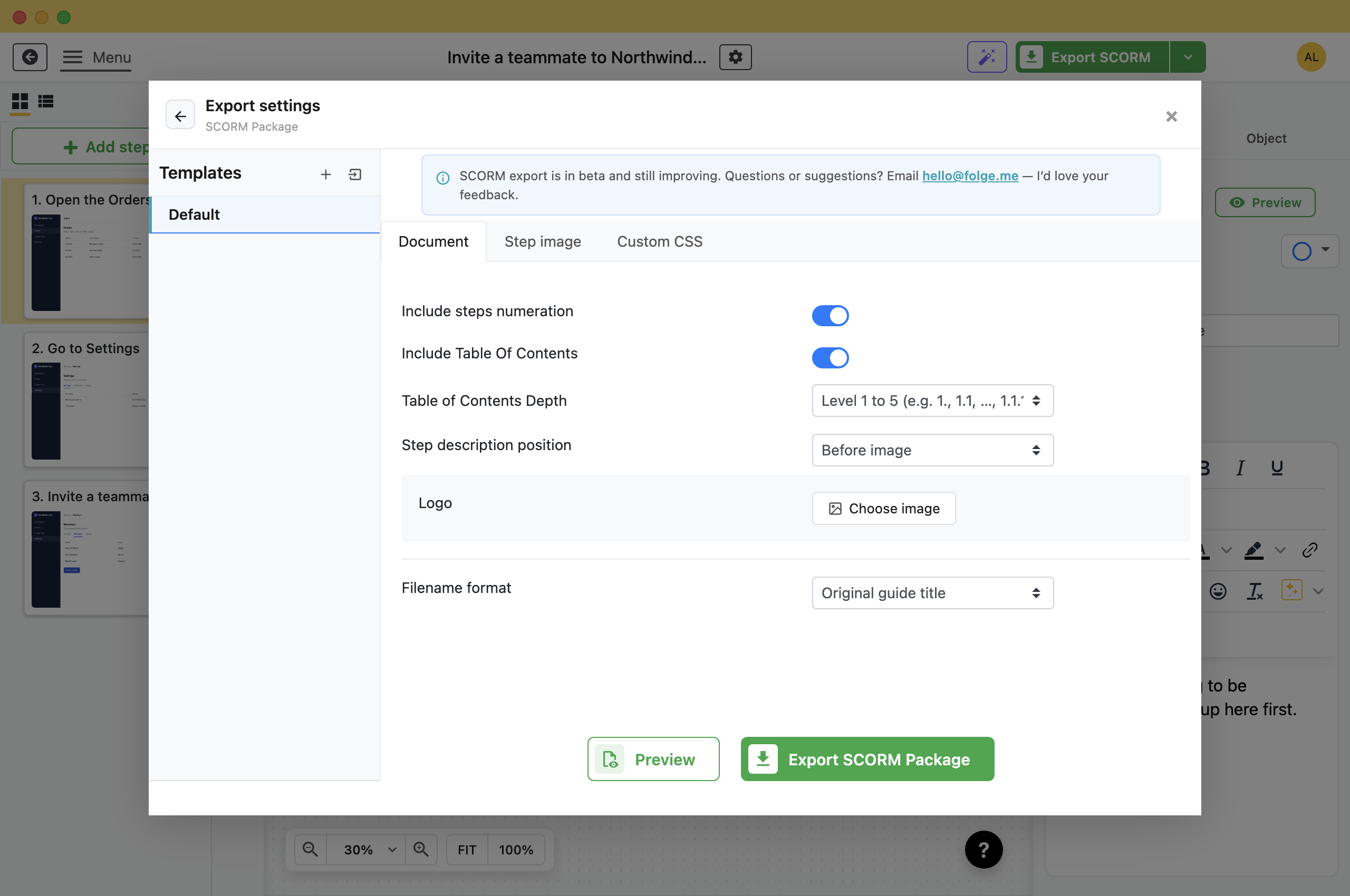
- Include Table Of Contents: Switch it off to hide the menu button at the top left of every screen.
- Table of Contents Depth: How many levels of substeps the menu lists.
- Include steps numeration: Numbers the steps on each screen and in the menu.
- Logo: Puts your logo in the header of every screen.
Check It in Preview
Click Preview next to the export button. Folge opens the course in a window the way a learner sees it, with the first few steps.
Substeps get a screen of their own, numbered 2.1, 2.2 and so on. Text blocks appear on the step they belong to. Skipped steps are left out.
Upload It to Your LMS
- In your LMS, add a new course or activity and choose to upload a SCORM package.
- Pick SCORM 1.2 if the LMS asks for a version.
- Upload the .zip without unpacking it.
- Assign the course to the people who need it.
SCORM 1.2 works in almost every LMS, including Moodle, TalentLMS, Docebo, Cornerstone and SAP SuccessFactors. xAPI and cmi5 are not supported.
What Your LMS Records
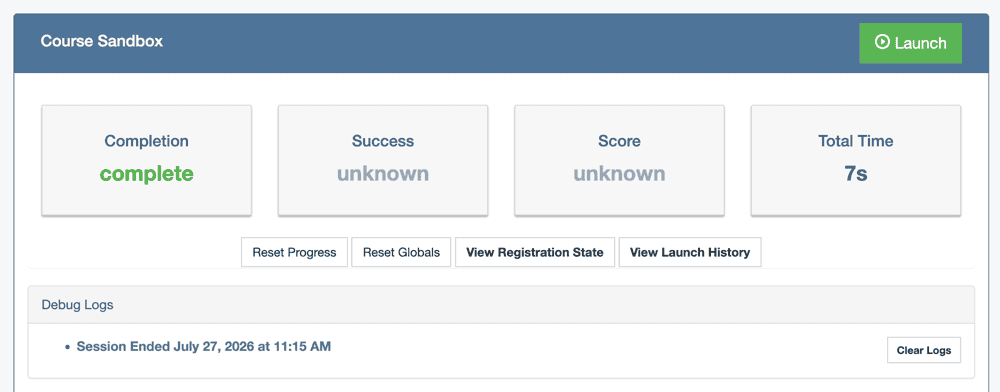
- Completion: Set to complete when the learner reaches the last screen.
- Total time: How long the learner spent in the course.
A guide has no quiz, so there is nothing to pass or fail. Your LMS shows score and success as unknown, which is expected.
To change how the course looks, see SCORM customization with CSS. For how Folge compares with course authoring tools, see SCORM authoring tool.
What this is good for
- Put onboarding and software training where your company already tracks who finished it.
- Keep a record of who completed training on a process.
- Use the same guide as a PDF for reference and as a course for training.
Make guides like this one
Folge takes a screenshot on every click, so you make a guide by doing the task once.

