Write Onboarding Documentation for Your Team's Software
Onboarding a new hire onto your software usually means a colleague showing them every task, again for each new starter. Folge records each task once as a step-by-step guide with screenshots, and new hires work through the set on their own.
What New Hires Need First
A new hire does not need every feature of every tool. They need the handful of tasks their job starts with, in the order they meet them.
- Access: Signing in, the password manager, the VPN. Every other task depends on them.
- Daily tasks: What they will do most days, such as logging a ticket or updating a deal.
- Where to ask: Who owns each tool, and how to reach them.
The HR side, such as contracts and equipment, belongs in a checklist. The employee onboarding SOP template covers it.
List the Tasks, Not the Tools
Name each guide after one task, such as "Log a call in Salesforce", rather than after the tool. A guide for one task is short enough to follow in one sitting.
- Ask the last person who joined which tasks they had to ask about in their first two weeks.
- Write each one down as a verb and an object: "Book time off", "Close a support ticket".
- Put them in the order a new hire needs them, access first.
Record One Guide per Task
- In the guides list, click Create Guide and name it after the task.
- Click Capture screenshots, then Start.
- Do the task once, with a test account or sample data where you can.
- Click Finish.Each click is a numbered step with a screenshot and a title.
Many tasks start with the same sign-in. Record it once, then copy those steps into the other guides with Reuse steps from another guide.
Write for Someone New to the App
Write the steps for a reader who does not know your abbreviations or where anything is.
- Titles: A verb and the exact label on screen: "Click New Ticket".
- Descriptions: Which value to choose and why, and what should happen after the click.
- Internal terms: Spell out team jargon and abbreviations the first time they appear.
- Warnings: Mark the step that sends an email to a customer or cannot be undone, with a text block.
Put the team's support address or a manager's name in a placeholder. When it changes, you edit one row instead of every guide.
Put the Guides in Order
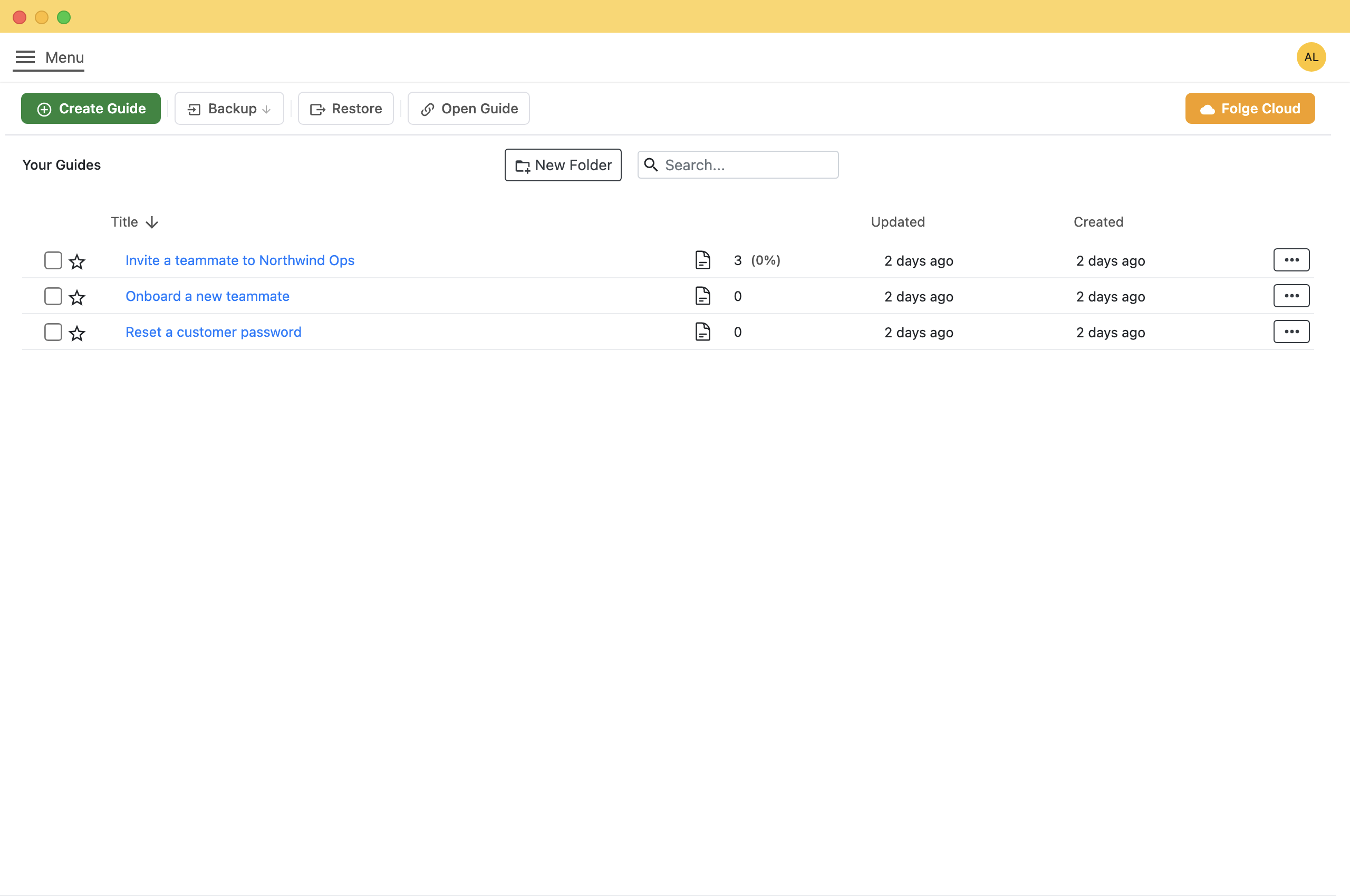
- In the guides list, click New Folder and name it after the role, such as "Support onboarding".
- Tick the guides that belong in it.
- Click Move to Folder and pick the folder.
The list sorts by Title, so start each title with a number to keep the reading order: "01 Sign in to the helpdesk", "02 Close a ticket".
Share Them Where Your Team Looks
Tick every guide in the folder and click Export. Folge exports them one after another with the same settings.
- A shared drive: PDF or Word, one file per task.
- A wiki: Confluence, Notion or WordPress, as pages you can keep editing there.
- A learning system: SCORM, which uploads to most LMSs as a course that records who finished it.
Which format should you choose? compares all of them.
Fix the Gaps After Each New Hire
Ask each new hire at the end of their first week which guide they got stuck on, then fix that guide.
- A screen changed: Replace that one screenshot and export again. The other steps stay as they are.
- A step is missing: Click Add step in the step list, or record the missing part as a short capture.
- A task is missing: Record it as a new guide and move it into the folder.
The SOP playbook shows how to replace a screenshot without redoing the guide.
What this is good for
- Walking each new hire through the same tasks takes a senior colleague's time, every time.
- Your tools have no public help pages, such as an internal admin panel or a CRM set up your own way.
- New hires work remotely, in a different time zone from the person who knows the task.

Make guides like this one
Folge takes a screenshot on every click, so you make a guide by doing the task once.

